Skip to content

TechDirectArchive

Hands-on IT, Cloud, Security, Veeam & DevOps

  • Home
  • About
  • Advertise With US
  • Reviews
  • Contact
  • Toggle search form

Tag: MDT deployment troubleshooting

PCI Driver Error: Connection to Deployment Share could not be made

Posted on 20/06/202624/06/2026 Christian By Christian No Comments on PCI Driver Error: Connection to Deployment Share could not be made
PCI Driver Error: Connection to Deployment Share could not be made

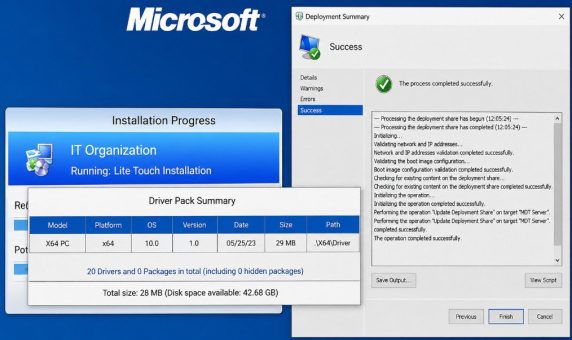
There is nothing more frustrating than booting a client PC into your Microsoft Deployment Toolkit (MDT) environment, preparing to roll out a fresh operating system, and being stopped dead in your tracks by the infamous error: “PCI Driver Error: Connection to Deployment Share could not be made”. Please see Steps to Fix the “Invalid OS…

Read More “PCI Driver Error: Connection to Deployment Share could not be made” »
Windows, Windows Server

Steps to Fix the “Invalid OS GUID” Error in MDT

Posted on 19/06/202623/06/2026 Christian By Christian No Comments on Steps to Fix the “Invalid OS GUID” Error in MDT
Steps to Fix the “Invalid OS GUID” Error in MDT

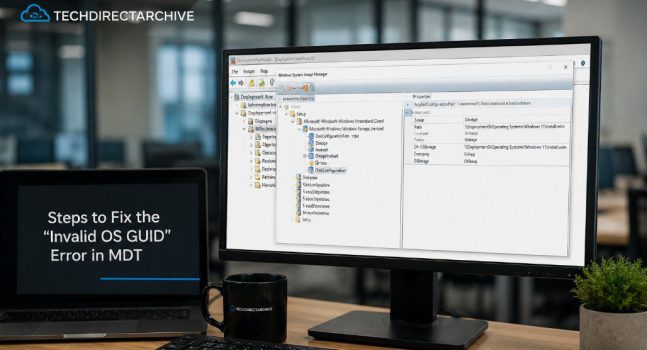
Deploying operating systems using Microsoft Deployment Toolkit (MDT) is straightforward until unexpected errors interrupt the process. One common issue you can encounter is the “Invalid OS GUID” error during task sequence execution. Therefore in this guide we will discuss the steps to Fix the “Invalid OS GUID” Error in MDT. Please see Faulting SecHealthUI: Resolve…

Read More “Steps to Fix the “Invalid OS GUID” Error in MDT” »

Windows, Windows Server

Microsoft MVP

vexpert-badge-stars-5

Virtual Background

VEEAMLEGEND

Categories

Top 30 Sysadmin blog

veeaam100

Veeam Vanguard

  • Disable Lock Screen on Windows
    How to disable Lock Screen on Windows 10 Windows
  • EnableDisableTPMAutoProv
    Waiting for TPM Auto Provisioning: How to Enable or Disable TPM Auto-provisioning Windows
  • Fix Windows Installer Service Could Not Be Accessed Error
    How to Fix the “Windows Installer Service Could Not Be Accessed” Error While Installing an Application Windows
  • image 38
    How to Fix “Unknown hard error” on Windows Server and Windows 10 Windows
  • Featured image System Tray icons
    How to Fix System Tray Icons not showing in Taskbar on Windows 11 Windows
  • YouTubeComment456789
    How to hold comments for review on YouTube JIRA|Confluence|Apps
  • cb5e9fcbe91618c68c5236d801eb6721
    Real-Time Monitoring: How to setup VeeamONE Network | Monitoring
  • windows server
    How to backup and restore a Windows DHCP Server via the DHCP Manager and PowerShell Windows Server

Subscribe to Blog via Email

Enter your email address to subscribe to this blog and receive notifications of new posts by email.

Join 1,745 other subscribers
  • RSS - Posts
  • RSS - Comments
  • About
  • Authors
  • Write for us
  • Contact
  • Advertise with us
  • General Terms and Conditions
  • Privacy policy
  • Feedly
  • Telegram
  • Youtube
  • Facebook
  • Instagram
  • LinkedIn
  • Tumblr
  • Pinterest
  • Twitter
  • mastodon
  • Bsky

Tags

Active Directory Azure Bitlocker Microsoft Windows PowerShell WDS Windows 10 Windows 11 Windows Deployment Services Windows Server 2016

Copyright © 2026 TechDirectArchive