Skip to content

TechDirectArchive

Hands-on IT, Cloud, Security, Veeam & DevOps

  • Home
  • About
  • Advertise With US
  • Reviews
  • Contact
  • Toggle search form

Tag: Veeam Backup Console

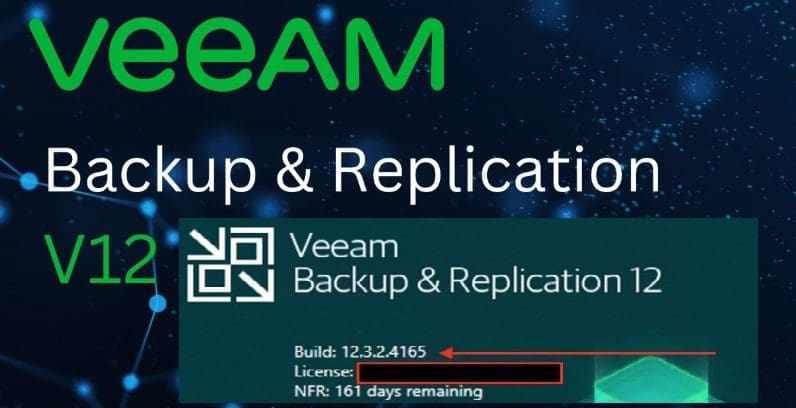
Patch Veeam Backup and replication 12.3.2.3617 to 12.3.2.4165

Posted on 15/10/202524/06/2026 Christian By Christian No Comments on Patch Veeam Backup and replication 12.3.2.3617 to 12.3.2.4165
Patch Veeam Backup and replication 12.3.2.3617 to 12.3.2.4165

In this article, we shall discuss how to patch Veeam Backup and replication 12.3.2.3617 to 12.3.2.4165. Veeam has released a critical security update addressing multiple vulnerabilities in Veeam Backup & Replication and Veeam Agent for Microsoft Windows. This indicates the importance of immediate patching to safeguard enterprise backup infrastructures. Please, see see how to upgrade Veeam…

Read More “Patch Veeam Backup and replication 12.3.2.3617 to 12.3.2.4165” »

Backup

Veeam Backup Console must be updated to the latest version

Posted on 29/08/202524/06/2026 Christian By Christian No Comments on Veeam Backup Console must be updated to the latest version
Veeam Backup Console must be updated to the latest version

In this article, we will discuss the steps to update the console when prompted: “Veeam Backup Console must be updated to the latest version” at the time of writing this article. The Veeam Backup & Replication Console is the main interface used to configure, monitor, and manage all backup, replication, and recovery tasks. Please, see…

Read More “Veeam Backup Console must be updated to the latest version” »

Backup

How to install Veeam Backup Console on a Jump Server

Posted on 15/02/202524/06/2026 Christian By Christian No Comments on How to install Veeam Backup Console on a Jump Server
How to install Veeam Backup Console on a Jump Server

The Veeam Backup and Replication (VBR) Console is a client-side component that provides access to the backup server. In this article, we shall discuss the steps on how to install Veeam Backup Console on a Jump Server or any Admin workstation (PC). The VBR Console enables users to manage data protection and disaster recovery (DR)…

Read More “How to install Veeam Backup Console on a Jump Server” »

Backup, Security | Vulnerability Scans and Assessment

Microsoft MVP

vexpert-badge-stars-5

Virtual Background

VEEAMLEGEND

Categories

Top 30 Sysadmin blog

veeaam100

Veeam Vanguard

  • ios microsoft remote desktop app
    Prevent the Saving of RDP Credentials in Windows 10 Windows
  • needthetools
    Fix no BitLocker Recovery tab in Active Directory Windows Server
  • veeamcmce 2
    A review of the VMCE training and certification Backup
  • screenshot 2020 02 08 at 17.31.28
    How to perform Password Change with OWA Network | Monitoring
  • banner2
    How to Integrate Postman With GitHub Automation
  • fallocate
    What the Fallocate command does Linux
  • screenshot 2020 02 07 at 21.56.50
    Setup Kiosk Mode on Windows 10 with AD User Account Windows
  • group policy 1280x720 1
    Error: The processing of Group Policy failed because of lack of network connectivity to a DC. This may be a transient condition. A success message would be generated once the machine gets connected Windows Server

Subscribe to Blog via Email

Enter your email address to subscribe to this blog and receive notifications of new posts by email.

Join 1,747 other subscribers
  • RSS - Posts
  • RSS - Comments
  • About
  • Authors
  • Write for us
  • Contact
  • Advertise with us
  • General Terms and Conditions
  • Privacy policy
  • Feedly
  • Telegram
  • Youtube
  • Facebook
  • Instagram
  • LinkedIn
  • Tumblr
  • Pinterest
  • Twitter
  • mastodon
  • Bsky

Tags

Active Directory Azure Bitlocker Microsoft Windows PowerShell WDS Windows 10 Windows 11 Windows Deployment Services Windows Server 2016

Copyright © 2026 TechDirectArchive