Skip to content

TechDirectArchive

Hands-on IT, Cloud, Security, Veeam & DevOps

  • Home
  • About
  • Advertise With US
  • Reviews
  • Tech News
  • Contact
  • Toggle search form

Tag: Veeam ONE License Compatibility Errors After Upgrading to Veeam Data Platform 13

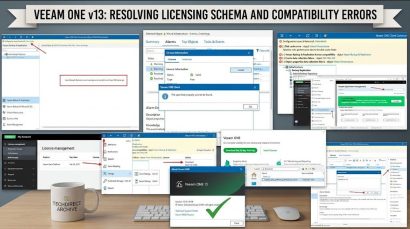
Resolve Veeam ONE “The specified property cannot be found” and License Mismatch Errors During upgrade

Posted on 11/08/202611/08/2026 IT Expert By IT Expert No Comments on Resolve Veeam ONE “The specified property cannot be found” and License Mismatch Errors During upgrade
Resolve Veeam ONE “The specified property cannot be found” and License Mismatch Errors During  upgrade

This article discusses how to resolve Veeam ONE “The specified property cannot be found” and License Mismatch Errors. Veeam Data Platform (VDP) is an end-to-end data recovery platform designed to provide immutable, high-performance backups and direct to object storage at any scale. Please see Azure Virtual Desktop: How to set Up Azure Virtual Desktop Insights…

Read More “Resolve Veeam ONE “The specified property cannot be found” and License Mismatch Errors During upgrade” »

Backup, Network | Monitoring

Microsoft MVP

VEEAMLEGEND

vexpert-badge-stars-5

Virtual Background

GoogleNews

Categories

veeaam100

Veeam Vanguard

  • image 41
    How to Quickly Fix Windows Search Bar Not Working Windows
  • gfhj
    Debugging: How to debug a PowerShell script Windows
  • screenshot 2020 04 07 at 01.42.57
    How to enable Telnet in Windows 10 and Windows Server Windows Server
  • Quick Connect
    How to fix Synology NAS Quick Connect is not enabled issue Storage
  • Enable SSh And RDP In Windows Server
    Enable SSH and Remote Desktop Connection in Windows Server Windows Server
  • Featured image   Dark mode
    How to enable dark theme in Windows 11 Windows
  • Screenshot 2022 03 29 at 19.47.05
    CVE-2022-22948: Patch available to address vCenter Server information disclosure vulnerability  Security | Vulnerability Scans and Assessment
  • sdgfdhx
    MDT Warning: Unable to set working directory, the application returned an unexpected code 2 Windows Server

Subscribe to Blog via Email

Enter your email address to subscribe to this blog and receive notifications of new posts by email.

Join 1,768 other subscribers
  • RSS - Posts
  • RSS - Comments
  • About
  • Authors
  • Write for us
  • Advertise with us
  • General Terms and Conditions
  • Privacy policy
  • Feedly
  • Telegram
  • Youtube
  • Facebook
  • Instagram
  • LinkedIn
  • Tumblr
  • Pinterest
  • Twitter
  • mastodon

Tags

Active Directory Azure Bitlocker Microsoft Windows PowerShell WDS Windows 10 Windows 11 Windows Deployment Services Windows Server 2016

Copyright © 2026 TechDirectArchive