Skip to content

TechDirectArchive

Hands-on IT, Cloud, Security, Veeam & DevOps

  • Home
  • About
  • Advertise With US
  • Reviews
  • Contact
  • Toggle search form

Tag: Hyper-V Guest VM

Hyper V Disk allocation: Why Veeam reports full size after Shrinking

Posted on 30/10/202522/06/2026 Christian By Christian No Comments on Hyper V Disk allocation: Why Veeam reports full size after Shrinking
Hyper V Disk allocation: Why Veeam reports full size after Shrinking

Shrinking works on both raw partitions which lack a file system, and on partitions formatted with the NTFS. This allows you to reclaim unused disk space efficiently while keeping your existing data intact. This guide is not on shrinking your virtual hard disk despite discussing the process. In this guide, we shall discuss “Hyper V…

Read More “Hyper V Disk allocation: Why Veeam reports full size after Shrinking” »
Windows Server

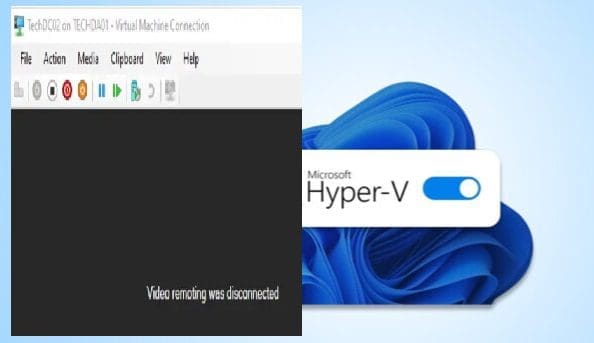
Video Remoting was disconnected on Hyper V

Posted on 29/10/202522/06/2026 Christian By Christian No Comments on Video Remoting was disconnected on Hyper V
Video Remoting was disconnected on Hyper V

In this guide, I will show you what to do when you are unable to connect to a Hyper V VM when the following message is prompted “Video Remoting was disconnected on Hyper V”. Hyper-V is a native hypervisor developed by Microsoft; it can create virtual machines on x86-64 systems running Windows. Please, see PowerShell…

Read More “Video Remoting was disconnected on Hyper V” »

Windows Server

Microsoft MVP

vexpert-badge-stars-5

Virtual Background

VEEAMLEGEND

Categories

Top 30 Sysadmin blog

veeaam100

Veeam Vanguard

  • MicrosoftOneDrive32
    Microsoft OneDrive Setup: Files On-Demand & Key Features Backup
  • ouath2final 1 e1786835965613
    How to implement Interactive Authentication using MSAL dotNET AWS/Azure/OpenShift
  • fde container
    Full Disk Encryption with PBA or without PBA, UEFI, Secure Boot, BIOS, File and Directory Encryption and Container Encryption Security | Vulnerability Scans and Assessment
  • Enable Hyper V on Windows 11 Create a VM with PowerShell
    Run Hyper-V on Windows 11: Convert Physical PC to Hyper-V VM Virtualization
  • Featured Image 1
    System Drive Conversion: MBR to GPT on Windows 10 Storage
  • Implement Split Brain DNS Policies in Active Directory
    Implement Split-Brain DNS Policies in Active Directory Windows Server
  • Norton AV
    Enable or disable Norton silent mode on Mac Anti-Virus Solution
  • ddedw
    You require permission from trustedinstaller: How to delete or rename files protected by Trusted Installer Network | Monitoring

Subscribe to Blog via Email

Enter your email address to subscribe to this blog and receive notifications of new posts by email.

Join 1,746 other subscribers
  • RSS - Posts
  • RSS - Comments
  • About
  • Authors
  • Write for us
  • Contact
  • Advertise with us
  • General Terms and Conditions
  • Privacy policy
  • Feedly
  • Telegram
  • Youtube
  • Facebook
  • Instagram
  • LinkedIn
  • Tumblr
  • Pinterest
  • Twitter
  • mastodon
  • Bsky

Tags

Active Directory Azure Bitlocker Microsoft Windows PowerShell WDS Windows 10 Windows 11 Windows Deployment Services Windows Server 2016

Copyright © 2026 TechDirectArchive