Skip to content

TechDirectArchive

Hands-on IT, Cloud, Security, Veeam & DevOps

  • Home
  • About
  • Advertise With US
  • Reviews
  • Contact
  • Toggle search form

Tag: update Veeam v12.3 to v13

Update Veeam Backup & Replication to Build 13.0.1.2067

Posted on 19/05/202603/06/2026 Christian By Christian No Comments on Update Veeam Backup & Replication to Build 13.0.1.2067
Update Veeam Backup & Replication to Build 13.0.1.2067

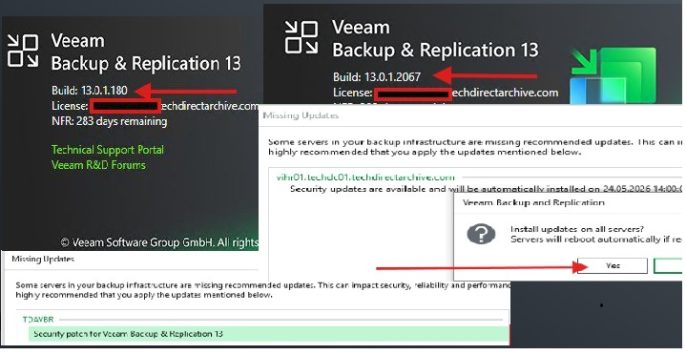
In this guide, we will discuss the steps to Update Veeam Backup & Replication to Build 13.0.1.2067 due to the following security Vulnerabilities. Veeam Backup & Replication 13.0.1.2067 delivers a critical update focused on strengthening security, improving platform stability, and enhancing integration across backup, cloud, and storage environments. Please see Veeam Backup and Replication: PowerShell…

Read More “Update Veeam Backup & Replication to Build 13.0.1.2067” »

Backup

Upgrade Veeam Backup and Replication v12.3 to v13 on Windows

Posted on 23/11/202524/06/2026 matheusgiovanini By matheusgiovanini No Comments on Upgrade Veeam Backup and Replication v12.3 to v13 on Windows
Upgrade Veeam Backup and Replication v12.3 to v13 on Windows

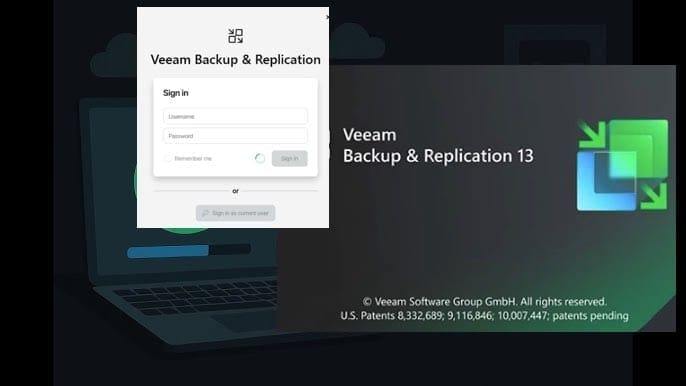
Veeam Backup & Replication v13 has arrived with significant improvements in security, performance, and data governance. I recently performed the upgrade from version 12.3, and in this article we will discuss how to Upgrade Veeam Backup and Replication v12.3 to v13 on Windows. This means, we will share the entire process, from preparation to post-upgrade…

Read More “Upgrade Veeam Backup and Replication v12.3 to v13 on Windows” »

Backup

Microsoft MVP

vexpert-badge-stars-5

Virtual Background

VEEAMLEGEND

Categories

veeaam100

Veeam Vanguard

  • mfa scaled
    Microsoft Azure Multi-Factor Authentication (MFA) AWS/Azure/OpenShift
  • mdtxxxxx
    Failed to run the action install Operating System: Lifetouch deployment failed, Return Code = -2147467259 0x80004005 when installing Windows image via MDT Windows
  • scroll
    How to Take a Scrolling Screenshot on Windows 11 Windows
  • article 1280x720.192a2586 1 2
    Fix error 0x800f0805, run DISM executable (Failure 5627) Windows Server
  • ansible
    KDC reply did not match expectations while getting initial credential Configuration Management Tool
  • fress install windows server 2025 downgrade of Windows Server datacenter to standard edition
    Convert Windows Server Datacenter to Standard: Install Windows Server via iDRAC Virtual Media Windows Server
  • cb5e9fcbe91618c68c5236d801eb6721
    Real-Time Monitoring: How to setup VeeamONE Network | Monitoring
  • untitled 5 1
    Migrate Veeam MSSQL Database to a new Microsoft SQL Server Backup

Subscribe to Blog via Email

Enter your email address to subscribe to this blog and receive notifications of new posts by email.

Join 1,757 other subscribers
  • RSS - Posts
  • RSS - Comments
  • About
  • Authors
  • Write for us
  • Contact
  • Advertise with us
  • General Terms and Conditions
  • Privacy policy
  • Feedly
  • Telegram
  • Youtube
  • Facebook
  • Instagram
  • LinkedIn
  • Tumblr
  • Pinterest
  • Twitter
  • mastodon
  • Bsky

Tags

Active Directory Azure Bitlocker Microsoft Windows PowerShell WDS Windows 10 Windows 11 Windows Deployment Services Windows Server 2016

Copyright © 2026 TechDirectArchive