Skip to content

TechDirectArchive

Hands-on IT, Cloud, Security, Veeam & DevOps

  • Home
  • About
  • Advertise With US
  • Reviews
  • Contact
  • Toggle search form

Tag: Hyper-V Guest VM

Hyper V Disk allocation: Why Veeam reports full size after Shrinking

Posted on 30/10/202522/06/2026 Christian By Christian No Comments on Hyper V Disk allocation: Why Veeam reports full size after Shrinking
Hyper V Disk allocation: Why Veeam reports full size after Shrinking

Shrinking works on both raw partitions which lack a file system, and on partitions formatted with the NTFS. This allows you to reclaim unused disk space efficiently while keeping your existing data intact. This guide is not on shrinking your virtual hard disk despite discussing the process. In this guide, we shall discuss “Hyper V…

Read More “Hyper V Disk allocation: Why Veeam reports full size after Shrinking” »
Windows Server

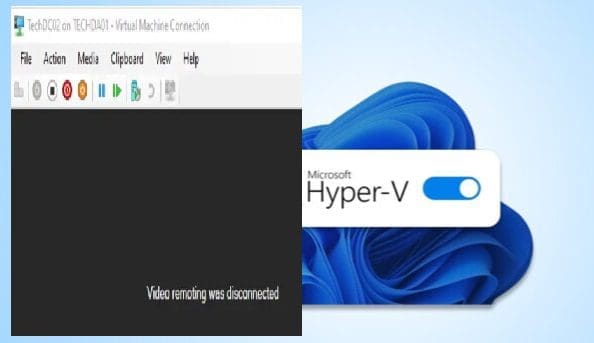
Video Remoting was disconnected on Hyper V

Posted on 29/10/202522/06/2026 Christian By Christian No Comments on Video Remoting was disconnected on Hyper V
Video Remoting was disconnected on Hyper V

In this guide, I will show you what to do when you are unable to connect to a Hyper V VM when the following message is prompted “Video Remoting was disconnected on Hyper V”. Hyper-V is a native hypervisor developed by Microsoft; it can create virtual machines on x86-64 systems running Windows. Please, see PowerShell…

Read More “Video Remoting was disconnected on Hyper V” »

Windows Server

Microsoft MVP

vexpert-badge-stars-5

Virtual Background

VEEAMLEGEND

Categories

Top 30 Sysadmin blog

veeaam100

Veeam Vanguard

  • WindowsUpdatesDISM 1
    Determine Apps UWP and remove pre-provisioned Appx in Windows Windows Server
  • sdgfdhx
    MDT Warning: Unable to set working directory, the application returned an unexpected code 2 Windows Server
  • wingettool
    Install Applications with Winget CLI on Windows Windows Server
  • bitbucketexportimport
    Import Repo to Bitbucket Cloud: Seamless Migration to GitLab Version Control System
  • UpdateOfficeOnlineServer 1
    Perform Office Online Server Update via the Microsoft Update Catalog Network | Monitoring
  • image 6
    Set Browers and Windows to reopen Apps on Startup Windows
  • AVD Banner 4 e1782685597587
    Azure Virtual Desktop: Connect to Session Hosts Using Entra ID [Part 04] AWS/Azure/OpenShift
  • Best Disk Partition Manager for Mac
    How to extend System Drive Partition on Windows Windows

Subscribe to Blog via Email

Enter your email address to subscribe to this blog and receive notifications of new posts by email.

Join 1,747 other subscribers
  • RSS - Posts
  • RSS - Comments
  • About
  • Authors
  • Write for us
  • Contact
  • Advertise with us
  • General Terms and Conditions
  • Privacy policy
  • Feedly
  • Telegram
  • Youtube
  • Facebook
  • Instagram
  • LinkedIn
  • Tumblr
  • Pinterest
  • Twitter
  • mastodon
  • Bsky

Tags

Active Directory Azure Bitlocker Microsoft Windows PowerShell WDS Windows 10 Windows 11 Windows Deployment Services Windows Server 2016

Copyright © 2026 TechDirectArchive