Skip to content

TechDirectArchive

Hands-on IT, Cloud, Security & DevOps Insights

  • Home
  • About
  • Advertise With US
  • Reviews
  • Contact
  • Toggle search form

Tag: MBAM

BitLocker behavior when MBAM agent is removed: No Uninstall Option in Control Panel

Posted on 02/07/202507/09/2025 Christian By Christian No Comments on BitLocker behavior when MBAM agent is removed: No Uninstall Option in Control Panel
BitLocker behavior when MBAM agent is removed: No Uninstall Option in Control Panel

MBAM (Microsoft BitLocker Administration and Monitoring) is a tool that enables you (organizations) to centrally manage and monitor BitLocker Drive Encryption across Windows devices. In this article, we shall discuss “BitLocker behavior when MBAM agent is removed: Remove MBAM Agent When Uninstall Option is missing”. Please, see Get a list of installed programs locally or…

Read More “BitLocker behavior when MBAM agent is removed: No Uninstall Option in Control Panel” »
Windows

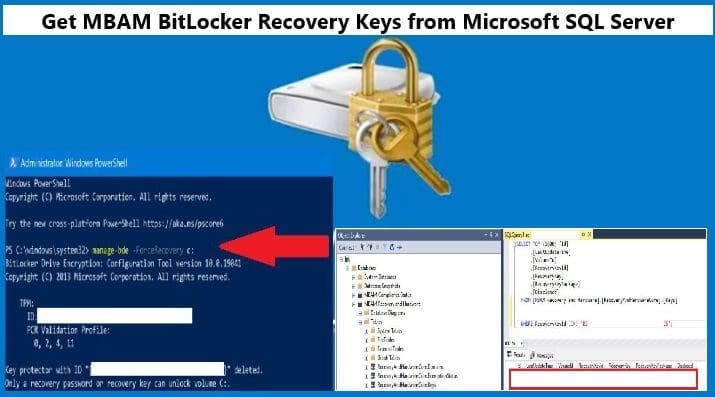
Get MBAM BitLocker Recovery Keys from Microsoft SQL Server

Posted on 12/02/202523/05/2025 Christian By Christian No Comments on Get MBAM BitLocker Recovery Keys from Microsoft SQL Server
Get MBAM BitLocker Recovery Keys from Microsoft SQL Server

Microsoft BitLocker Administration and Monitoring (MBAM) provides a simplified administrative interface that you can use to manage BitLocker Drive Encryption. Therefore, customers find this solution very useful for managing client PCs with BitLocker that are domain-joined on-premises. In this article, we shall discuss how to Get MBAM BitLocker Recovery Keys from Microsoft SQL Server. Please…

Read More “Get MBAM BitLocker Recovery Keys from Microsoft SQL Server” »

Windows

Force BitLocker Recovery: Perform BitLocker Recovery via the Self-Service Portal and Helpdesk

Posted on 05/09/202411/03/2026 Christian By Christian No Comments on Force BitLocker Recovery: Perform BitLocker Recovery via the Self-Service Portal and Helpdesk
Force BitLocker Recovery: Perform BitLocker Recovery via the Self-Service Portal and Helpdesk

BitLocker recovery is the process in which access to a BitLocker-protected drive is restored in the event the drive doesn’t unlock using its default unlock mechanism. In this article, we shall discuss “Force BitLocker recovery: Perform BitLocker Recovery via the Self-Service Portal and Helpdesk”. Please see Perform BitLocker Recovery Password Rotation in Active Directory, what…

Read More “Force BitLocker Recovery: Perform BitLocker Recovery via the Self-Service Portal and Helpdesk” »

Network | Monitoring

Fix An error has occurred during report processing (rsProcessingAborted)

Posted on 10/04/202405/02/2025 Christian By Christian No Comments on Fix An error has occurred during report processing (rsProcessingAborted)
Fix An error has occurred during report processing (rsProcessingAborted)

MBAM Report Users can access the Compliance and Audit reports in the MBAM administration website. The local group for this role is installed on the Administration and Monitoring Server, Compliance and Audit Reports Server, and Compliance Status Database Server. In this article, we shall discuss how to resolve the “Fix An error has occurred during…

Read More “Fix An error has occurred during report processing (rsProcessingAborted)” »

Oracle/MSSQL/MySQL, Windows Server

How does Key Rotation work in MBAM?

Posted on 09/11/202309/11/2023 Christian By Christian No Comments on How does Key Rotation work in MBAM?
How does Key Rotation work in MBAM?

Key Rotation in Microsoft BitLocker Administration and Monitoring (MBAM) refers to the process of rotating the encryption keys used to protect BitLocker-encrypted drives. This is a security best practice to minimize the risk associated with long-term exposure to a single encryption key. In this article, we shall discuss How does Key Rotation work in MBAM….

Read More “How does Key Rotation work in MBAM?” »

Oracle/MSSQL/MySQL, Windows Server

Resolve Invalid Key ID when requesting BitLocker Recovery Key

Posted on 28/03/202320/11/2024 Christian By Christian No Comments on Resolve Invalid Key ID when requesting BitLocker Recovery Key
Resolve Invalid Key ID when requesting BitLocker Recovery Key

In this guide, I will show you how to Regain Access to a PC via the Self-Service Portal: Resolve Invalid Key ID when requesting BitLocker Recovery Key. MBAM is an administrator interface used to manage BitLocker drive encryption. It allows you to configure your enterprise with the correct BitLocker encryption policy options. As well as monitor…

Read More “Resolve Invalid Key ID when requesting BitLocker Recovery Key” »

Windows

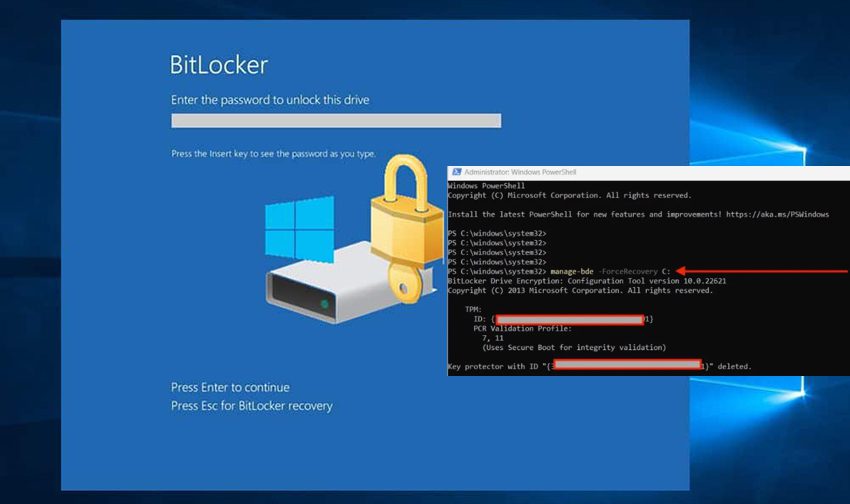
Force BitLocker Recovery mode: How to unlock BitLocker Protected Drive

Posted on 09/03/202310/07/2025 Christian By Christian No Comments on Force BitLocker Recovery mode: How to unlock BitLocker Protected Drive
Force BitLocker Recovery mode: How to unlock BitLocker Protected Drive

In this article, you will learn how to Force BitLocker Recovery mode: How to unlock BitLocker Protected Drive with the Self-service Portal or HelpDesk. BitLocker Drive Encryption is a data protection feature that integrates with the operating system. It addresses the threats of data theft or exposure from lost, stolen, or inappropriately decommissioned computers. This…

Read More “Force BitLocker Recovery mode: How to unlock BitLocker Protected Drive” »

Network | Monitoring

Modern Standby: PC is automatically encrypted

Posted on 28/02/202303/07/2025 Christian By Christian No Comments on Modern Standby: PC is automatically encrypted
Modern Standby: PC is automatically encrypted

In this article, we will be discussing “Modern Standby: PC is automatically encrypted”. Modern Standby, also known as S0 Lower Power Idle, is the most recent power-saving mode available on laptops and tablets. Here are some related guides: How to deploy MBAM Tool, Disable Sleep Mode: UEFI, TPM, and BitLocker FAQs. This feature is designed…

Read More “Modern Standby: PC is automatically encrypted” »

Windows, Windows Server

Disable the Sleep Mode: UEFI and TPM and BitLocker FAQs

Posted on 27/02/202319/02/2025 Christian By Christian No Comments on Disable the Sleep Mode: UEFI and TPM and BitLocker FAQs
Disable the Sleep Mode: UEFI and TPM and BitLocker FAQs

Microsoft Desktop Optimization Pack (MDOP) is a suite (portfolio) of technologies available to Software Assurance customers through an additional subscription. Microsoft BitLocker Administration and Monitoring (MBAM) is a component of MDOP. It has an administrator interface used for managing BitLocker drive encryption. It allows you to configure your enterprise with the correct BitLocker encryption policy…

Read More “Disable the Sleep Mode: UEFI and TPM and BitLocker FAQs” »

Windows

Run Python Script via Windows Task Scheduler

Posted on 07/02/202314/05/2025 Christian By Christian No Comments on Run Python Script via Windows Task Scheduler
Run Python Script via Windows Task Scheduler

In this article, you will learn how to determine the number of MBAM Recoveries Performed, and how to run Python Script via Windows Task Scheduler. Windows Task Scheduler enables you to perform routine tasks in Windows on individual PCs. Task Scheduler does this by monitoring whatever criteria you choose. This is referred to as “triggers”…

Read More “Run Python Script via Windows Task Scheduler” »

Windows, Windows Server

MBAM Policy was detected: Verify the OU used for pre-deployment does not apply MBAM policy

Posted on 03/02/202321/12/2023 Christian By Christian No Comments on MBAM Policy was detected: Verify the OU used for pre-deployment does not apply MBAM policy
MBAM Policy was detected: Verify the OU used for pre-deployment does not apply MBAM policy

The Microsoft BitLocker Administration and Monitoring (MBAM) client enables administrators to enforce and monitor BitLocker drive encryption on computers in the enterprise. In this guide, you will learn how to fix the following error “MBAM Policy was detected: Verify the OU used for pre-deployment does not apply MBAM policy”. Please see the effects of renaming an…

Read More “MBAM Policy was detected: Verify the OU used for pre-deployment does not apply MBAM policy” »

Windows Server

How to Protect Thunderbolt Ports in Windows

Posted on 29/01/202330/09/2023 Christian By Christian No Comments on How to Protect Thunderbolt Ports in Windows
How to Protect Thunderbolt Ports in Windows

The Thunderbolt controller is a PCIe device which has Direct Memory Access (DMA) IO via PCIe. It exposes the PCIe protocol externally through USB-C ports for a range of usages. This potentially allows access to system memory from a physical IO device that is being connected and utilizing the PCIe protocol. In this article, you…

Read More “How to Protect Thunderbolt Ports in Windows” »

Windows

Force immediate MBAM Encryption: Why does the MBAM Agent delay most times in encrypting devices?

Posted on 30/11/202207/09/2025 Christian By Christian No Comments on Force immediate MBAM Encryption: Why does the MBAM Agent delay most times in encrypting devices?
Force immediate MBAM Encryption: Why does the MBAM Agent delay most times in encrypting devices?

Microsoft BitLocker Administration and Monitoring (MBAM) is part of the Microsoft Desktop Optimization Pack suite (MDOP). It contains other important and business-enabling tools available for Software Assurance Customers. In this article, we shall discuss “Force immediate MBAM Encryption: Why does the MBAM Agent delay most times in encrypting devices”. Please see Why you should not…

Read More “Force immediate MBAM Encryption: Why does the MBAM Agent delay most times in encrypting devices?” »

Windows

Posts pagination

1 2 3 Next

Microsoft MVP

VEEAMLEGEND

vexpert-badge-stars-5

Virtual Background

GoogleNews

Categories

veeaam100

Veeam Vanguard

  • ghm
    MDT Driver injection: How to import drivers in .exe format into Microsoft Deployment Toolkit Windows Server
  • Featured Image new
    Add Registry Keys via DISM in Windows Windows
  • Force bitlocker encryption
    Force BitLocker Recovery mode: How to unlock BitLocker Protected Drive Network | Monitoring
  • v13 harding   Veeam
    Hardening Your Infrastructure: A Guide to VMware VBS and MS GPO Credential Guard in VBR v13 Backup
  • removing containers and unused images from Docker synology
    Kill Containers and remove unused images from Docker Correctly Storage
  • add or remove features on the specified server failed
    Error 0x80073701: The request to add or remove features on the specified server failed Windows Server
  • gns3
    GNS3 Setup: Error opening file for writing, click on Abort to stop installation, Retry to try again, or Ignore to skip this file Windows
  • img 5c0128ea77f3f
    Systeminfo switches: How to use Systeminfo command-line tool switches Windows

Subscribe to Blog via Email

Enter your email address to subscribe to this blog and receive notifications of new posts by email.

Join 1,823 other subscribers
  • RSS - Posts
  • RSS - Comments
  • About
  • Authors
  • Write for us
  • Advertise with us
  • General Terms and Conditions
  • Privacy policy
  • Feedly
  • Telegram
  • Youtube
  • Facebook
  • Instagram
  • LinkedIn
  • Tumblr
  • Pinterest
  • Twitter
  • mastodon

Tags

Active Directory Azure Bitlocker Microsoft Windows PowerShell WDS Windows 10 Windows 11 Windows Deployment Services Windows Server 2016

Copyright © 2025 TechDirectArchive