Skip to content

TechDirectArchive

Hands-on IT, Cloud, Security, Veeam & DevOps

  • Home
  • About
  • Advertise With US
  • Contact
  • Reviews
  • Toggle search form

Tag: Veeam Backup and Replication v12.3 to v13

Upgrade Path and In-Place Upgrade for VBR v13 and Known Fixes

Posted on 14/01/202603/06/2026 IT Expert By IT Expert No Comments on Upgrade Path and In-Place Upgrade for VBR v13 and Known Fixes
Upgrade Path and In-Place Upgrade for VBR v13 and Known Fixes

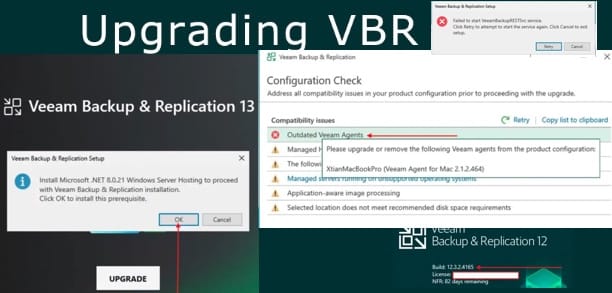
Due to lots of questions in the community that some customers cannot run VBR with other web applications on the same server. I decided to upgrade my VBR Server to v13, thereby showing the flawless upgrade process and documenting any errors I encounter similar to issues reported on Reddit etc. Therefore, in this article, we…

Read More “Upgrade Path and In-Place Upgrade for VBR v13 and Known Fixes” »

Backup

Upgrade Veeam Backup and Replication v12.3 to v13 on Windows

Posted on 23/11/202519/05/2026 matheusgiovanini By matheusgiovanini No Comments on Upgrade Veeam Backup and Replication v12.3 to v13 on Windows
Upgrade Veeam Backup and Replication v12.3 to v13 on Windows

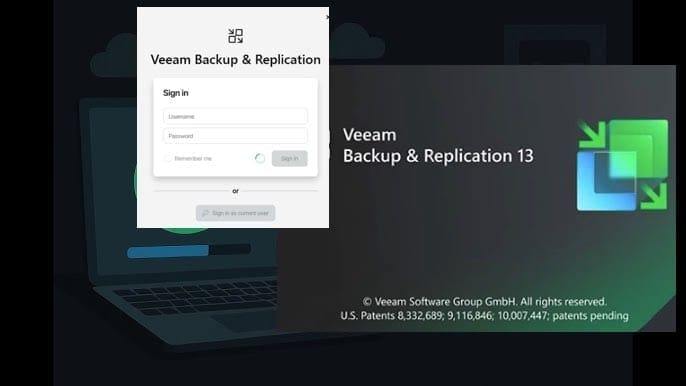
Veeam Backup & Replication v13 has arrived with significant improvements in security, performance, and data governance. I recently performed the upgrade from version 12.3, and in this article we will discuss how to Upgrade Veeam Backup and Replication v12.3 to v13 on Windows. This means, we will share the entire process, from preparation to post-upgrade…

Read More “Upgrade Veeam Backup and Replication v12.3 to v13 on Windows” »

Backup

Microsoft MVP

VEEAMLEGEND

vexpert-badge-stars-5

Virtual Background

GoogleNews

Categories

veeaam100

Veeam Vanguard

  • vtpm 1
    Enable vTPM and BitLocker HyperV VM: Fix the device that cannot use a TPM module Virtualization
  • Windows Server 2016 1 1
    Merits and demerits of Local System Account and Service Logon Account Windows Server
  • PXE E18 Server response timeout
    Stuck at Start PXE over IPv4: PXE-E18 Server response timeout Windows
  • Feature image msert tool
    How to remove malware using Microsoft Safety Scanner on Windows 10 and 11 Security | Vulnerability Scans and Assessment
  • How to use Netstat.exe to confirm which Program uses or blocks a port
    How to use Netstat.exe to confirm which Program uses or blocks a port Linux
  • S3 Bucket
    Access AWS Management Console and Create Resources with AWS CLI on Windows AWS/Azure/OpenShift
  • banner
    How to hide Folders and Files from Search Results in Windows Windows
  • screenshot 2020 03 31 at 22.22.43
    How to create, edit and delete a scheduled task via the Command Prompt Windows Server

Subscribe to Blog via Email

Enter your email address to subscribe to this blog and receive notifications of new posts by email.

Join 1,796 other subscribers
  • RSS - Posts
  • RSS - Comments
  • About
  • Authors
  • Write for us
  • Advertise with us
  • General Terms and Conditions
  • Privacy policy
  • Feedly
  • Telegram
  • Youtube
  • Facebook
  • Instagram
  • LinkedIn
  • Tumblr
  • Pinterest
  • Twitter
  • mastodon

Tags

Active Directory Azure Bitlocker Microsoft Windows PowerShell WDS Windows 10 Windows 11 Windows Deployment Services Windows Server 2016

Copyright © 2025 TechDirectArchive