Skip to content

TechDirectArchive

Hands-on IT, Cloud, Security, Veeam & DevOps

  • Home
  • About
  • Advertise With US
  • Reviews
  • Contact
  • Toggle search form

Tag: update Veeam v12.3 to v13

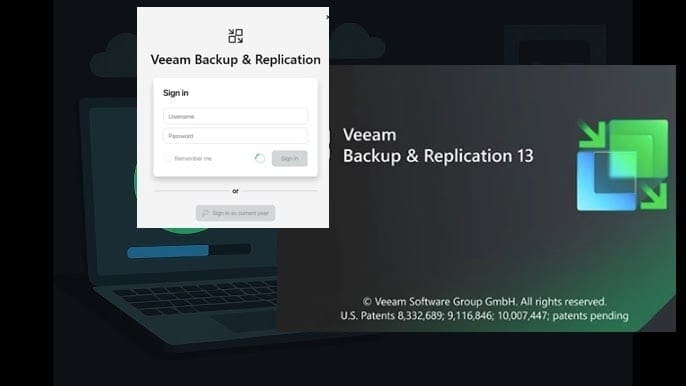
Update Veeam Backup & Replication to Build 13.0.1.2067

Posted on 19/05/202603/06/2026 Christian By Christian No Comments on Update Veeam Backup & Replication to Build 13.0.1.2067
Update Veeam Backup & Replication to Build 13.0.1.2067

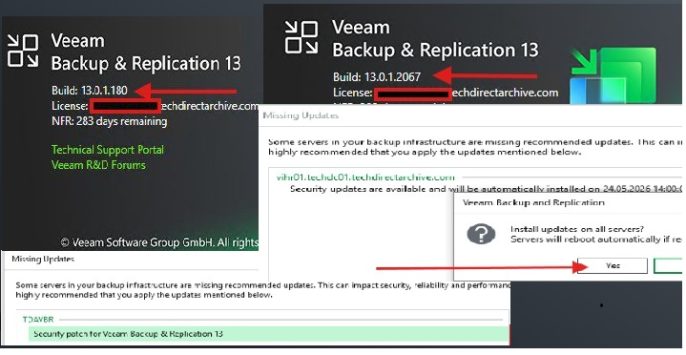
In this guide, we will discuss the steps to Update Veeam Backup & Replication to Build 13.0.1.2067 due to the following security Vulnerabilities. Veeam Backup & Replication 13.0.1.2067 delivers a critical update focused on strengthening security, improving platform stability, and enhancing integration across backup, cloud, and storage environments. Please see Veeam Backup and Replication: PowerShell…

Read More “Update Veeam Backup & Replication to Build 13.0.1.2067” »

Backup

Upgrade Veeam Backup and Replication v12.3 to v13 on Windows

Posted on 23/11/202524/06/2026 matheusgiovanini By matheusgiovanini No Comments on Upgrade Veeam Backup and Replication v12.3 to v13 on Windows
Upgrade Veeam Backup and Replication v12.3 to v13 on Windows

Veeam Backup & Replication v13 has arrived with significant improvements in security, performance, and data governance. I recently performed the upgrade from version 12.3, and in this article we will discuss how to Upgrade Veeam Backup and Replication v12.3 to v13 on Windows. This means, we will share the entire process, from preparation to post-upgrade…

Read More “Upgrade Veeam Backup and Replication v12.3 to v13 on Windows” »

Backup

Microsoft MVP

vexpert-badge-stars-5

Virtual Background

VEEAMLEGEND

Categories

Top 30 Sysadmin blog

veeaam100

Veeam Vanguard

  • 1 WeXxkEX0JG3oB781HD8Hrg 1
    OOBESETTINGSMULTIPLEPAGE error on Windows 10 Windows
  • hero activedirectory 2
    Concept of Active Directory Computer Account Windows Server
  • How to keep Apps up to date on Windows
    How to keep Apps up to date on Windows devices Windows
  • powerpoint 1280x720 1
    How to change the speller and proofing language in PowerPoint Microsoft Exchange/Office/365
  • banner 1
    How to Hide or Block Wi-Fi Networks on Windows Network | Monitoring
  • On ubuntu mariadb
    How to install MariaDB on Ubuntu Linux
  • Featured image new 1
    Detect if an application was uninstalled on Windows: Find out who has uninstalled an application via Windows Event Viewer Windows
  • Screenshot 2021 09 02 at 20.08.14
    Service Principal Name: How to add or reset and delete SPNs Windows

Subscribe to Blog via Email

Enter your email address to subscribe to this blog and receive notifications of new posts by email.

Join 1,747 other subscribers
  • RSS - Posts
  • RSS - Comments
  • About
  • Authors
  • Write for us
  • Contact
  • Advertise with us
  • General Terms and Conditions
  • Privacy policy
  • Feedly
  • Telegram
  • Youtube
  • Facebook
  • Instagram
  • LinkedIn
  • Tumblr
  • Pinterest
  • Twitter
  • mastodon
  • Bsky

Tags

Active Directory Azure Bitlocker Microsoft Windows PowerShell WDS Windows 10 Windows 11 Windows Deployment Services Windows Server 2016

Copyright © 2026 TechDirectArchive