Skip to content

TechDirectArchive

Hands-on IT, Cloud, Security & DevOps Insights

  • Home
  • About
  • Advertise With US
  • Contact
  • Reviews
  • Toggle search form
  • Capture
    An account with the same name exists in Active Directory: Re-using the account was blocked by a security policy Security | Vulnerability Scans and Assessment
  • Windows Server vNext
    What’s New? Install Windows Server 2025 on Beelink EQ12 PC Windows
  • zoom feature
    How to install Zoom video conference software on Linux System Linux
  • insufficientaccessright 1
    Azure AD Connect Permission issue: Error 8344 insufficient access rights to perform the operation AWS/Azure/OpenShift
  • How to Change Active Directory Group Scope
    How to change Active Directory Group Scope Windows Server
  • screenshot 2020 02 08 at 15.53.31
    Auto Logon Error “Username and password specified is not valid” Windows
  • HybridCloudTrust
    WHFB Hybrid Cloud Kerberos Trust Model is now available AWS/Azure/OpenShift
  • MBAM Replacement
    MBAM extended support ends April 2026: Find alternative solution Security | Vulnerability Scans and Assessment

Tag: Microsoft BitLocker Administration and Monitoring

BitLocker behavior when MBAM agent is removed: No Uninstall Option in Control Panel

Posted on 02/07/202507/09/2025 Christian By Christian No Comments on BitLocker behavior when MBAM agent is removed: No Uninstall Option in Control Panel
BitLocker behavior when MBAM agent is removed: No Uninstall Option in Control Panel

MBAM (Microsoft BitLocker Administration and Monitoring) is a tool that enables you (organizations) to centrally manage and monitor BitLocker Drive Encryption across Windows devices. In this article, we shall discuss “BitLocker behavior when MBAM agent is removed: Remove MBAM Agent When Uninstall Option is missing”. Please, see Get a list of installed programs locally or…

Read More “BitLocker behavior when MBAM agent is removed: No Uninstall Option in Control Panel” »

Windows

How does Key Rotation work in MBAM?

Posted on 09/11/202309/11/2023 Christian By Christian No Comments on How does Key Rotation work in MBAM?
How does Key Rotation work in MBAM?

Key Rotation in Microsoft BitLocker Administration and Monitoring (MBAM) refers to the process of rotating the encryption keys used to protect BitLocker-encrypted drives. This is a security best practice to minimize the risk associated with long-term exposure to a single encryption key. In this article, we shall discuss How does Key Rotation work in MBAM….

Read More “How does Key Rotation work in MBAM?” »

Oracle/MSSQL/MySQL, Windows Server

Resolve Invalid Key ID when requesting BitLocker Recovery Key

Posted on 28/03/202320/11/2024 Christian By Christian No Comments on Resolve Invalid Key ID when requesting BitLocker Recovery Key
Resolve Invalid Key ID when requesting BitLocker Recovery Key

In this guide, I will show you how to Regain Access to a PC via the Self-Service Portal: Resolve Invalid Key ID when requesting BitLocker Recovery Key. MBAM is an administrator interface used to manage BitLocker drive encryption. It allows you to configure your enterprise with the correct BitLocker encryption policy options. As well as monitor…

Read More “Resolve Invalid Key ID when requesting BitLocker Recovery Key” »

Windows

Force BitLocker Recovery mode: How to unlock BitLocker Protected Drive

Posted on 09/03/202310/07/2025 Christian By Christian No Comments on Force BitLocker Recovery mode: How to unlock BitLocker Protected Drive
Force BitLocker Recovery mode: How to unlock BitLocker Protected Drive

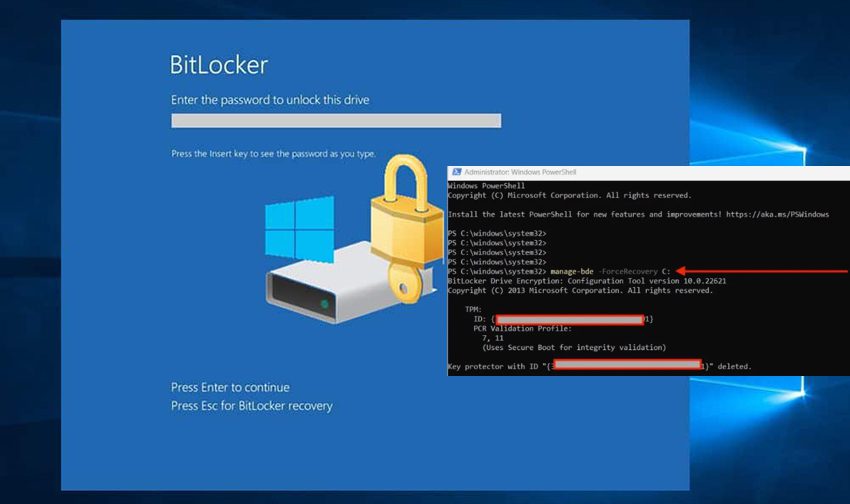
In this article, you will learn how to Force BitLocker Recovery mode: How to unlock BitLocker Protected Drive with the Self-service Portal or HelpDesk. BitLocker Drive Encryption is a data protection feature that integrates with the operating system. It addresses the threats of data theft or exposure from lost, stolen, or inappropriately decommissioned computers. This…

Read More “Force BitLocker Recovery mode: How to unlock BitLocker Protected Drive” »

Network | Monitoring

Disable the Sleep Mode: UEFI and TPM and BitLocker FAQs

Posted on 27/02/202319/02/2025 Christian By Christian No Comments on Disable the Sleep Mode: UEFI and TPM and BitLocker FAQs
Disable the Sleep Mode: UEFI and TPM and BitLocker FAQs

Microsoft Desktop Optimization Pack (MDOP) is a suite (portfolio) of technologies available to Software Assurance customers through an additional subscription. Microsoft BitLocker Administration and Monitoring (MBAM) is a component of MDOP. It has an administrator interface used for managing BitLocker drive encryption. It allows you to configure your enterprise with the correct BitLocker encryption policy…

Read More “Disable the Sleep Mode: UEFI and TPM and BitLocker FAQs” »

Windows

How to Protect Thunderbolt Ports in Windows

Posted on 29/01/202330/09/2023 Christian By Christian No Comments on How to Protect Thunderbolt Ports in Windows
How to Protect Thunderbolt Ports in Windows

The Thunderbolt controller is a PCIe device which has Direct Memory Access (DMA) IO via PCIe. It exposes the PCIe protocol externally through USB-C ports for a range of usages. This potentially allows access to system memory from a physical IO device that is being connected and utilizing the PCIe protocol. In this article, you…

Read More “How to Protect Thunderbolt Ports in Windows” »

Windows

Fix MBAM Client Deployment is only supported on MBAM 2.5 SP1

Posted on 22/11/202224/07/2024 Christian By Christian No Comments on Fix MBAM Client Deployment is only supported on MBAM 2.5 SP1
Fix MBAM Client Deployment is only supported on MBAM 2.5 SP1

In this article, you will learn how to fix MBAM Client Deployment is only supported on MBAM 2.5 SP1. The Microsoft BitLocker Administration and Monitoring (MBAM) Client software enables administrators to enforce and monitor BitLocker Drive Encryption on computers in the enterprise. Deploy the BitLocker client into your organization by using an electronic software distribution…

Read More “Fix MBAM Client Deployment is only supported on MBAM 2.5 SP1” »

Windows, Windows Server

How to deploy MBAM Client as part of a Windows Deployment

Posted on 19/10/202225/07/2024 Christian By Christian No Comments on How to deploy MBAM Client as part of a Windows Deployment
How to deploy MBAM Client as part of a Windows Deployment

The Microsoft BitLocker Administration and Monitoring (MBAM) client enables administrators to enforce and monitor BitLocker drive encryption on computers in the enterprise. Kindly refer to some of these related guides: How to query MBAM to display the report for BitLocker Recovery for a specified period of time, What are the effects of renaming an MBAM…

Read More “How to deploy MBAM Client as part of a Windows Deployment” »

Windows Server

How and where to find your BitLocker recovery key on Windows

Posted on 17/10/202209/07/2025 Matthew By Matthew No Comments on How and where to find your BitLocker recovery key on Windows
How and where to find your BitLocker recovery key on Windows

In this article, you will learn how and where to find your BitLocker recovery key on Windows. BitLocker Recovery Key is required to access a data disk encrypted with the Windows built-in encryption tool BitLocker. You can use the 48-digit password to access your disk drive. Other related guides on BitLocker: How to delegate control for Bitlocker…

Read More “How and where to find your BitLocker recovery key on Windows” »

Security | Vulnerability Scans and Assessment, Windows

Query MBAM to display the BitLocker Recovery report

Posted on 13/10/202226/05/2025 Christian By Christian No Comments on Query MBAM to display the BitLocker Recovery report
Query MBAM to display the BitLocker Recovery report

MBAM reports compliance and other information about all of the computers it manages. The information on this topic can be used to help understand the Microsoft BitLocker Administration and Monitoring reports for enterprise and individual computer compliance and for key recovery activity. In this guide, you will learn how to query MBAM to display the BitLocker…

Read More “Query MBAM to display the BitLocker Recovery report” »

Network | Monitoring

How to fix The Group Policy settings for BitLocker startup options are in conflict and cannot be applied

Posted on 18/05/202208/12/2023 Matthew By Matthew No Comments on How to fix The Group Policy settings for BitLocker startup options are in conflict and cannot be applied
How to fix The Group Policy settings for BitLocker startup options are in conflict and cannot be applied

I recently encountered the error message “The Group Policy settings for BitLocker startup options are in conflict and cannot be applied. Contact your system administrator for more information” during a BitLocker Encryption setup. The issue occurred while attempting to turn on BitLocker encryption through the Control Panel. The group policy setting for BitLocker may cause…

Read More “How to fix The Group Policy settings for BitLocker startup options are in conflict and cannot be applied” »

Security | Vulnerability Scans and Assessment, Windows

Why does MBAM not automatically re-encrypt MBAM or Bitlocker-protected devices?

Posted on 27/04/202205/11/2024 Christian By Christian No Comments on Why does MBAM not automatically re-encrypt MBAM or Bitlocker-protected devices?
Why does MBAM not automatically re-encrypt MBAM or Bitlocker-protected devices?

Once a drive is encrypted by BitLocker, it can only be unlocked or decrypted with a Bitlocker password or the Bitlocker Recovery Key. And anyone without proper authentication will be denied access even if the computer has been stolen or the hard disk is taken. In this article, you will learn Why does MBAM not automatically…

Read More “Why does MBAM not automatically re-encrypt MBAM or Bitlocker-protected devices?” »

Windows

How to create a BitLocker System Partition [Part 2]

Posted on 27/04/202208/12/2023 Christian By Christian No Comments on How to create a BitLocker System Partition [Part 2]
How to create a BitLocker System Partition [Part 2]

If your device is missing the BitLocker partition, this guide will show you how to create a BitLocker System Partition. Securing your data and operating system is paramount, and the BitLocker System Partition is pivotal in achieving this. BitLocker Drive Encryption secures offline data and OS, preventing drive tampering. Please see What are System Partition…

Read More “How to create a BitLocker System Partition [Part 2]” »

Windows

Posts pagination

1 2 3 Next

Microsoft MVP

VEEAMLEGEND

vexpert-badge-stars-5

Virtual Background

GoogleNews

Categories

veeaam100

sysadmin top30a

  • Capture
    An account with the same name exists in Active Directory: Re-using the account was blocked by a security policy Security | Vulnerability Scans and Assessment
  • Windows Server vNext
    What’s New? Install Windows Server 2025 on Beelink EQ12 PC Windows
  • zoom feature
    How to install Zoom video conference software on Linux System Linux
  • insufficientaccessright 1
    Azure AD Connect Permission issue: Error 8344 insufficient access rights to perform the operation AWS/Azure/OpenShift
  • How to Change Active Directory Group Scope
    How to change Active Directory Group Scope Windows Server
  • screenshot 2020 02 08 at 15.53.31
    Auto Logon Error “Username and password specified is not valid” Windows
  • HybridCloudTrust
    WHFB Hybrid Cloud Kerberos Trust Model is now available AWS/Azure/OpenShift
  • MBAM Replacement
    MBAM extended support ends April 2026: Find alternative solution Security | Vulnerability Scans and Assessment

Subscribe to Blog via Email

Enter your email address to subscribe to this blog and receive notifications of new posts by email.

Join 1,836 other subscribers
  • RSS - Posts
  • RSS - Comments
  • About
  • Authors
  • Write for us
  • Advertise with us
  • General Terms and Conditions
  • Privacy policy
  • Feedly
  • Telegram
  • Youtube
  • Facebook
  • Instagram
  • LinkedIn
  • Tumblr
  • Pinterest
  • Twitter
  • mastodon

Tags

Active Directory AWS Azure Bitlocker Microsoft Windows PowerShell WDS Windows 10 Windows 11 Windows Server 2016

Copyright © 2025 TechDirectArchive