Skip to content

TechDirectArchive

Hands-on IT, Cloud, Security, Veeam & DevOps

  • Home
  • About
  • Advertise With US
  • Reviews
  • Tech News
  • Contact
  • Toggle search form

Tag: PowerShell Cmdlet

Upgrade PowerShell Core Windows or Mac and Linux System

Posted on 02/01/202624/06/2026 IT Expert By IT Expert No Comments on Upgrade PowerShell Core Windows or Mac and Linux System
Upgrade PowerShell Core Windows or Mac and Linux System

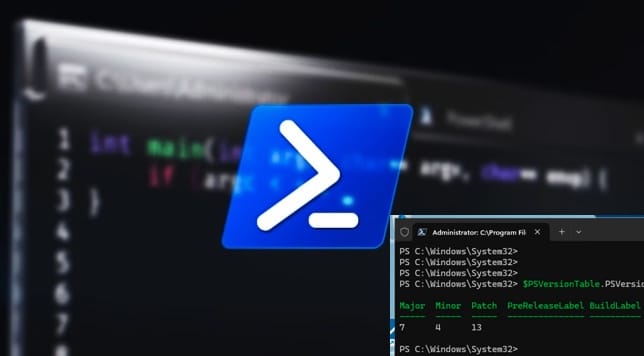
In this article, we shall discuss the steps to upgrade PowerShell Core Windows or Mac and Linux System. Microsoft officially stopped adding new features to “Windows PowerShell” (version 5.1) as it recieves security and bug fixes only. It is considered “feature complete” and is tied strictly to the Windows operating system as it is built…

Read More “Upgrade PowerShell Core Windows or Mac and Linux System” »

Windows, Windows Server

How to Restore Deleted Azure App Service Using PowerShell

Posted on 27/03/202411/08/2026 Imoh Etuk By Imoh Etuk No Comments on How to Restore Deleted Azure App Service Using PowerShell
How to Restore Deleted Azure App Service Using PowerShell

In this post, I will briefly take you through how to Restore Deleted Azure App Service Using PowerShell. Before I proceed, let’s talk about Azure App service in detail. Azure App Service is a managed platform created by Microsoft for hosting web applications, mobile backends, and RESTful APIs. You can easily deploy WordPress on Azure…

Read More “How to Restore Deleted Azure App Service Using PowerShell” »

Automation, AWS/Azure/OpenShift, Scripts

Use PowerShell to View and Change BIOS Settings

Posted on 25/10/202311/08/2026 Matthew By Matthew No Comments on Use PowerShell to View and Change BIOS Settings
Use PowerShell to View and Change BIOS Settings

PowerShell is a powerful scripting and automation tool in the Windows operating system that allows you to interact with various system components, including the BIOS settings. This guide explores how to use Windows PowerShell to view and change BIOS/UEFI settings on a Windows computer. This guide covers how to check your BIOS/UEFI version, make changes…

Read More “Use PowerShell to View and Change BIOS Settings” »

Windows

Batch rename multiple files on Windows

Posted on 28/12/202215/08/2026 Matthew By Matthew No Comments on Batch rename multiple files on Windows
Batch rename multiple files on Windows

Batch renaming files refers to the process of renaming multiple files at once, rather than renaming each file individually. This can be useful if you have a large number of files that need to be renamed, as it can save time and effort compared to renaming each file separately. On a Windows PC, you can…

Read More “Batch rename multiple files on Windows” »

Windows

Enable vTPM and BitLocker HyperV VM: Fix the device that cannot use a TPM module

Posted on 17/11/202203/06/2026 Temitope Odemo By Temitope Odemo No Comments on Enable vTPM and BitLocker HyperV VM: Fix the device that cannot use a TPM module
Enable vTPM and BitLocker HyperV VM: Fix the device that cannot use a TPM module

Microsoft added more security features to Windows Server 2016 and one of them is the vTPM. You can now use a vTPM right inside the VM without using a physical TPM processor. A virtual Trusted Platform Module (vTPM) is a software-based representation of a physical Trusted Platform Module that can generate keys. In this article,…

Read More “Enable vTPM and BitLocker HyperV VM: Fix the device that cannot use a TPM module” »

Virtualization, Windows, Windows Server

Create and Delete Registry Keys via PowerShell in Windows

Posted on 27/07/202215/08/2026 Matthew By Matthew No Comments on Create and Delete Registry Keys via PowerShell in Windows
Create and Delete Registry Keys via PowerShell in Windows

The Registry Editor (regedit.exe) and the reg.exe command-line utility aren’t the only tools in Windows for accessing and managing the registry. PowerShell offers a lot of tools for administrators to interact with the registry. In this article, you will learn “Get and Edit Registry Keys: How to Create and Delete Registry Keys via PowerShell in…

Read More “Create and Delete Registry Keys via PowerShell in Windows” »

Scripts, Windows

How to forcefully remove Language Pack on Windows 10 and 11

Posted on 14/07/202216/08/2026 Imoh Etuk By Imoh Etuk No Comments on How to forcefully remove Language Pack on Windows 10 and 11
How to forcefully remove Language Pack on Windows 10 and 11

In this article, we will discuss how to forcefully remove Language Pack on Windows 10 and 11. Windows 10 and 11 are available in various languages, and you can even install language packs for each language you speak. This feature allows you to use a specific language for display (Settings and File Explorer) while still…

Read More “How to forcefully remove Language Pack on Windows 10 and 11” »

Windows

Microsoft MVP

VEEAMLEGEND

vexpert-badge-stars-5

Virtual Background

GoogleNews

Categories

veeaam100

Veeam Vanguard

  • images 4 1
    How to export passwords from KeePass Database to Pleasant Password Server Password Manager
  • SCVMM Setup Fails Because It Cannot Find The Specific Windows ADK Deployment Tools Files
    SCVMM setup Fails: Fix Missing Windows ADK Deployment Files Windows Server
  • WindowsCoreSecurity
    How to enable Smart App Control on Windows 11 Security | Vulnerability Scans and Assessment
  • images 5
    How to use the Pleasant Password Server tool Password Manager
  • ycx
    How to use SysInternals Live Tools Windows Server
  • Featured image 6
    How to remove OneDrive from Windows Microsoft Exchange/Office/365
  • screenshot 2020 04 07 at 02.14.53
    SSH and Telnet on Cisco ASA 5505: Quick Setup Guide Network | Monitoring
  • Customizing Windows PE
    Steps to customize Windows PE boot images Windows

Subscribe to Blog via Email

Enter your email address to subscribe to this blog and receive notifications of new posts by email.

Join 1,766 other subscribers
  • RSS - Posts
  • RSS - Comments
  • About
  • Authors
  • Write for us
  • Advertise with us
  • General Terms and Conditions
  • Privacy policy
  • Feedly
  • Telegram
  • Youtube
  • Facebook
  • Instagram
  • LinkedIn
  • Tumblr
  • Pinterest
  • Twitter
  • mastodon

Tags

Active Directory Azure Bitlocker Microsoft Windows PowerShell WDS Windows 10 Windows 11 Windows Deployment Services Windows Server 2016

Copyright © 2026 TechDirectArchive