Difference between testing and debugging

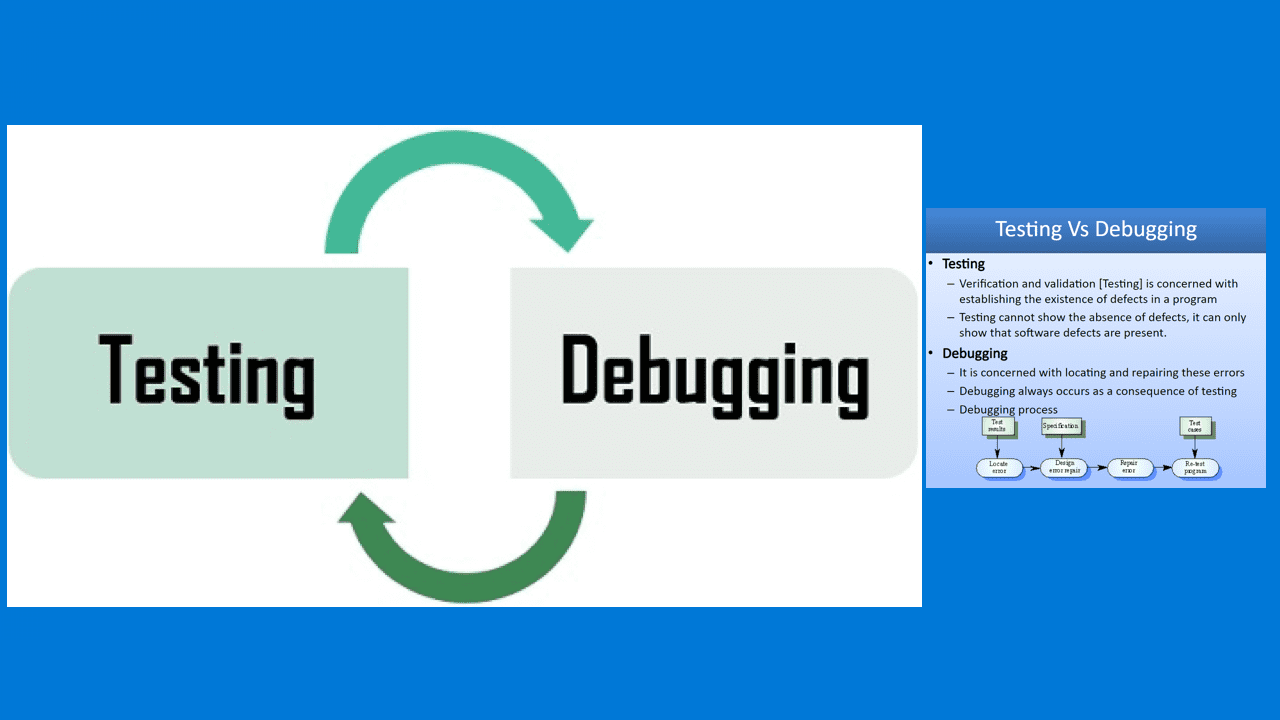
Testing and debugging are two key terms that are used interchangeably because of their similarities. Nevertheless, Testing and debugging processes are used to improve the quality of software development thereby making it error-free. Here are some nice guides on this topic: How to debug a PowerShell script, how to install and debug logs with the CMTrace Tool, how to perform PowerShell syntax check using PSScriptAnalyzer, and Microsoft Bitlocker Administration and Management: Effect of renaming an MBAM or BitLocker protected Computer“.
Testing and debugging processes are differentiated in the sense, that testing seems to find the defects in the software while debugging on the other hand helps identify issues in the code.
Testing finds defects; debugging fixes them. This article explores their key distinctions.What is Software Testing?
Testing is a process of evaluating a system or application to identify any gaps, errors, or missing requirements in contrast to the actual requirements.
That is, it helps explore the system to find defects present in the software. It also defines what will happen once these defects occur. The testing team executes this process during the testing phase, and then reports to the development team, enabling them to proceed with debugging.
During testing, different techniques may be used. Assess the program’s response to various situations by providing correct and incorrect inputs, intentional errors, and diverse inputs. The program may flag a bug that needs correction while testing it with various data. With this happening, I would like to throw more light on what is a bug.
A bug is a programming error that affects the execution of a program. The program may not function properly or does not execute at all. Some of the bugs may be caused by the omission of a code or the use of a wrong one.
Types of Software Testing
Here are some key terms I would like to discuss before going into more detail. Automated testing categories support continuous delivery pipelines. Below are some types of tests.
- Unit tests
- Integration tests
- Acceptance tests
Unit test: Usually the fastest type of testing, unit testing runs first in your pipeline. Therefore, Unit tests are responsible for verifying the behaviour of a single unit of code.
Integration test: Integrated testing encompasses testing all your codes at once. Instead of isolating code, run everything to ensure correctness and make all parts work together.
Acceptance tests: Acceptance tests mirror integration tests. But you execute them after deploying your code into production. You can use them to ensure everything is up and running correctly. Note: This is often referred to as “smoke tests.”
Benefits of Software Testing
Software testing yields several benefits. It helps in identifying what leads to bug fixing. Improves the performance of the software. Helps in determining the root cause analysis, and provides the reliability of software.
Debugging
Debugging is the process of identifying, isolating, and fixing bugs or errors in software code. It varies in degree of complexity. There are some simple debugging such as a small program designed for in-house use etc. Due to the relatively short length of the program, the debugging done by a programmer will be relatively simple.
Once the development team receives the report from the testing team as discussed above, they will swing into action and start debugging. The purpose of this phase is to locate the bug and get rid of it as mentioned above. Usually, people perform this step manually. Most tools can debug using a ‘debugger’ to find bugs in various programming environments.
When an error or bug is detected in a program, it must be corrected. Otherwise, the objective of developing the program is defeated. You cannot work when a system (software is not running correctly or it is flawed). This can raise one’s eyebrow and can put your data at risk as the case may be. Check out this article on performing PowerShell script debugging. See also how to pause a PowerShell script.
Benefits of Debugging
- It reports an error condition immediately.
- In addition to this, it provides a maximum of useful information.
- Debugging allows straightforward interpretation.
- Minimizing useless and also distracting information.
- Avoids complex one-use testing code.
- Saves time and likewise energy in software development.
- Finally, it will enable early detection of an error.
Difference between testing and debugging
Now that we have discussed some key terms above, it is time to
| Testing | Debugging |
| Performed by testers | Performed by developer or development (system admin) team |
| Can be done manually or automatically | Can only be done manually |
| Can be predefined when starting testing. The test result could be predicted | Start with unknown conditions and it is hard to predict the result |
| Find the programming failure | Demonstrate that it’s only an unattended small mistake |
| Could be done automatically by using automation testing tools | Automatic debugging of software is still a dream of programmers |
| The purpose is to find the bug | The purpose is to find the cause of a bug |
| Testing starts with known conditions, uses predefined procedures and has predictable outcomes | Debugging starts from possibly unknown initial conditions and the end can not be predicted except statistically |
| Testing can and should be planned, designed and scheduled | Procedure and duration of debugging cannot be so constrained |
| Testing is a demonstration of error or apparent correctness | Debugging is deductive process |
| Testing proves a programmers failure | Debugging is the programmers vindication(Justification) |
| Much testing can be done without design knowledge | Debugging is impossible without detailed design knowledge |
| Testing can often be done by an outsider | Debugging must be done by an insider |
| Most of the test execution and design can be automated | Automated debugging is still a dream. |
These are the main differences between Testing and Debugging. The key difference is that developers perform debugging and sometimes system administrators and they fix the issues filed by testers in the debugging phase. Debugging typically resolves the issue and enables retesting.
FAQs on the Differences between testing and debugging
How are testing and debugging related?
Testing is a broader concept that includes activities such as unit testing, integration testing, and system testing. Debugging is a specific activity within testing focused on identifying and fixing errors.
What is the primary goal of testing?
The primary goal of testing is to ensure that a system or application behaves as expected and meets its requirements.
When does testing occur in the software development life cycle (SDLC)?
Testing occurs at various stages of the SDLC, including unit testing during development, integration testing during system integration, and acceptance testing before deployment.
When does debugging occur in the software development life cycle (SDLC)?
Debugging occurs during the development phase when programmers are actively writing and testing code.
What are some common debugging techniques?
Common debugging techniques include using print statements, stepping through code with a debugger, analyzing error messages, and reviewing logs.
I hope you found this blog post helpful. Please let me know in the comment session if you have any questions.