Unable to install Microsoft Bitlocker Administration: Uninstall your current version of MBAM and run setup again

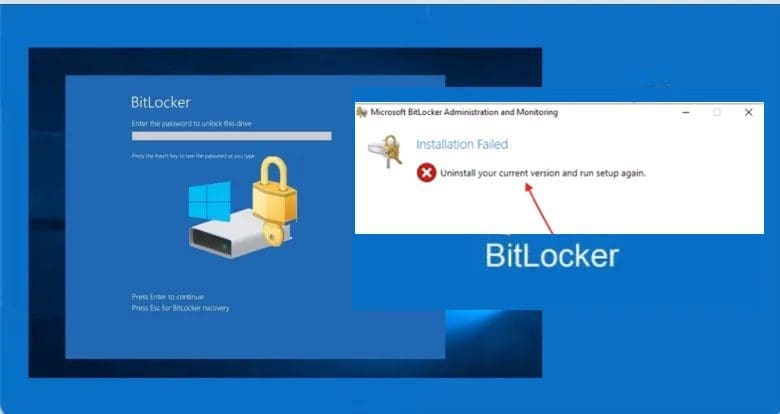
In this guide, we shall discuss “Unable to install Microsoft Bitlocker Administration: Uninstall your current version of MBAM and run setup again”. Microsoft Desktop Optimization Pack (MDOP) is a suite (portfolio) of technologies available to Software Assurance customers through an additional subscription. Please, See how to view BitLocker disk encryption status, how to backup existing and new BitLocker recovery keys to AD.
The following components are included in the MDOP suite: Microsoft Application Virtualization (App-V), Microsoft User Experience Virtualization (UE-V), Microsoft Advanced Group Policy Management (AGPM), Microsoft Diagnostics & Recovery Toolset (DaRT), and Microsoft BitLocker Administration and Monitoring (MBAM).
MBAM is an administrator interface used to manage BitLocker drive encryption. It allows you to configure your enterprise with the correct BitLocker encryption policy options. As well as monitor compliance with these policies. Kindly refer to the following similar guides on BitLocker.
Also, see BitLocker Drive Encryption architecture and implementation types on Windows, how to fix missing BitLocker Recovery Tab in Active Directory Users and Computers, and how to enable or disable BitLocker Drive Encryption on Windows 10 and Virtual Machines.
Unable to install Microsoft Bitlocker Administration
Reason for error: I installed this additional component (the July 2018 Servicing Release for MDOP update). Before installing the MBAM setup (original installation files). Furthermore, The July 2018 Servicing Release for MDOP update is to be installed after installing the original MBAM installation files.
The following error was prompted because I had initially installed the July 2018 Servicing Release for MDOP update

Please, see Query MBAM-protected Client for non-compliance [Part 2], how to uninstall Applications with PowerShell Script, and Unable to find my BitLocker Recovery Key in AD.
Uninstall MBAM
Unfortunately, you cannot find this in the list of installed programs. To uninstall this program. However, You must re-run the July 2018 Servicing Release for the MDOP update setup file, as shown below. Moreover, It must be reinstalled after installing the MBAM setup. This is the recommended installation steps.
In addition, Click on the download MBAM July 2018 Servicing Release for MDOP to uninstall it as shown below.

Nonetheless, The uninstallation is very fast and will be uninstalled very quickly. Click on Finish to complete the uninstallation.

Please, see How to uninstall a program via command prompt in Windows, How to uninstall Applications with PowerShell Script, and how to get MBAM BitLocker Recovery Keys from Microsoft SQL Server.
Install MBAM
Now, if you’re experiencing issues like ‘Unable to install Microsoft Bitlocker Administration’. You should be able to install the MBAM again. Remember to install the July 2018 Servicing Release for MDOP after the installation.

To install SQL2017 to support MBAM, you must also install the July 2018 Servicing Release for MDOP from the following link. This will enable MBAM to support the newer AES XTS ciphers in Windows 10 and SQL 2017. More information can be found at this link.
I hope you found this blog post about “Unable to install Microsoft Bitlocker Administration: Uninstall your current version of MBAM and run setup again” helpful. If you have any questions, please let me know in the comment session.


