Fix SMB Freezes That Break Backups on Critical Linux Servers


Recently I had to configure a backup on a physical Linux server that stores over half a petabyte of traffic fine images collected from speed cameras on federal highways in Brazil. Therefore, in this guide, I will show you how to Fix SMB Freezes That Break Backups on Critical Linux Servers. Please, see how to Setup iSCSI Target and Storage LUN on Synology DS923+ for VBR, and how to fix Outlook Not Responding and Outlook Crashing or freezing.
The catch: this server runs critical client applications, and any migration to another server is extremely sensitive and requires careful planning before taking action. At the moment, a full migration wasn’t feasible.
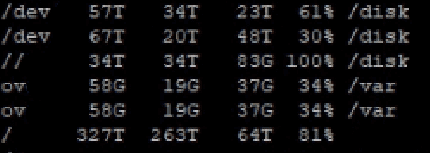
Due to the urgency of the demand, it was necessary to implement a backup solution immediately. But the server cannot go down for even one minute. Any downtime would mean fines not being recorded, resulting in immediate financial loss.

Please, see Backup and Restore Proxmox VE virtual machines with Veeam, how to Protect your Windows Devices with MFA with SystoLOCK, and how to Set up Microsoft PKI (ADCS) for SystoLOCK via PowerShell.
The Challenge of Backing Up a Mission-Critical Environment
The client required backup implementation for compliance reasons. My choice was to use Veeam Agent for Linux, configuring the backup job at the volume level. To avoid impacting main traffic, I limited the throughput to 50 Mbps using Veeam’s throttling feature.
Everything seemed well planned, until I ran the first backup job.


Please, see How to disable Ads in Windows 11, how to Import a user profile in Windows to another PC, and how to Set up Veeam Backup for Microsoft Azure.
The Problem: Snapshot Freezing and SMB Lockups
During execution, I noticed that the image transfers stopped every time Veeam tried to create a snapshot. Data would pile up in the queue, and the whole process took much longer than expected.
After monitoring the server for hours, I discovered the culprit: the SMB service froze exactly at the moment the snapshot was initiated. Without SMB, images couldn’t be transmitted, and Veeam couldn’t move forward either.
Please, see “Veeam Agent Vulnerability: Fix Veeam Agent vulnerability for Microsoft Windows“, and “Error 1385: The user has not been granted the requested logon type at this time“.
The Investigation and Key Discovery
To test my hypothesis, I forced a systemctl stop smb. As soon as the service stopped, Veeam completed the snapshot with no issues. I restarted SMB right afterward, and image transfers resumed normally.
In other words: snapshots and SMB simply couldn’t coexist smoothly in this environment.
Please, see How to Fix Windows 11 File Explorer Lags and Freezes Issue, and how to fix critical Veeam Backup and Replication 9.5, 10, and 11 vulnerabilities.
The Workaround to fixing SMB Freezes that break Backups
Since this server has no maintenance window and absolutely cannot go offline, fixing the root cause (like patching the system or deep reconfiguration) wasn’t an option at the moment. The workaround I implemented was to create an automated monitoring script:
- The image processing system generates continuous logs.
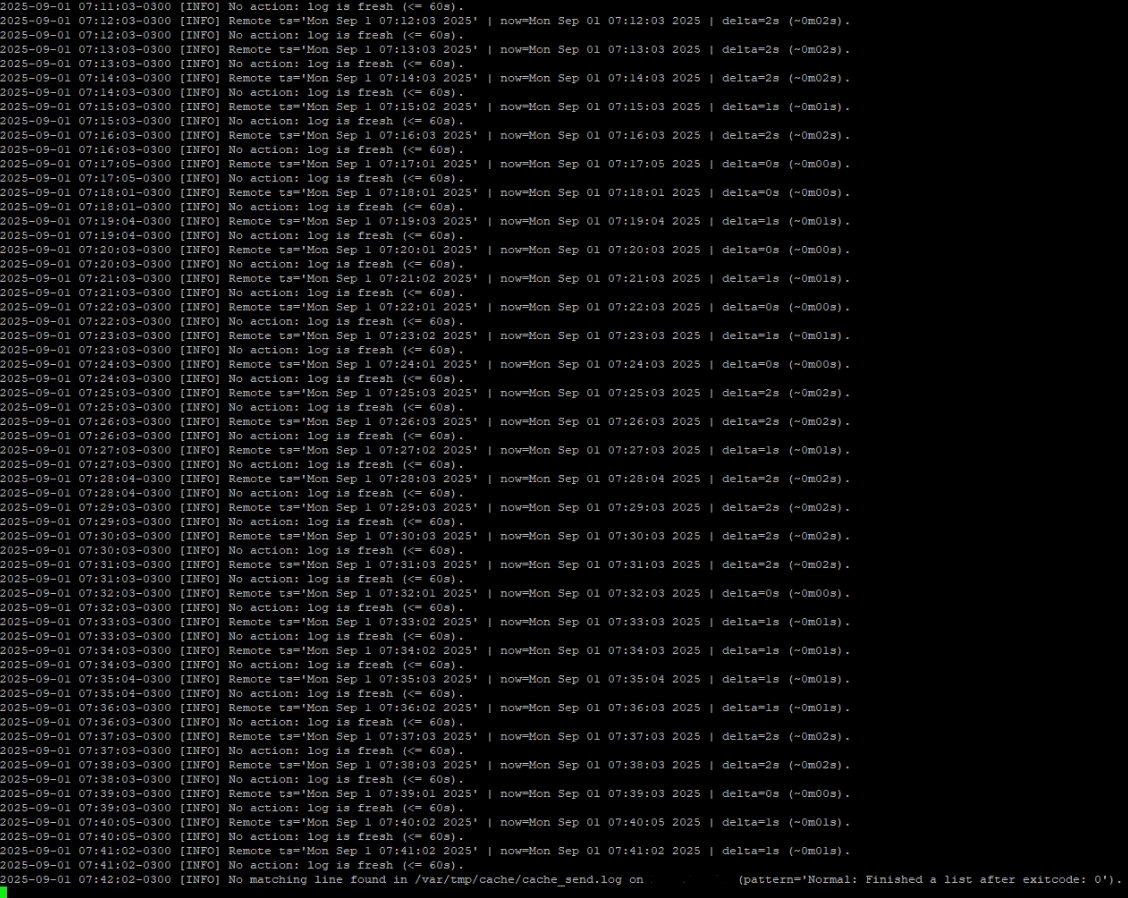
- I set up a script that runs every minute and checks if there’s a delay greater than one minute in transfers.
- If a delay is detected, the script automatically restarts the SMB service.
With this, Veeam Agent for Linux can successfully complete the snapshot, and image transfers continue with minimal impact (just a few seconds).
Bonus Tip: Want to integrate an IBM Tape Library with Veeam for even stronger backup strategies? Read my full guide: Using IBM Library with Veeam, and Veeam Backup and Replication Disk I/O with diskspd.

Please, see Fixing AIX Veeam agent job startup delay issue, how to backup Azure VM with VM Settings, and how to Backup Mac with Veeam Agent for Mac to Synology DS923+ NAS.
Final Thoughts
Of course, this isn’t the perfect solution. The ideal scenario would be to fix the root cause or even redesign the server architecture. But in critical environments, we often need to choose what’s possible right now rather than what would be theoretically ideal.
And you? Have you ever faced a similar situation where you had to improvise a solution to keep the environment running?
How would you back up a critical Linux server without downtime, even with sensitive services like SMB running?
I hope you found this guide on how to Fix SMB Freezes That Break Backups on Critical Linux Servers very useful. Please, feel free to leave a comment below.