Skip to content

TechDirectArchive

Hands-on IT, Cloud, Security & DevOps Insights

  • Home
  • About
  • Advertise With US
  • Reviews
  • Contact
  • Toggle search form

Author: Christian

My name is Christian with the following awards: Microsoft MVP, Veeam Legend, VMware vExpert, Cisco Champion and previously a VUG Africa Leader. I am the Founder and Editor of TechDirectArchive. My blog posts cover instruction guides, how-to, troubleshooting tips, and tricks on Windows, Linux, Mac, Databases, hardware, Cloud, Network Devices, and Information security.

Logon Failure: User has not been granted the requested logon type

Posted on 08/09/202508/09/2025 Christian By Christian No Comments on Logon Failure: User has not been granted the requested logon type
Logon Failure: User has not been granted the requested logon type

In this article, we shall discuss how to fix “Logon Failure: the user has not been granted the requested logon type at this computer”. Here is a similar article on this topic “Error 1385: The user has not been granted the requested logon type at this time“. I ran into this error during the cause…

Read More “Logon Failure: User has not been granted the requested logon type” »

Windows, Windows Server

Server Certificate could not be updated: Private key does not match

Posted on 08/09/202508/09/2025 Christian By Christian No Comments on Server Certificate could not be updated: Private key does not match
Server Certificate could not be updated: Private key does not match

In this article, we will discuss how to troubleshoot “Server Certificate could not be updated: Private key does not match”, and and determine the root case of this issue. This concern arose during the process of uploading a new SSL/TLS certificate to Trellix ePolicy Orchestrator (ePO) for securing web-based access to the console over the…

Read More “Server Certificate could not be updated: Private key does not match” »

Windows Server

Fix Error 0x87E10BC6 on a PC running Windows non-core Edition

Posted on 03/09/202516/09/2025 Christian By Christian No Comments on Fix Error 0x87E10BC6 on a PC running Windows non-core Edition
Fix Error 0x87E10BC6 on a PC running Windows non-core Edition

In this article, we shall discuss how to Fix Error 0x87E10BC6 on a PC running Windows non-core Edition. The error code 0x87e10bc6 occurs when there is an issue with activating Windows as we will see very shortly. This can be due to various reasons such as server issues, firewall interference, or incorrect product key. Please,…

Read More “Fix Error 0x87E10BC6 on a PC running Windows non-core Edition” »

Windows, Windows Server

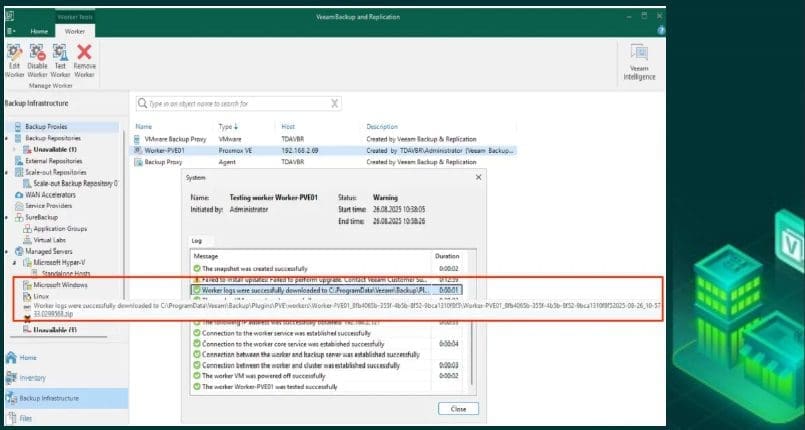
What to know about “Failed to perform Veeam Worker Upgrade”

Posted on 03/09/202529/09/2025 Christian By Christian No Comments on What to know about “Failed to perform Veeam Worker Upgrade”
What to know about “Failed to perform Veeam Worker Upgrade”

Recently, while testing “Backup and Restore Proxmox VE virtual machines with Veeam“. Therefore, i will show you “What to know about “Failed to perform Veeam Worker Upgrade”‘ when you ran into this error. This worker is vital because, without worker(s). The Veeam Backup and Replication server itself would handle the data transfer and help distribute…

Read More “What to know about “Failed to perform Veeam Worker Upgrade”” »

Backup

Veeam Backup Console must be updated to the latest version

Posted on 29/08/202529/08/2025 Christian By Christian No Comments on Veeam Backup Console must be updated to the latest version
Veeam Backup Console must be updated to the latest version

In this article, we will discuss the steps to update the console when prompted: “Veeam Backup Console must be updated to the latest version” at the time of writing this article. The Veeam Backup & Replication Console is the main interface used to configure, monitor, and manage all backup, replication, and recovery tasks. Please, see…

Read More “Veeam Backup Console must be updated to the latest version” »

Backup

Upgrade Veeam Backup and Replication v12.3.x to 12.3.2

Posted on 28/08/202528/08/2025 Christian By Christian No Comments on Upgrade Veeam Backup and Replication v12.3.x to 12.3.2
Upgrade Veeam Backup and Replication v12.3.x to 12.3.2

In this blog post, we will be discussing the steps to upgrade Veeam Backup and Replication v12.3.x to 12.3.2. This update for 12.3.2 (Build 12.3.2.3617) was released June 17, 2024). Upgrading to the latest version of Veeam Backup & Replication ensures you stay protected with critical security fixes, gain access to new features, and benefit…

Read More “Upgrade Veeam Backup and Replication v12.3.x to 12.3.2” »

Backup

Backup and Restore Proxmox VE virtual machines with Veeam

Posted on 25/08/202529/08/2025 Christian By Christian No Comments on Backup and Restore Proxmox VE virtual machines with Veeam
Backup and Restore Proxmox VE virtual machines with Veeam

Following Broadcom’s acquisition of VMware, the market faced significant disruptions. This led to many customers seeking alternative virtualisation platforms, with Proxmox VE quickly emerging as one of the preferred choice. Recognising both customer demand and Proxmox’s VE growing market share, Veeam expanded its Hypervisor support to include Proxmox VE. In this article, we shall discuss…

Read More “Backup and Restore Proxmox VE virtual machines with Veeam” »

Backup, Virtualization

Protect your Windows Devices with MFA with SystoLOCK

Posted on 21/08/202521/08/2025 Christian By Christian No Comments on Protect your Windows Devices with MFA with SystoLOCK
Protect your Windows Devices with MFA with SystoLOCK

SystoLOCK is a passwordless Multi Factor Authentication (MFA) platform developed by Systola GmbH here in Deutschland (Germany). Therefore, in this article, we shall discuss how to protect your Windows Devices with MFA with SystoLOCK. Please, see Creating IAM Users, Adding MFA and Policies on AWS, “MFA on Root Account: Create a User on AWS and…

Read More “Protect your Windows Devices with MFA with SystoLOCK” »

Security | Vulnerability Scans and Assessment, Windows, Windows Server

Set up Microsoft PKI (ADCS) for SystoLOCK via PowerShell

Posted on 21/08/202521/08/2025 Christian By Christian No Comments on Set up Microsoft PKI (ADCS) for SystoLOCK via PowerShell
Set up Microsoft PKI (ADCS) for SystoLOCK via PowerShell

Windows domains operate normally without Active Directory Certificate Services (AD CS), provided that no Public Key Infrastructure (PKI) functionality is required. However, SystoLOCK depends heavily on PKI, this means you must deploy and correctly configure a Certification Authority (CA) before installing SystoLOCK. Therefore, in this guide, I will be discussing the steps to “Set up…

Read More “Set up Microsoft PKI (ADCS) for SystoLOCK via PowerShell” »

Windows Server

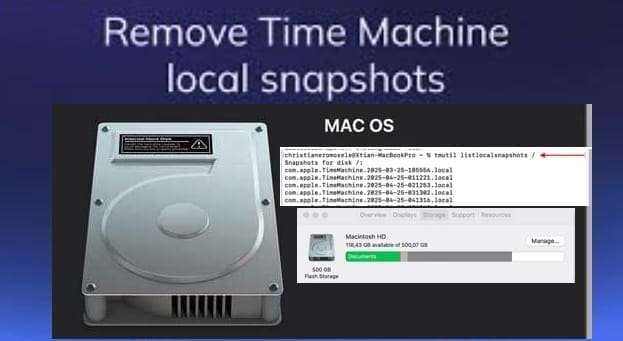
Fix what is taking up my Mac Storage? Delete Snapshots

Posted on 13/08/202513/08/2025 Christian By Christian No Comments on Fix what is taking up my Mac Storage? Delete Snapshots
Fix what is taking up my Mac Storage? Delete Snapshots

On a Mac, a snapshot captures your data at a specific moment, letting you restore it to that exact state later. Time Machine and other tools like Carbon Copy Cloner create these snapshots to make backup and recovery easier. macOS stores them using the APFS file system. Therefore, in this guide, we shall discuss “Fix…

Read More “Fix what is taking up my Mac Storage? Delete Snapshots” »

Network | Monitoring

Convert Windows Server Datacenter to Standard: Install Windows Server via iDRAC Virtual Media

Posted on 13/08/202513/08/2025 Christian By Christian No Comments on Convert Windows Server Datacenter to Standard: Install Windows Server via iDRAC Virtual Media
Convert Windows Server Datacenter to Standard: Install Windows Server via iDRAC Virtual Media

In this article, I will show you how to Convert Windows Server Datacenter to Standard: Install via iDRAC Virtual Media. Previously, we have discussed how to convert Windows Server Essentials or Evaluation to Retail Edition, and we also discussed the differences between Windows Sever Evaluation, Essential and Retail Edition. Specifically, steps to convert Windows Server…

Read More “Convert Windows Server Datacenter to Standard: Install Windows Server via iDRAC Virtual Media” »

Windows Server

How to delete a VM and Storage in Proxmox

Posted on 12/08/202512/08/2025 Christian By Christian No Comments on How to delete a VM and Storage in Proxmox
How to delete a VM and Storage in Proxmox

Proxmox Virtual Environment (Proxmox VE) is an open-source platform for enterprise virtualization. It combines two powerful virtualization technologies: KVM (Kernel-based Virtual Machine) for full virtualization, and LXC (Linux Containers) for lightweight container-based virtualization. In this article, we shall discuss how to delete a VM and Storage in Proxmox. Please, see how to create a bootable…

Read More “How to delete a VM and Storage in Proxmox” »

Virtualization

How to fix “Action required” in Microsoft Authenticator App

Posted on 12/08/202512/08/2025 Christian By Christian No Comments on How to fix “Action required” in Microsoft Authenticator App
How to fix “Action required” in Microsoft Authenticator App

In this guide, we will show you how to fix “Action required” in Microsoft Authenticator App. Microsoft Authenticator is a versatile mobile app that not only enables you to sign in to your accounts securely without using a password. Or by manually entering a passcode but also serves as a password manager. Please, see How…

Read More “How to fix “Action required” in Microsoft Authenticator App” »

Microsoft Exchange/Office/365

Posts pagination

Previous 1 … 5 6 7 … 113 Next

Microsoft MVP

VEEAMLEGEND

vexpert-badge-stars-5

Virtual Background

GoogleNews

Categories

veeaam100

Veeam Vanguard

  • Fix Failed to Connect a Hyper V Standalone to Veeam Backup
    Invalid Credentials “Fix Failed to Connect a Hyper-V Standalone to Veeam Backup” Backup
  • Webp.net resizeimage 7
    Create a new Azure Disk: How to create and attach an extra Disk to Azure Virtual Machine AWS/Azure/OpenShift
  • Featured image batch rename
    Batch rename multiple files on Windows Windows
  • WAMP errors
    Apache errors associated with WAMP installation for TeamPass Web Server
  • Exchange Admin Centre   EMC
    How to grant Access to User Mailbox Network | Monitoring
  • DEvolusion RDP Manager
    How to set up Devolusion Remote Desktop Manager on Windows Windows
  • iso10
    Mount an ISO image in Windows 10 and 11 Windows
  • system
    How to fix the system cannot find the file specified when adding LP, LIP, and FoD packages to Windows Images Windows Server

Subscribe to Blog via Email

Enter your email address to subscribe to this blog and receive notifications of new posts by email.

Join 1,821 other subscribers
  • RSS - Posts
  • RSS - Comments
  • About
  • Authors
  • Write for us
  • Advertise with us
  • General Terms and Conditions
  • Privacy policy
  • Feedly
  • Telegram
  • Youtube
  • Facebook
  • Instagram
  • LinkedIn
  • Tumblr
  • Pinterest
  • Twitter
  • mastodon

Tags

Active Directory Azure Bitlocker Microsoft Windows PowerShell WDS Windows 10 Windows 11 Windows Deployment Services Windows Server 2016

Copyright © 2025 TechDirectArchive