
Skip to content

TechDirectArchive

Hands-on IT, Cloud, Security & DevOps Insights

  • Home
  • About
  • Advertise With US
  • Contact
  • Reviews
  • Toggle search form
  • veeam
    Fix Failed to connect to Veeam Backup and Replication Server Backup
  • wsus logo e1653651564255
    How to configure Windows server update services Windows Server
  • PIN9 1
    How to increase Windows PIN complexity Windows
  • ddf
    How to configure Windows Deployment Services on Windows Server Windows Server
  • command prompt powershell 670x335 1
    How to Start, Stop and Restart Windows Server Update WSUS Services via PowerShell and CMD Windows
  • images 4
    How to set up WatchGuard Log Server Network | Monitoring
  • Install FileZilla Client
    FileZilla Client on Mac: How to Transfer Files to WordPress via SFTP Mac
  • Delete Expired Profiles on Mac
    Remove Expired Configuration Profiles on Mac Mac

Tag: Windows Server 2025

Harden Active Directory Using CIS Benchmark and MSCT 1.0

Posted on 27/12/202527/12/2025 Link State By Link State No Comments on Harden Active Directory Using CIS Benchmark and MSCT 1.0
Harden Active Directory Using CIS Benchmark and MSCT 1.0

In this guide, I will discuss how to Harden Active Directory Using CIS Benchmark and MSCT 1.0. IT infrastructure security has become an essential priority for any organization. In this context, the Active Directory (AD) domain represents the core of identity management, permissions, and network resources. Please, see “An account with the same name exists…

Read More “Harden Active Directory Using CIS Benchmark and MSCT 1.0” »

Windows Server

Video Remoting was disconnected on Hyper V

Posted on 29/10/202529/10/2025 Christian By Christian No Comments on Video Remoting was disconnected on Hyper V
Video Remoting was disconnected on Hyper V

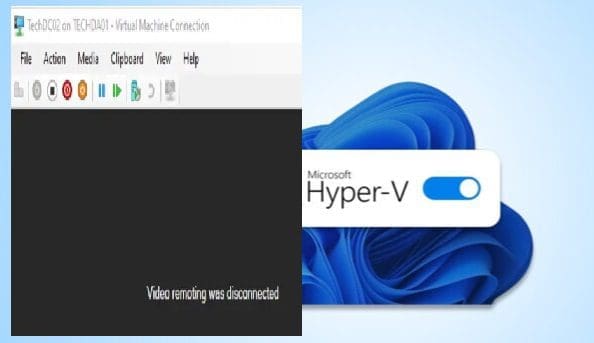
In this guide, I will show you what to do when you are unable to connect to a Hyper V VM when the following message is prompted “Video Remoting was disconnected on Hyper V”. Hyper-V is a native hypervisor developed by Microsoft; it can create virtual machines on x86-64 systems running Windows. Please, see PowerShell…

Read More “Video Remoting was disconnected on Hyper V” »

Windows Server

Setup Windows Admin Center Modern Gateway for Single Sign-On

Posted on 18/10/202529/11/2025 Christian By Christian No Comments on Setup Windows Admin Center Modern Gateway for Single Sign-On
Setup Windows Admin Center Modern Gateway for Single Sign-On

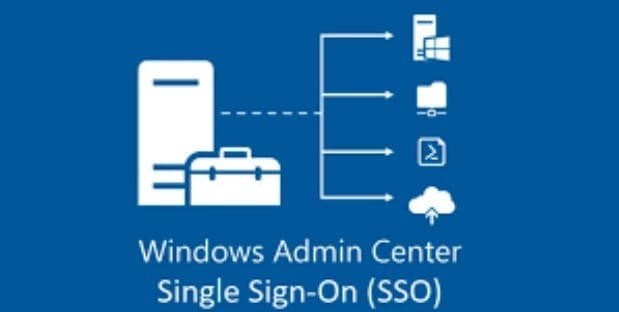
Windows Admin Center is a browser-based app that the customer self-deploys and uses to manage servers, clusters, hyperconverged infrastructure, and Windows 10 PCs . Recently, we discussed how to upgrade Windows Admin Center 2306 – 2311 and also touched on how to install WACmg 2410. But in this guide, we shall discuss how to setup…

Read More “Setup Windows Admin Center Modern Gateway for Single Sign-On” »

Windows Server

Configure Active Directory-Based Activation (ADBA) for Windows

Posted on 09/10/202511/10/2025 Christian By Christian No Comments on Configure Active Directory-Based Activation (ADBA) for Windows
Configure Active Directory-Based Activation (ADBA) for Windows

Active Directory-Based Activation (ADBA) is a Microsoft Volume Licensing method that automatically activates Windows that are joined to an Active Directory (AD) domain. Here is how to set up and configure the Key Management System (KMS) if you have non-domain joined devices. Therefore, in this guide, we shall discuss how to configure Active Directory-Based Activation…

Read More “Configure Active Directory-Based Activation (ADBA) for Windows” »

Windows Server

How to set up and configure the Key Management System (KMS)

Posted on 09/10/202511/10/2025 Christian By Christian No Comments on How to set up and configure the Key Management System (KMS)
How to set up and configure the Key Management System (KMS)

Key Management Service (KMS), like Multiple Activation Key (MAK) activates Microsoft products such as Windows and Office. You should install the KMS server, also known as the KMS host on a server inside your local network. Note that, KMS clients connect directly to the KMS host to activate both Windows etc. In this guide, we…

Read More “How to set up and configure the Key Management System (KMS)” »

Windows Server

Server Certificate could not be updated: Private key does not match

Posted on 08/09/202508/09/2025 Christian By Christian No Comments on Server Certificate could not be updated: Private key does not match
Server Certificate could not be updated: Private key does not match

In this article, we will discuss how to troubleshoot “Server Certificate could not be updated: Private key does not match”, and and determine the root case of this issue. This concern arose during the process of uploading a new SSL/TLS certificate to Trellix ePolicy Orchestrator (ePO) for securing web-based access to the console over the…

Read More “Server Certificate could not be updated: Private key does not match” »

Windows Server

Fix Error 0x87E10BC6 on a PC running Windows non-core Edition

Posted on 03/09/202516/09/2025 Christian By Christian No Comments on Fix Error 0x87E10BC6 on a PC running Windows non-core Edition
Fix Error 0x87E10BC6 on a PC running Windows non-core Edition

In this article, we shall discuss how to Fix Error 0x87E10BC6 on a PC running Windows non-core Edition. The error code 0x87e10bc6 occurs when there is an issue with activating Windows as we will see very shortly. This can be due to various reasons such as server issues, firewall interference, or incorrect product key. Please,…

Read More “Fix Error 0x87E10BC6 on a PC running Windows non-core Edition” »

Windows, Windows Server

Protect your Windows Devices with MFA with SystoLOCK

Posted on 21/08/202521/08/2025 Christian By Christian No Comments on Protect your Windows Devices with MFA with SystoLOCK
Protect your Windows Devices with MFA with SystoLOCK

SystoLOCK is a passwordless Multi Factor Authentication (MFA) platform developed by Systola GmbH here in Deutschland (Germany). Therefore, in this article, we shall discuss how to protect your Windows Devices with MFA with SystoLOCK. Please, see Creating IAM Users, Adding MFA and Policies on AWS, “MFA on Root Account: Create a User on AWS and…

Read More “Protect your Windows Devices with MFA with SystoLOCK” »

Security | Vulnerability Scans and Assessment, Windows, Windows Server

Convert Windows Server Datacenter to Standard: Install Windows Server via iDRAC Virtual Media

Posted on 13/08/202513/08/2025 Christian By Christian No Comments on Convert Windows Server Datacenter to Standard: Install Windows Server via iDRAC Virtual Media
Convert Windows Server Datacenter to Standard: Install Windows Server via iDRAC Virtual Media

In this article, I will show you how to Convert Windows Server Datacenter to Standard: Install via iDRAC Virtual Media. Previously, we have discussed how to convert Windows Server Essentials or Evaluation to Retail Edition, and we also discussed the differences between Windows Sever Evaluation, Essential and Retail Edition. Specifically, steps to convert Windows Server…

Read More “Convert Windows Server Datacenter to Standard: Install Windows Server via iDRAC Virtual Media” »

Windows Server

How to install Trellix MVISON Endpoint

Posted on 12/08/202523/09/2025 Christian By Christian No Comments on How to install Trellix MVISON Endpoint
How to install Trellix MVISON Endpoint

The “Trellix MVISION Endpoint” and Trellix Endpoint Security (ENS) are both Trellix Endpoint protection products. They are slightly different and offer different use cases. Trellix offers both to provide flexibility and broader coverage for varying customer needs and environments. In this article, I will show you how to install Trellix MVISON Endpoint. Please, see how…

Read More “How to install Trellix MVISON Endpoint” »

Security | Vulnerability Scans and Assessment

Fix MSIEXEC returned 1602: Trellix Setup cannot use this account

Posted on 01/07/202509/07/2025 Christian By Christian No Comments on Fix MSIEXEC returned 1602: Trellix Setup cannot use this account
Fix MSIEXEC returned 1602: Trellix Setup cannot use this account

In this article, we will discuss “(installation cancelled) – Fix MSIEXEC returned 1602: Trellix Setup cannot use this account”. Due to the multiple errors encountered during the re-installation of Trellix ePolicy Orchestrator (ePO) in my Lab. I have therefore decided to show all relevant errors in this blogpost. Also, these are fixes to common Trellix…

Read More “Fix MSIEXEC returned 1602: Trellix Setup cannot use this account” »

Windows Server

How to enable FIPS mode on Windows Server

Posted on 01/07/202510/07/2025 Christian By Christian No Comments on How to enable FIPS mode on Windows Server
How to enable FIPS mode on Windows Server

In this article, I will show you how to enable FIPS mode on Windows Server when required. For example, here is a KB2733626 showing instructions for using SQL Server 2012 in the FIPS 140-2-compliant mode. Federal Information Processing Standard (FIPS) is a standard developed by the “The National Institute of Standards and Technology (NIST) in…

Read More “How to enable FIPS mode on Windows Server” »

Oracle/MSSQL/MySQL, Windows Server

Install Windows Server 2025 via iDRAC Virtual Media or PXE

Posted on 18/06/202518/07/2025 Christian By Christian No Comments on Install Windows Server 2025 via iDRAC Virtual Media or PXE
Install Windows Server 2025 via iDRAC Virtual Media or PXE

In this article, we shall discuss the steps to install Windows Server 2025 via iDRAC Virtual Media or PXE. Windows Server 2025 delivers advanced security, enhanced performance, and greater cloud agility. Designed to meet diverse customer needs, it provides a secure, high-performance platform for deploying applications across on-premises, hybrid, and cloud environments. Wish to learn…

Read More “Install Windows Server 2025 via iDRAC Virtual Media or PXE” »

Windows Server

Posts pagination

1 2 Next

Microsoft MVP

VEEAMLEGEND

vexpert-badge-stars-5

Virtual Background

GoogleNews

Categories

veeaam100

sysadmin top30a

  • veeam
    Fix Failed to connect to Veeam Backup and Replication Server Backup
  • wsus logo e1653651564255
    How to configure Windows server update services Windows Server
  • PIN9 1
    How to increase Windows PIN complexity Windows
  • ddf
    How to configure Windows Deployment Services on Windows Server Windows Server
  • command prompt powershell 670x335 1
    How to Start, Stop and Restart Windows Server Update WSUS Services via PowerShell and CMD Windows
  • images 4
    How to set up WatchGuard Log Server Network | Monitoring
  • Install FileZilla Client
    FileZilla Client on Mac: How to Transfer Files to WordPress via SFTP Mac
  • Delete Expired Profiles on Mac
    Remove Expired Configuration Profiles on Mac Mac

Subscribe to Blog via Email

Enter your email address to subscribe to this blog and receive notifications of new posts by email.

Join 1,839 other subscribers
  • RSS - Posts
  • RSS - Comments
  • About
  • Authors
  • Write for us
  • Advertise with us
  • General Terms and Conditions
  • Privacy policy
  • Feedly
  • Telegram
  • Youtube
  • Facebook
  • Instagram
  • LinkedIn
  • Tumblr
  • Pinterest
  • Twitter
  • mastodon

Tags

AWS Azure Bitlocker Microsoft Windows PowerShell WDS Windows 10 Windows 11 Windows Deployment Services Windows Server 2016

Copyright © 2025 TechDirectArchive