Skip to content

TechDirectArchive

Hands-on IT, Cloud, Security & DevOps Insights

  • Home
  • About
  • Advertise With US
  • Reviews
  • Contact
  • Toggle search form
Home » Windows » What are the differences between Lite-Touch and Zero-Touch installation?
  • Azure Virtual Desktop
    How to deploy Azure Virtual Desktop in Azure Portal Virtualization
  • Windows Productivity Tips
    Windows Productivity Tips To Get The Most Out Of Your PC Windows
  • article 1280x720.aa742702
    How to create a custom view in Windows Event Viewer Windows Server
  • microsoft warns windows 10 cumulative update kb4494441 breaks down some websites 526066 2
    Launch an application automatically during startup on Windows Windows
  • VMware Tools
    How to upgrade VMware Tools in vSphere Virtualization
  • Troubleshooting Synology NAS Domain Join 2
    Synology NAS Domain Join: The Importance of DNS Configuration Reviews
  • configure kerberos
    Configure Kerberos Delegation in Windows Windows
  • Proxmox VM backup with VBR
    How to create a backup job for Proxmox VMs using VBR Backup

What are the differences between Lite-Touch and Zero-Touch installation?

Posted on 01/03/202124/08/2023 Christian By Christian No Comments on What are the differences between Lite-Touch and Zero-Touch installation?
wds

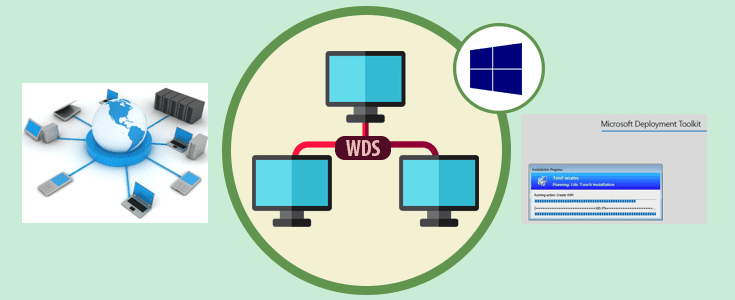
In this short article, we will discuss “What are the differences between Lite-Touch and Zero-Touch installation?”. But then, what is Windows Deployment Services  (WDS)? WDS is a server technology from Microsoft for performing network-based installation of Windows Operating Systems (OS). Please see how to add boot and install images to WDS and configure Multicast transmission via the GUI and WDSUTIL, and how to deploy images to computers or virtual machines using WDS.

Furthermore, WDS is a server role that you can deploy on Windows Server. Kindly refer to the following guides for more information on WDS and MDT. Windows Deployment Services: How to setup and install WDS role. How to configure DHCP Server option 60, 66, and 67 for WDS. And how to remove Windows Deployment Services role via the GUI and PowerShell.

Microsoft Deployment Toolkit (MDT)

MDT is a unified collection of tools, processes, and guidance for automating desktop and server deployment. You can use it to create reference images or as a complete deployment solution. See this guide for the differences between MDT and WDS?

Types of WDS Deployment

The main difference between Lite-Touch and Zero-Touch Deployment is that Lite-Touch Deployment requires some user interaction. While Zero Touch Deployment does not require any user interaction.

Please refer to the following guides on how to deploy a VM via PXE boot. How to set up a VM via PXE boot on a Generation 1 VM, and how to set up a VM via PXE boot on a Generation 2 VM – Hyper-V.

Lite Touch Installation (LTI)

LTI is a high-volume deployment strategy for small to midsized organizations that combine the use of MDT with WDS. This allows Administrators to deploy PC via network-based installation. Lite Touch Deployment requires some user interaction. It can be installed from a network share or media using an optical disc or USB flash drive etc. MDT is required for this deployment.

Zero Touch Installation (ZTI)

ZTD is a fully automated deployment. Therefore, in this installation, no user interaction is required. 

However, it requires a continuous network connection to the distribution point. Microsoft Endpoint Manager Configuration Manager, previously called SCCM is required for this deployment.

Here is a detailed article on the unified collection of tools that are applied”ADK, MDT, and WDS: How to deploy Windows using MDT, and WDS“.

I hope you found this blog post helpful on “What are the differences between Lite-Touch and Zero-Touch installation”? If you have any questions, please let me know in the comment session.

Rate this post

Thank you for reading this post. Kindly share it with others.

  • Share on X (Opens in new window) X
  • Share on Reddit (Opens in new window) Reddit
  • Share on LinkedIn (Opens in new window) LinkedIn
  • Share on Facebook (Opens in new window) Facebook
  • Share on Pinterest (Opens in new window) Pinterest
  • Share on Tumblr (Opens in new window) Tumblr
  • Share on Telegram (Opens in new window) Telegram
  • Share on WhatsApp (Opens in new window) WhatsApp
  • Share on Pocket (Opens in new window) Pocket
  • Share on Mastodon (Opens in new window) Mastodon
  • Share on Bluesky (Opens in new window) Bluesky
  • Share on Threads (Opens in new window) Threads
  • Share on Nextdoor (Opens in new window) Nextdoor
Windows Tags:Microsoft Deployment Tool kit, Microsoft Deployment Toolkit (MDT), WDS, Windows 10, Windows Deployment Services

Post navigation

Previous Post: How to change the default screen capture format in macOS
Next Post: What are the differences between MDT and WDS

Related Posts

  • Featured image 4
    Focus on Tasks: Limit Distraction & Get Things Done on Windows Windows
  • Install and report or install or shutdown with BitLocker
    BitLocker Windows Update Shutdown or Reboot option behavior Windows
  • RecomveRDSlicense
    How to remove RDS Client Access Licenses from RDS Server Windows
  • fast user switching in windows 10 2
    To enable or disable fast User Switching in Windows 10 Windows
  • MDT Workbench Crashes when opening WinPE tab Properties
    Fix MDT Workbench Crashes when opening WinPE tab Properties Windows
  • VMware Error Fix
    How to fix “The process cannot access the file because another process has locked a portion of the file” Virtualization

More Related Articles

Featured image 4 Focus on Tasks: Limit Distraction & Get Things Done on Windows Windows
Install and report or install or shutdown with BitLocker BitLocker Windows Update Shutdown or Reboot option behavior Windows
RecomveRDSlicense How to remove RDS Client Access Licenses from RDS Server Windows
fast user switching in windows 10 2 To enable or disable fast User Switching in Windows 10 Windows
MDT Workbench Crashes when opening WinPE tab Properties Fix MDT Workbench Crashes when opening WinPE tab Properties Windows
VMware Error Fix How to fix “The process cannot access the file because another process has locked a portion of the file” Virtualization

Leave a Reply Cancel reply

You must be logged in to post a comment.

Microsoft MVP

VEEAMLEGEND

vexpert-badge-stars-5

Virtual Background

GoogleNews

Categories

veeaam100

sysadmin top30a

  • Azure Virtual Desktop
    How to deploy Azure Virtual Desktop in Azure Portal Virtualization
  • Windows Productivity Tips
    Windows Productivity Tips To Get The Most Out Of Your PC Windows
  • article 1280x720.aa742702
    How to create a custom view in Windows Event Viewer Windows Server
  • microsoft warns windows 10 cumulative update kb4494441 breaks down some websites 526066 2
    Launch an application automatically during startup on Windows Windows
  • VMware Tools
    How to upgrade VMware Tools in vSphere Virtualization
  • Troubleshooting Synology NAS Domain Join 2
    Synology NAS Domain Join: The Importance of DNS Configuration Reviews
  • configure kerberos
    Configure Kerberos Delegation in Windows Windows
  • Proxmox VM backup with VBR
    How to create a backup job for Proxmox VMs using VBR Backup

Subscribe to Blog via Email

Enter your email address to subscribe to this blog and receive notifications of new posts by email.

Join 1,831 other subscribers
  • RSS - Posts
  • RSS - Comments
  • About
  • Authors
  • Write for us
  • Advertise with us
  • General Terms and Conditions
  • Privacy policy
  • Feedly
  • Telegram
  • Youtube
  • Facebook
  • Instagram
  • LinkedIn
  • Tumblr
  • Pinterest
  • Twitter
  • mastodon

Tags

Active Directory AWS Azure Bitlocker Microsoft Windows PowerShell WDS Windows 10 Windows 11 Windows Server 2016

Copyright © 2025 TechDirectArchive


Loading Comments...
 

You must be logged in to post a comment.