How to change the default user password in PostgreSQL

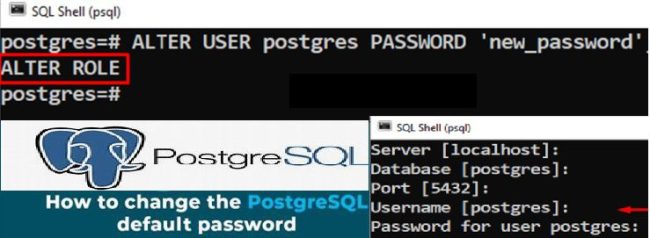
In this guide, we shall discuss how to change the default user password in PostgreSQL. PostgreSQL is a relational database management system (RDBMS) that provides an open-source solution for storing and managing data. It offers a variety of features for database administration, queries, and security. This blog post was birthed by the following question: “Resetting the Veeam built-in PostgreSQL Database password” in the Veeam Forum. Please, see how to install PostgreSQL on Ubuntu, and how to migrate Veeam Configuration Database to PostgreSQL Server.
PostgreSQL supports complex queries, indexes, and transactions. It also has an active developer community that is constantly bringing new features and improvements. It’s a popular choice for businesses and developers who need a high-performance, reliable, and scalable database.
Note: Unlike some database systems, PostgreSQL does not assign a default password to the database superuser account (postgres) during installation. Instead, it follows a secure approach, requiring the user to create and manage passwords explicitly
Therefore, when the password field is prompted. You can just click on OK to connect to your PostgreSQL server as shown below. Please, see how to upgrade PostgreSQL Engine used by VBR

You can also connect via the Command Line (psql) with the command below.
$ sudo -u postgres psqlNow that you are aware that the default PostgresSQL user neither requires nor uses a password for authentication. Instead, depending how Postgres was originally installed and what version you are using. Please, see how to install PostgreSQL on Windows server as Veeam Database Engine. The default authentication method will either be ident or peer.
- ident authentication uses the operating system’s identification server running at TCP port 113 to verify the user’s credentials.
- peer authentication on the other hand. Is used for local connections and verifies that the logged in username of the operating system matches the username for the Postgres database.
Set the Default User Password via Command Line (psql)
Note: Maintaining strong security in PostgreSQL is a critical responsibility for database administrators. One of the first steps is to set a strong, unique password for the default superuser account. By default, PostgreSQL creates a user named
postgres, which has full administrative privileges. To enhance security and prevent unauthorized access, log in as thepostgresuser and assign a secure password to this account.
To changeset the default PostgreSQL user (postgres) password via command line on Windows using psql. Follow the steps below. If yo run into issues “SSPI authentication failed for user” after changing the VBR hostname, you will need to update the pg_ident.conf file with the new hostname for all local user accounts.
Launch SQL Shell
Launch Command Prompt as Administrator, and connect to the PostgreSQL via psql. The psql is available in the system PATH. If not, locate it (usually in C:\Program Files\PostgreSQL\<version>\bin) or run commands from the SQL Shell (psql) as previously suggested.
psql -U postgres -d postgresNote: You will be prompted to enter the current password for the postgres user. As you already know, I do not have a password. If you have also never set a password and the authentication method is trust, it may let you in without one.
With a connection now established to Postgres at the psql prompt. Issue the ALTER USER command to change the password for the postgres user:
postgres=# ALTER USER postgres PASSWORD 'myPassword';
Alternatively, you can execute the “ALTER ROLE” statement as shown below.
ALTER ROLE postgres PASSWORD 'my_new_password';
Please, see “Veeam backup for aws Processing postgres rds failed: No valid combination of the network settings was found for the worker configuration“, and how to upgrade Microsoft SQL Server 2019 to 2022
Exit the psql Shell
If successful, Postgres will output a confirmation of ALTER ROLE. Finally, exit the psql client by using the \q command.
postgres=# \qThe default PostgreSQL user now has a password associated with the account for use in your other applications.
Note: If you run into Trust authentication issues, you may have to modify the Postgres authentication config file (pg_hfa.conf).
I hope you found this article very useful on how to change the default user password in PostgreSQL. Please feel free to leave a comment below.


