Skip to content

TechDirectArchive

Hands-on IT, Cloud, Security, Veeam & DevOps

  • Home
  • About
  • Advertise With US
  • Reviews
  • Contact
  • Toggle search form

Author: Christian

Christian, Microsoft MVP, Veeam Vanguard & Legend (2021–2026), VMware vExpert, and Cisco Champion, shares expert guides, how-to tutorials, troubleshooting insights, and technical tips across Windows, Linux, Mac, databases, cloud, networking, hardware, and information security.

Fix you need the right to sign in through Remote Desktop Services

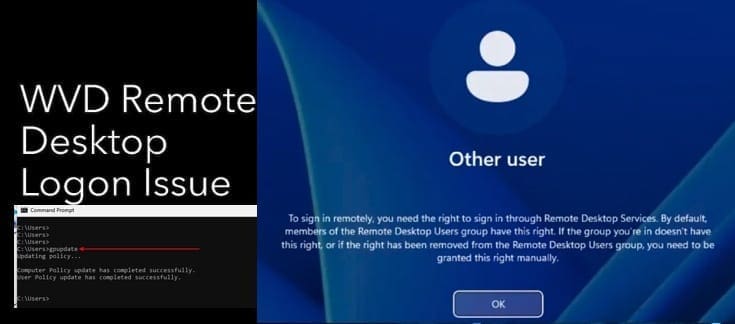
Posted on 25/05/202524/06/2026 Christian By Christian No Comments on Fix you need the right to sign in through Remote Desktop Services
Fix you need the right to sign in through Remote Desktop Services

Remote Desktop Protocol (RDP) is a Microsoft protocol that enables users to connect to and control a a PC remotely. It does this by providing a graphical interface that enables interaction as if the user were physically present. In this article, we shall discuss the steps to fix you need the right to sign in…

Read More “Fix you need the right to sign in through Remote Desktop Services” »

Windows, Windows Server

Unable to run downloaded Programs due to Defender SmartScreen

Posted on 13/05/202524/06/2026 Christian By Christian No Comments on Unable to run downloaded Programs due to Defender SmartScreen
Unable to run downloaded Programs due to Defender SmartScreen

In this article, we will learn how to fix ‘Unable to run downloaded Programs due to Defender SmartScreen”. Microsoft Defender SmartScreen is a security feature in Windows 10 and 11 that checks every download from trusted sources. Please, see How to Manage Microsoft Defender Antivirus with Argon ACMP, and How to apply and install Veeam…

Read More “Unable to run downloaded Programs due to Defender SmartScreen” »

Windows

How to Manage Microsoft Defender Antivirus with Argon ACMP

Posted on 13/05/202524/06/2026 Christian By Christian No Comments on How to Manage Microsoft Defender Antivirus with Argon ACMP
How to Manage Microsoft Defender Antivirus with Argon ACMP

The AAGON Client Management Platform (ACMP) serves as a central hub for managing your network. This modular client management solution works similarly to Azure Automanage, allowing IT departments to tackle daily challenges through a cohesive and flexible system. In this article, we shall discuss how to Manage Microsoft Defender Antivirus with Argon ACMP. Please, see…

Read More “How to Manage Microsoft Defender Antivirus with Argon ACMP” »

Network | Monitoring

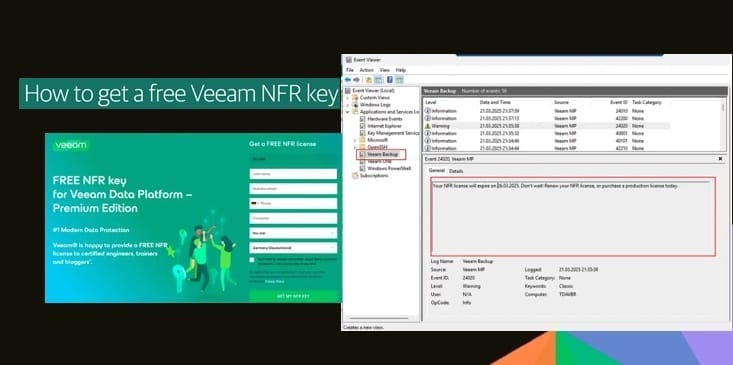
How to apply and install Veeam NFR License

Posted on 13/05/202524/06/2026 Christian By Christian No Comments on How to apply and install Veeam NFR License
How to apply and install Veeam NFR License

If you are a hands-on IT professional who enjoys learning through experience and lab work. The Veeam Not-For-Resale (NFR) license can be an invaluable asset to you. Veeam offers free NFR keys valid for one year with support for up to 20 instances. This allows you to test, explore, and refine your skills in a…

Read More “How to apply and install Veeam NFR License” »

Backup, Virtualization

Fix Repository time shift detected: Immutability flag cannot be set

Posted on 25/03/202524/06/2026 Christian By Christian No Comments on Fix Repository time shift detected: Immutability flag cannot be set
Fix Repository time shift detected: Immutability flag cannot be set

In this article, we shall discuss how to fix Repository time shift detected: Immutability flag cannot be set. This warning occurs when a time shift is detected in the Hardened Repository regardless of the deployment type used. This is a safeguard against immutability manipulation that can also be triggered by intentional time changes. Please see…

Read More “Fix Repository time shift detected: Immutability flag cannot be set” »

Backup, Storage

Install Veeam ONE and Add VBR: Fix failed to connect to VBR

Posted on 25/03/202524/06/2026 Christian By Christian No Comments on Install Veeam ONE and Add VBR: Fix failed to connect to VBR
Install Veeam ONE and Add VBR: Fix failed to connect to VBR

Veeam ONE provides IT administrators with real-time monitoring, business documentation, and management reporting for Veeam Backup & Replication, Veeam Backup for Microsoft 365, VMware vSphere, VMware Cloud Director, and Microsoft Hyper-V. In this article, we shall discuss “Install Veeam ONE and Add VBR: Fix failed to connect to VBR: Veeam ONE supports Veeam Backup and…

Read More “Install Veeam ONE and Add VBR: Fix failed to connect to VBR” »

Backup

Install SQL Server Management Studio 20 on Windows Server

Posted on 25/03/202524/06/2026 Christian By Christian No Comments on Install SQL Server Management Studio 20 on Windows Server
Install SQL Server Management Studio 20 on Windows Server

SQL Server Management Studio (SSMS) is a powerful tool for managing SQL infrastructure, from SQL Server to Azure SQL Database. In this guide, we shall discuss how to Install SQL Server Management Studio 20 on Windows Server. Please, see how to Upgrade VBR to 12.3.1: Setup detected inconsistent configuration, how to deploy and integrate VHR…

Read More “Install SQL Server Management Studio 20 on Windows Server” »

Oracle/MSSQL/MySQL, Storage

Upgrade VBR to 12.3.1: Setup detected inconsistent configuration

Posted on 25/03/202524/06/2026 Christian By Christian No Comments on Upgrade VBR to 12.3.1: Setup detected inconsistent configuration
Upgrade VBR to 12.3.1: Setup detected inconsistent configuration

Veeam Backup & Replication version 12.3.1.1139 was recently released on March 19, 2025. This introduces some critical security patches, new features, and performance enhancements. This update strengthens system security and improves reliability, making it essential for all users to upgrade promptly. Therefore, in this guide, I will show you how to upgrade VBR to 12.3.1:…

Read More “Upgrade VBR to 12.3.1: Setup detected inconsistent configuration” »

Backup

In-place upgrade of Windows Server 2022 to 2025

Posted on 22/03/202524/06/2026 Christian By Christian No Comments on In-place upgrade of Windows Server 2022 to 2025
In-place upgrade of Windows Server 2022 to 2025

In this article, we shall discuss how to perform an In-place upgrade of Windows Server 2022 to 2025. Windows Server 2025 was officially released on November 1st, 2024. This latest version introduces several enhancements, including improved security features, performance optimisations, and better integration with hybrid cloud environments. Please, see Perform an in-place upgrade from Windows…

Read More “In-place upgrade of Windows Server 2022 to 2025” »

Backup, Windows Server

Export and Convert Private Keys to .PEM Format in Windows

Posted on 20/03/202524/06/2026 Christian By Christian No Comments on Export and Convert Private Keys to .PEM Format in Windows
Export and Convert Private Keys to .PEM Format in Windows

Microsoft Management Console (MMC) does not natively export private keys in .PEM format. Instead, it exports private keys in .PFX (.PKCS#12) format which includes both the certificate and private key in an encrypted container. If you need the private key in PEM format, you must first export the certificate as PFX from MMC and then…

Read More “Export and Convert Private Keys to .PEM Format in Windows” »

Windows, Windows Server

Fix Trellix ePO DAT and Engine Packages missing

Posted on 13/03/202524/06/2026 Christian By Christian No Comments on Fix Trellix ePO DAT and Engine Packages missing
Fix Trellix ePO DAT and Engine Packages missing

The Trellix ePolicy Orchestrator (ePO) DAT (Virus Definition) and Engine Packages are critical for malware detection and prevention. This ensures that the Trellix Endpoint Security Products have up-to-date protection against threats. Therefore, in this article, we shall discuss how to Fix Trellix ePO DAT and Engine Packages missing. Please, see Create a bootable USB on…

Read More “Fix Trellix ePO DAT and Engine Packages missing” »

Security | Vulnerability Scans and Assessment

How to deploy and integrate VHR with VBR

Posted on 11/03/202524/06/2026 Christian By Christian No Comments on How to deploy and integrate VHR with VBR
How to deploy and integrate VHR with VBR

OOTBI (Object First Out-Of-the-Box Immutability) is an alternative solution to Veeam Hardened Repository (VHR). Since I have covered OOTBI extensively in the past, I will now focus on VHR. Please, see Best Storage for Veeam: Comparing OOTBI by ObjectFirst to VHR. Therefore, in this article, we shall be discussing how to deploy and integrate VHR…

Read More “How to deploy and integrate VHR with VBR” »

Backup, Linux

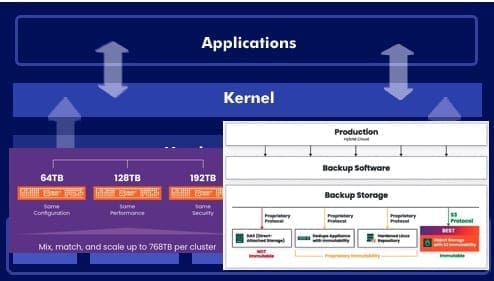
Best Storage for Veeam: Comparing OOTBI by ObjectFirst to VHR

Posted on 06/03/202524/06/2026 Christian By Christian No Comments on Best Storage for Veeam: Comparing OOTBI by ObjectFirst to VHR
Best Storage for Veeam: Comparing OOTBI by ObjectFirst to VHR

In this article, we shall discuss the “Best Storage for Veeam: Comparing OOTBI by ObjectFirst to VHR and why physical security is necessary to Protect OOTBI”. Out-of-the-Box Immutability (OOTBI) by ObjectFirst and Veeam Hardened Repository (VHR) are closely intertwined and designed specifically for Veeam Backup and Replication at the point of writing this article. Please…

Read More “Best Storage for Veeam: Comparing OOTBI by ObjectFirst to VHR” »

Backup, Storage

Posts pagination

Previous 1 … 11 12 13 … 117 Next

Microsoft MVP

vexpert-badge-stars-5

Virtual Background

VEEAMLEGEND

Categories

Top 30 Sysadmin blog

veeaam100

Veeam Vanguard

  • Azure VMware Solution Private Cloud
    How To Deploy Azure VMware Solution Private Cloud AWS/Azure/OpenShift
  • Force bitlocker encryption
    Force BitLocker Recovery mode: How to unlock BitLocker Protected Drive Network | Monitoring
  • PXE Boot to Install OS HyperV
    Run Hype-V on Windows 11 and Install Windows OS via PXE Boot Windows
  • Screenshot 2022 04 27 at 00.50.35
    How to create a BitLocker System Partition [Part 2] Windows
  • cb5e9fcbe91618c68c5236d801eb6721
    Real-Time Monitoring: How to setup VeeamONE Network | Monitoring
  • 1 kajkbmlyehn0inifwrh 8w
    Install Kerberos packages via Cygwin in Windows Windows Server
  • SQL Server Management Studio 1
    How to manually check and update SQL Server Management Studio Oracle/MSSQL/MySQL
  • veeam
    Fix Failed to connect to Veeam Backup and Replication Server Backup

Subscribe to Blog via Email

Enter your email address to subscribe to this blog and receive notifications of new posts by email.

Join 1,738 other subscribers
  • RSS - Posts
  • RSS - Comments
  • About
  • Authors
  • Write for us
  • Contact
  • Advertise with us
  • General Terms and Conditions
  • Privacy policy
  • Feedly
  • Telegram
  • Youtube
  • Facebook
  • Instagram
  • LinkedIn
  • Tumblr
  • Pinterest
  • Twitter
  • mastodon
  • Bsky

Tags

Active Directory Azure Bitlocker Microsoft Windows PowerShell WDS Windows 10 Windows 11 Windows Deployment Services Windows Server 2016

Copyright © 2026 TechDirectArchive