Skip to content

TechDirectArchive

Hands-on IT, Cloud, Security & DevOps Insights

  • Home
  • About
  • Advertise With US
  • Contact
  • Reviews
  • Toggle search form

Tag: Full Disk Encryption

This device cannot use a Trusted Platform Module, allow BitLocker without a compatible TPM when turning on Bitlocker

Posted on 04/11/201925/09/2023 Christian By Christian No Comments on This device cannot use a Trusted Platform Module, allow BitLocker without a compatible TPM when turning on Bitlocker
This device cannot use a Trusted Platform Module, allow BitLocker without a compatible TPM when turning on Bitlocker

BitLocker is a full volume encryption feature included with Microsoft Windows versions starting with Windows Vista. It is designed to protect data by providing encryption for entire volumes. By default, it uses the AES encryption algorithm in cipher block chaining or XTS mode with a 128-bit or 256-bit key. See this guide for information on…
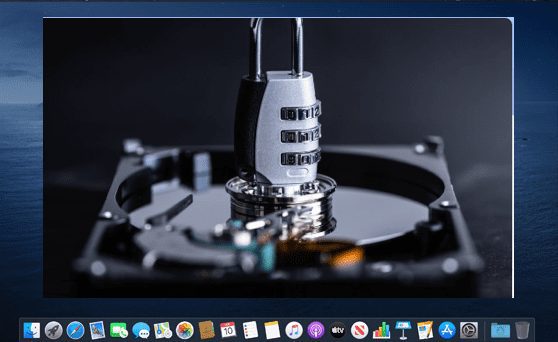
Read More “This device cannot use a Trusted Platform Module, allow BitLocker without a compatible TPM when turning on Bitlocker” »

Windows

Mac FileVault Encryption: How to enable FileVault disk encryption

Posted on 04/09/201925/09/2023 Christian By Christian No Comments on Mac FileVault Encryption: How to enable FileVault disk encryption
Mac FileVault Encryption: How to enable FileVault disk encryption

Enabling FileVault disk encryption works quite similarly to enabling BitLocker. If you desire to encrypt your data stored on devices (macOS), you can utilize FileVault 2 and it is a free encryption software tool. Just like BitLocker, FileVault 2 (FileVault full-disk encryption) uses XTS-AES-128 encryption with a 256-bit key “to help prevent unauthorized access to the information on…

Read More “Mac FileVault Encryption: How to enable FileVault disk encryption” »

Security | Vulnerability Scans and Assessment

Posts pagination

Previous 1 2

Microsoft MVP

VEEAMLEGEND

vexpert-badge-stars-5

Virtual Background

GoogleNews

Categories

veeaam100

Veeam Vanguard

  • images
    Query MBAM to display the BitLocker Recovery report Network | Monitoring
  • Featured image Audioissue
    How to Fix Audio Services Not Responding on Windows 10 and 11 Windows
  • microsoft edge
    How to configure static page in Microsoft Edge browser via Local Group Policy on Windows Windows
  • Docker Volumes
    Create and Mount Volume to Docker Container Containers
  • enable or disable WinRM
    How to enable or disable WinRM via the command-line Network | Monitoring
  • 147913 228396 228395 rc
    Fix No bootable media found system halted: Unable to PXE boot Virtualization
  • Featured Image new
    Add Registry Keys via DISM in Windows Windows
  • BitLocker result virtualization
    Create a web page to visualize the output of BitLocker Recovery Web Server

Subscribe to Blog via Email

Enter your email address to subscribe to this blog and receive notifications of new posts by email.

Join 1,811 other subscribers
  • RSS - Posts
  • RSS - Comments
  • About
  • Authors
  • Write for us
  • Advertise with us
  • General Terms and Conditions
  • Privacy policy
  • Feedly
  • Telegram
  • Youtube
  • Facebook
  • Instagram
  • LinkedIn
  • Tumblr
  • Pinterest
  • Twitter
  • mastodon

Tags

Active Directory Azure Bitlocker Microsoft Windows PowerShell WDS Windows 10 Windows 11 Windows Deployment Services Windows Server 2016

Copyright © 2025 TechDirectArchive