Skip to content

TechDirectArchive

Hands-on IT, Cloud, Security, Veeam & DevOps

  • Home
  • About
  • Advertise With US
  • Reviews
  • Tech News
  • Contact
  • Toggle search form

Tag: PowerShell version 7

Upgrade PowerShell Core Windows or Mac and Linux System

Posted on 02/01/202624/06/2026 IT Expert By IT Expert No Comments on Upgrade PowerShell Core Windows or Mac and Linux System
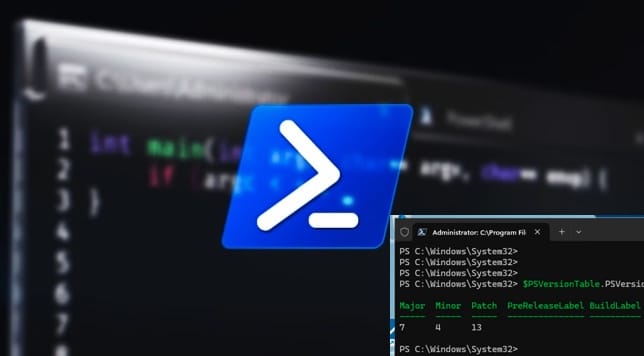
Upgrade PowerShell Core Windows or Mac and Linux System

In this article, we shall discuss the steps to upgrade PowerShell Core Windows or Mac and Linux System. Microsoft officially stopped adding new features to “Windows PowerShell” (version 5.1) as it recieves security and bug fixes only. It is considered “feature complete” and is tied strictly to the Windows operating system as it is built…

Read More “Upgrade PowerShell Core Windows or Mac and Linux System” »

Windows, Windows Server

Fix WDAC vulnerabilities by updating PowerShell

Posted on 20/10/202128/08/2026 IT Expert By IT Expert No Comments on Fix WDAC vulnerabilities by updating PowerShell
Fix WDAC vulnerabilities by updating PowerShell

In this guide we shall discuss how to fix WDAC vulnerabilities by updating PowerShell. Windows Defender Application Control (WDAC) can control what runs on Windows 10 and Windows 11 by setting policies that specify whether a driver or application is trusted. A policy includes policy rules that control options such as audit mode and file rules (or file rule levels)…

Read More “Fix WDAC vulnerabilities by updating PowerShell” »

Security | Vulnerability Scans and Assessment

There has been a runner system failure: failed to start the process exec “pwsh”

Posted on 05/10/202128/08/2026 IT Expert By IT Expert No Comments on There has been a runner system failure: failed to start the process exec “pwsh”
There has been a runner system failure: failed to start the process exec “pwsh”

The Shell executor is a simple executor that you use to execute builds locally on the machine where GitLab Runner is installed. It supports all systems on which the Runner can be installed. In this article, you will learn how to fix there has been a runner system failure: failed to start the process exec…

Read More “There has been a runner system failure: failed to start the process exec “pwsh”” »

Containers

How to upgrade PowerShell to the latest version on macOS via Homebrew

Posted on 15/04/202122/08/2026 IT Expert By IT Expert 4 Comments on How to upgrade PowerShell to the latest version on macOS via Homebrew
How to upgrade PowerShell to the latest version on macOS via Homebrew

PowerShell is a cross-platform task automation solution that runs on Windows, Linux, and macOS. It includes a command-line shell, an associated scripting language, and a framework for processing cmdlets. Kindly refer to these guides on how to install Windows Package Manager (Winget CLI), how to install, upgrade and uninstall Chocolatey, how to install, upgrade and uninstall software with Chocolatey, and…

Read More “How to upgrade PowerShell to the latest version on macOS via Homebrew” »

Mac

How to monitor Windows Server backup via PowerShell

Posted on 04/04/202122/08/2026 IT Expert By IT Expert No Comments on How to monitor Windows Server backup via PowerShell
How to monitor Windows Server backup via PowerShell

Task Scheduler enables you to automatically perform routine tasks on a chosen computer. Task Scheduler does this by monitoring whatever criteria you choose. This is referred to as “triggers” and then executing the tasks when those criteria are met. Here are some interesting articles: Run Python Script via Windows Task Scheduler, and how to schedule…

Read More “How to monitor Windows Server backup via PowerShell” »

Windows Server

Determine the execution policy configured on Windows PC

Posted on 12/02/202127/08/2026 IT Expert By IT Expert No Comments on Determine the execution policy configured on Windows PC
Determine the execution policy configured on Windows PC

The default configuration of Windows systems prevents the execution of PowerShell scripts by configuring the PowerShell execution policy. This safety feature is implemented to control the conditions under which PowerShell loads configuration files and runs scripts. This feature helps prevent the execution of malicious scripts. Please see “how to set the PowerShell Execution Policy via the Windows…

Read More “Determine the execution policy configured on Windows PC” »

Windows

How to install MDT PowerShell module on Windows

Posted on 05/02/202130/08/2026 IT Expert By IT Expert No Comments on How to install MDT PowerShell module on Windows
How to install MDT PowerShell module on Windows

MDT PowerShell module is a vital tool that enables you to manage your Deployment Share using PowerShell effortlessly. In this article, we shall discuss how to install MDT PowerShell module. The MDT Windows PowerShell cmdlets come in a Windows PowerShell snap-in. The MDT cmdlets will then run from a Windows PowerShell console that has the…

Read More “How to install MDT PowerShell module on Windows” »

Scripts

Get a list of installed applications on Windows

Posted on 22/12/202030/08/2026 IT Expert By IT Expert 8 Comments on Get a list of installed applications on Windows
Get a list of installed applications on Windows

Kindly visit the following hyperlinks for more information. How to uninstall built-in apps using PowerShell in Windows 10, how to uninstall a program via Command Prompt (CMD) in Windows. In this article, you will learn how to get a list of installed applications on Windows. PowerShell is a task-based command-line shell and scripting language built on .NET….

Read More “Get a list of installed applications on Windows” »

Scripts

Unable to uninstall AppX? How to uninstall builtin programs using PowerShell in Windows 10

Posted on 16/12/202030/08/2026 IT Expert By IT Expert No Comments on Unable to uninstall AppX? How to uninstall builtin programs using PowerShell in Windows 10
Unable to uninstall AppX? How to uninstall builtin programs using PowerShell in Windows 10

Windows 10 includes a series of pre-installed apps that you can’t uninstall by selecting Uninstall options on their Start menu context menus. You may be encounter this issue from time to time that you are unable to uninstall certain applications via the graphical user interface. Below are some steps to help resolve this issue. See this guide on how to…

Read More “Unable to uninstall AppX? How to uninstall builtin programs using PowerShell in Windows 10” »

Scripts

How to perform PowerShell syntax check using PSScriptAnalyzer

Posted on 08/12/202030/08/2026 IT Expert By IT Expert No Comments on How to perform PowerShell syntax check using PSScriptAnalyzer
How to perform PowerShell syntax check using PSScriptAnalyzer

In this guide, we will discuss How to perform PowerShell syntax check using PSScriptAnalyzer. The PSScriptAnalyzer (PSSA) is an open-source tool that Microsoft developed. It is a static code checker for PowerShell modules and scripts. Here is a similar article on PowerShell debugging, Ansible Syntax Checker, how to debug a PowerShell script, how to install and debug…

Read More “How to perform PowerShell syntax check using PSScriptAnalyzer” »

Scripts

How to setup PowerShell on a Linux server

Posted on 24/11/202030/08/2026 IT Expert By IT Expert No Comments on How to setup PowerShell on a Linux server
How to setup PowerShell on a Linux server

As we know, PowerShell is a cross-platform task automation and configuration management framework from Microsoft built on top of the .NET Common Language Runtime; it accepts and returns .NET objects. It consists of a command line shell and an associated scripted language. Powershell enables management of both local and remote linux machines. See the following…

Read More “How to setup PowerShell on a Linux server” »

Scripts

Restore AD Objects: How to restore deleted user accounts in Active Directory with Microsoft LDP and PowerShell

Posted on 21/11/202030/08/2026 IT Expert By IT Expert No Comments on Restore AD Objects: How to restore deleted user accounts in Active Directory with Microsoft LDP and PowerShell
Restore AD Objects: How to restore deleted user accounts in Active Directory with Microsoft LDP and PowerShell

Active Directory (AD) is a widely used directory system, the ability to restore unwanted changes in your AD infrastructure is crucial. When AD objects are deleted, they are placed in the Deleted Objects container (AD recycle bin). There are several methods to restore deleted user accounts, computer accounts, and security groups. For some related content…

Read More “Restore AD Objects: How to restore deleted user accounts in Active Directory with Microsoft LDP and PowerShell” »

Windows Server

Set PowerShell Execution Policy via Windows Settings

Posted on 31/10/202031/08/2026 IT Expert By IT Expert No Comments on Set PowerShell Execution Policy via Windows Settings
Set PowerShell Execution Policy via Windows Settings

PowerShell is configured to prevent the execution of PowerShell scripts on Windows systems by default. The PowerShell execution policy is a safety feature implemented to control the various conditions under which PowerShell loads configuration files and runs scripts. As discussed in one of my previous blog posts “how to Set Execution Policy via Windows PowerShell” and “how to…

Read More “Set PowerShell Execution Policy via Windows Settings” »

Windows

Posts pagination

1 2 Next

Microsoft MVP

VEEAMLEGEND

vexpert-badge-stars-5

Virtual Background

GoogleNews

Categories

veeaam100

Veeam Vanguard

  • PXE E18 Server response timeout
    Stuck at Start PXE over IPv4: PXE-E18 Server response timeout Windows
  • feature image sublime text 4
    How to install Sublime Text 4 on Ubuntu Linux
  • removeguesttrello
    Remove a member from Trello Workspace: How to add or remove a Board Guest to a Trello Board JIRA|Confluence|Apps
  • upgrade proxmox node e1781352297373
    How to update Proxmox VE to the latest version 9.2.3 today Virtualization
  • Featured image bootable USB
    Create a Windows 10 or 11 bootable USB with UEFI support Windows
  • sql server
    Download and install MSSQL 2019 Express Edition and SSMS Oracle/MSSQL/MySQL
  • create a two way Active Directory Trust
    How to create a two-way Active Directory Trust Windows Server
  • BitLocker result virtualization
    Create a web page to visualize the output of BitLocker Recovery Web Server

Subscribe to Blog via Email

Enter your email address to subscribe to this blog and receive notifications of new posts by email.

Join 1,762 other subscribers
  • RSS - Posts
  • RSS - Comments
  • About
  • Authors
  • Write for us
  • Advertise with us
  • General Terms and Conditions
  • Privacy policy
  • Feedly
  • Telegram
  • Youtube
  • Facebook
  • Instagram
  • LinkedIn
  • Tumblr
  • Pinterest
  • Twitter
  • mastodon

Tags

Active Directory Azure Bitlocker Microsoft Windows PowerShell WDS Windows 10 Windows 11 Windows Deployment Services Windows Server 2016

Copyright © 2026 TechDirectArchive