Skip to content

TechDirectArchive

Hands-on IT, Cloud, Security & DevOps Insights

  • Home
  • About
  • Advertise With US
  • Reviews
  • Contact
  • Toggle search form

Tag: RemoteConnection

Configure VPN on Windows Server: How to allow remote VPN Access for Domain or Local Users

Posted on 19/04/202110/09/2023 Christian By Christian 2 Comments on Configure VPN on Windows Server: How to allow remote VPN Access for Domain or Local Users
Configure VPN on Windows Server: How to allow remote VPN Access for Domain or Local Users

Remote access is used to access your network remotely. This provides an encrypted and secure connection over an insecure network such as the Internet. A remote access connection consists of a server(s) and clients that remotely access the contents of the server (network). Then, what is a virtual private network (VPN)? A VPN is a…

Read More “Configure VPN on Windows Server: How to allow remote VPN Access for Domain or Local Users” »

Windows Server

How to fix Remote Desktop can’t connect to the remote computer for one of these reasons

Posted on 15/03/202106/09/2023 Christian By Christian No Comments on How to fix Remote Desktop can’t connect to the remote computer for one of these reasons
How to fix Remote Desktop can’t connect to the remote computer for one of these reasons

Remote Desktop is one of the rich features of Windows 10 which enables users to remotely connect to computer devices. With the help of an internet connection, users can share their desktop screen with any other computer device located remotely. For other topics on RDP, see the following hyperlinks. How to allow saved credentials for RDP connection,…

Read More “How to fix Remote Desktop can’t connect to the remote computer for one of these reasons” »

Windows Server

Fix Remote Desktop Connection issues (Error 0x204)

Posted on 12/01/202104/02/2025 Christian By Christian 1 Comment on Fix Remote Desktop Connection issues (Error 0x204)
Fix Remote Desktop Connection issues (Error 0x204)

In this article, we shall discuss how to Fix Remote Desktop Connection issues (Error 0x204). Remote Desktop Protocol is a proprietary protocol developed by Microsoft which provides a user with a graphical interface to connect to another computer over a network connection. The user employs RDP client software for this purpose, while the other computer…

Read More “Fix Remote Desktop Connection issues (Error 0x204)” »

Windows

Error 1707: Network address invalid when trying to connect remotely

Posted on 13/11/202030/12/2023 Christian By Christian No Comments on Error 1707: Network address invalid when trying to connect remotely
Error 1707: Network address invalid when trying to connect remotely

In this article, we shall discuss the steps to fix “Error 1707: Network address invalid when connecting remotely”. A network address is referred to as an identifier of a node or host on a network. Here are some other similar errors relating to RDP “The logon attempt failed for the remote desktop connection, We could…

Read More “Error 1707: Network address invalid when trying to connect remotely” »

Windows

The logon attempt failed for the remote desktop connection

Posted on 09/11/202010/09/2023 Christian By Christian No Comments on The logon attempt failed for the remote desktop connection
The logon attempt failed for the remote desktop connection

Remote Desktop is one of the rich features of Windows 10 which enables users to remotely connect to computer devices. With the help of an internet connection, users can share their desktop screen with any other computer device located remotely. Here are some guides that I have written on RDP, how to allow saved credentials…

Read More “The logon attempt failed for the remote desktop connection” »

Windows Server

Fix Error code 0x4 Session disconnected: Your session ended because of an error, if this keeps happening, contact your system administrator

Posted on 07/08/202024/09/2024 Christian By Christian 4 Comments on Fix Error code 0x4 Session disconnected: Your session ended because of an error, if this keeps happening, contact your system administrator
Fix Error code 0x4 Session disconnected: Your session ended because of an error, if this keeps happening, contact your system administrator

Remote Desktop Protocol (RDP) is a proprietary protocol developed by Microsoft. It provides a user with a graphical interface to connect to another computer over a network connection. In this article, we will discuss how to “Fix Error code 0x4 Session disconnected: Your session ended because of an error, if this keeps happening, contact your system administrator’. You will receive the…

Read More “Fix Error code 0x4 Session disconnected: Your session ended because of an error, if this keeps happening, contact your system administrator” »

Windows

Error 0x204: Unable to Connect to Remote PC [Part 2]

Posted on 07/08/202025/09/2024 Christian By Christian No Comments on Error 0x204: Unable to Connect to Remote PC [Part 2]
Error 0x204: Unable to Connect to Remote PC [Part 2]

The Windows Remote Desktop Connection tool gives users the ability to connect to a remote Windows PC or server. In this article, we shall discuss how to fix “We could not connect to the remote PC with error code 0x204 and make sure the PC is turned on and connected to the network [Part 2]”….

Read More “Error 0x204: Unable to Connect to Remote PC [Part 2]” »

Windows

Remote Desktop cannot find the computer this in the specified network: Verify the computer name and domain that you are trying to connect

Posted on 31/07/202018/09/2023 Christian By Christian No Comments on Remote Desktop cannot find the computer this in the specified network: Verify the computer name and domain that you are trying to connect
Remote Desktop cannot find the computer this in the specified network: Verify the computer name and domain that you are trying to connect

Remote Desktop Protocol is a proprietary protocol developed by Microsoft which provides a user with a graphical interface to connect to another computer over a network connection. See the following guide on how to fix Remote Desktop Connection issues. Whenever you are faced with this kind of error “Remote Desktop cannot find the computer this…

Read More “Remote Desktop cannot find the computer this in the specified network: Verify the computer name and domain that you are trying to connect” »

Windows Server

Error 0x204: Unable to Connect to Remote PC [Part 1]

Posted on 15/06/202006/12/2024 Christian By Christian No Comments on Error 0x204: Unable to Connect to Remote PC [Part 1]
Error 0x204: Unable to Connect to Remote PC [Part 1]

I got the error prompt when I moved my device to a different network, leading to Error 0x204: Unable to Connect to Remote PC [Part 1]. Remote Desktop Protocol is a proprietary protocol developed by Microsoft which provides a user with a graphical interface to connect to another computer over a network connection. See the…

Read More “Error 0x204: Unable to Connect to Remote PC [Part 1]” »

Windows Server

How to configure a remote Windows Server to Support Ansible

Posted on 17/04/202012/03/2024 Christian By Christian No Comments on How to configure a remote Windows Server to Support Ansible
How to configure a remote Windows Server to Support Ansible

In this artile, you will learn how to configure a remote Windows Server to Support Ansible. Ansible works against multiple systems in your infrastructure at the same time. It does this by selecting portions of systems listed in the Ansible inventory file. This file can be found in this location /etc/ansible/hosts. You can specify a…

Read More “How to configure a remote Windows Server to Support Ansible” »

Windows Server

Ansible_user=UNREACHABLE {Failed to connect to the host via SSH: SSH: Could not resolve hostname (Name or service not known, unreachable true)

Posted on 17/04/202012/03/2024 Christian By Christian No Comments on Ansible_user=UNREACHABLE {Failed to connect to the host via SSH: SSH: Could not resolve hostname (Name or service not known, unreachable true)
Ansible_user=UNREACHABLE {Failed to connect to the host via SSH: SSH: Could not resolve hostname (Name or service not known,  unreachable true)

In this article, you will learn how to resolve “Ansible_user=UNREACHABLE {Failed to connect to the host via SSH: SSH: Could not resolve hostname (Name or service not known, unreachable true)”. Please see How to install and configure Ansible on Ubuntu, and Associate SSH Public key with Azure Linux VM. The following message below has a…

Read More “Ansible_user=UNREACHABLE {Failed to connect to the host via SSH: SSH: Could not resolve hostname (Name or service not known, unreachable true)” »

Configuration Management Tool

How to enable Telnet in Windows 10 and Windows Server

Posted on 07/04/202017/09/2023 Christian By Christian No Comments on How to enable Telnet in Windows 10 and Windows Server
How to enable Telnet in Windows 10 and Windows Server

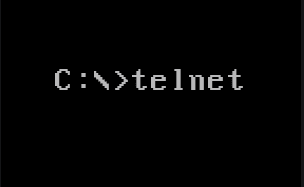
Telnet is a protocol that provides a command-line interface for communicating with a remote device or server. Sometimes employed for remote management but also for initial device setup like network hardware and was developed in 1969. Telnet stands for Teletype Network, but it can also be used as a verb; ‘to telnet’ is to establish…

Read More “How to enable Telnet in Windows 10 and Windows Server” »

Windows Server

Prevent the Saving of RDP Credentials in Windows 10

Posted on 18/03/202024/10/2024 Christian By Christian No Comments on Prevent the Saving of RDP Credentials in Windows 10
Prevent the Saving of RDP Credentials in Windows 10

In this article, I will show you how to prevent the Saving of RDP Credentials in Windows 10. By default, Windows allows users to save their passwords for RDP connections. When this setting is enabled for Remote Desktop Connection, users will no longer be able to save passwords. When a user opens an RDP file…

Read More “Prevent the Saving of RDP Credentials in Windows 10” »

Windows

Posts pagination

Previous 1 2 3 4 Next

Microsoft MVP

VEEAMLEGEND

vexpert-badge-stars-5

Virtual Background

GoogleNews

Categories

veeaam100

Veeam Vanguard

  • screenshot 2020 03 21 at 22.44.04 1
    How to create a Microsoft HyperV checkpoint Virtualization
  • macOSapps
    Fix macOS Apps opening on the wrong desktop Mac
  • Microsoft Windows Windows 1
    How to specify a persistent default printer via the Windows Registry and PowerShell Windows
  • fallocate
    What the Fallocate command does Linux
  • Convert MP4 to MP3
    2 Free Ways to Convert MP4 to MP3 Reviews
  • cisco asa 5505 adaptive security appliance desktop firewall 10 100 47 18790 04 56708 pekm1000x469ekm
    Administer Cisco ASA: Mastering CLI Management Network | Monitoring
  • Machine does not support XSAve
    How to disable side-channel mitigations on VMware Workstation Virtualization
  • MSSQL Always On Cluster on Azure
    [AZURE] Procedure for creating an MSSQL Always On Cluster on Azure AWS/Azure/OpenShift

Subscribe to Blog via Email

Enter your email address to subscribe to this blog and receive notifications of new posts by email.

Join 1,811 other subscribers
  • RSS - Posts
  • RSS - Comments
  • About
  • Authors
  • Write for us
  • Advertise with us
  • General Terms and Conditions
  • Privacy policy
  • Feedly
  • Telegram
  • Youtube
  • Facebook
  • Instagram
  • LinkedIn
  • Tumblr
  • Pinterest
  • Twitter
  • mastodon

Tags

Active Directory Azure Bitlocker Microsoft Windows PowerShell WDS Windows 10 Windows 11 Windows Deployment Services Windows Server 2016

Copyright © 2025 TechDirectArchive