Skip to content

TechDirectArchive

Hands-on IT, Cloud, Security & DevOps Insights

  • Home
  • About
  • Advertise With US
  • Reviews
  • Contact
  • Toggle search form
Home » Virtualization » How to remove Recent vSphere Client Connections
  • article 1280x720.192a2586 1
    Windows 10 Always On VPN (AOVPN) Overview, features and Requirements Windows Server
  • Featured image WSL2 installation
    How to install WSL2 on Windows Server Linux
  • newsroom hero image password security
    Unable to update the password value provided for the new password and Password Policy Windows Server
  • GoogleTimeError
    Google Chrome reports your clock is behind: How to fix clock synchronization issues in Windows Windows
  • VBAWS comprehensive guide
    Deep Dive into Protecting AWS EC2, RDS Instances and VPC AWS/Azure/OpenShift
  • sdadsf453423564
    How to download, install and activate, and uninstall IBM SPSS Statistics Mac
  • Screenshot 2022 04 02 at 23.08.25
    How to stop Docker from automatically starting on Mac Mac
  • Featured image dataTransfer.
    How to transfer data from an old PC to a new PC Windows

How to remove Recent vSphere Client Connections

Posted on 02/11/201607/11/2023 Christian By Christian 2 Comments on How to remove Recent vSphere Client Connections
Virtualization

The VMware vSphere Client is a web-based application that connects to the vCenter Server so IT administrators can manage installations and handle inventory objects in a vSphere deployment. In this article, we shall discuss how to remove Recent vSphere Client Connections. Please see how to upgrade VMware Tools in vSphere, How to Create a Snapshot on vSphere Web Client, and what are the Differences between vSphere and ESXi and vCenter.

The vSphere Client is a crucial component within VMware’s extensive product suite and comes seamlessly integrated with the vCenter Server. This powerful web-based client empowers users with a robust interface for managing their virtual infrastructure. Whether you’re overseeing a small business setup or a sprawling data centre, the vSphere Client provides intuitive controls, facilitating efficient administration of your virtualized environment.

With the vSphere Client, you can access many features and tools tailored to streamline your tasks. The client offers a unified hub for comprehensive management, from provisioning and configuring virtual machines to monitoring performance and ensuring resource optimization. Its user-friendly design and real-time insights enable you to make informed decisions swiftly.

Unlocking the Potential for Modern IT Environments

As your virtual environment evolves, it remains a valuable ally, offering scalability and adaptability. Moreover, stay at the forefront of virtualization technology, harnessing the capabilities of the vSphere Client to drive efficiency, enhance productivity, and maximize the potential of your VMware-based infrastructure. Experience the benefits of a sophisticated management solution with the vSphere Client, designed to meet the diverse needs of modern IT environments.

This program helps to configure the host and to operate its virtual machines.  

Please see How to create Alarm rules in VMware vSphere, How to uninstall Git from MacOS, and Use iCloud for Windows: How to install and uninstall iCloud for Windows.

Remove recent connection

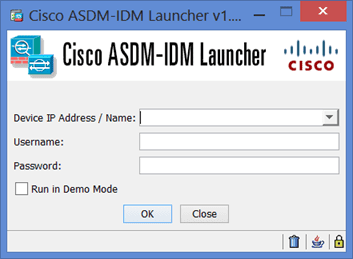
Below are the steps to remove recent connections from the vSphere Client vSphere Client. IP address or Name from the drop-down list.

  • Click Start,
  • Type or select Run,
  • Type RegEdit, click OK, and navigate to the path below.
  • Navigate to HKEY_CURRENT_USERSoftwareVMwareVMware Infrastructure ClientPreferences,
  • Right-click RecentConnections, export it as a backup.
  • Then right-click RecentConnections and choose Modify.
  • Delete any appropriate entries, and click OK.

Note: You can optionally search using the IP address of the connection instead of navigating to the path above. The sub-key HKEY_USERS<subkey for profile actively loaded on machine>SoftwareVMwareVMware Infrastructure ClientPreferences. Reflect any changes you make to HKEY_CURRENT_USERSoftwareVMwareVMware Infrastructure ClientPreferences.

I hope you found this blog post on how to remove Recent vSphere Client Connections helpful. Please let me know in the comment session if you have any questions.

Rate this post

Thank you for reading this post. Kindly share it with others.

  • Click to share on X (Opens in new window) X
  • Click to share on Reddit (Opens in new window) Reddit
  • Click to share on LinkedIn (Opens in new window) LinkedIn
  • Click to share on Facebook (Opens in new window) Facebook
  • Click to share on Pinterest (Opens in new window) Pinterest
  • Click to share on Tumblr (Opens in new window) Tumblr
  • Click to share on Telegram (Opens in new window) Telegram
  • Click to share on WhatsApp (Opens in new window) WhatsApp
  • Click to share on Pocket (Opens in new window) Pocket
  • Click to share on Mastodon (Opens in new window) Mastodon
  • Click to share on Bluesky (Opens in new window) Bluesky
  • Click to share on Threads (Opens in new window) Threads
  • Click to share on Nextdoor (Opens in new window) Nextdoor
Virtualization Tags:ESXi, Microsoft Windows, VMware

Post navigation

Previous Post: Linux Error 13: Permission denied, are you root
Next Post: How to Set Up a WatchGuard XTM and Access WSM

Related Posts

  • proxmox
    Clone a Proxmox Container: CT Restoration Guide Virtualization
  • Vmware workstation player and devicecredential guard not compatible
    Fix VMware Workstation and Credential Guard are not compatible Virtualization
  • Screenshot
    Setup iSCSI Target and Storage LUN on Synology DS923+ for VBR Reviews
  • Cluster
    Install and configure Hyper-V Cluster On Windows Server Virtualization
  • image
    How to start HyperV VMs in safe mode Virtualization
  • Fixed Sysprep Generalize 1
    How to Fix The Virtual Desktop is Not Sysprep Generalized Virtualization

More Related Articles

proxmox Clone a Proxmox Container: CT Restoration Guide Virtualization
Vmware workstation player and devicecredential guard not compatible Fix VMware Workstation and Credential Guard are not compatible Virtualization
Screenshot Setup iSCSI Target and Storage LUN on Synology DS923+ for VBR Reviews
Cluster Install and configure Hyper-V Cluster On Windows Server Virtualization
image How to start HyperV VMs in safe mode Virtualization
Fixed Sysprep Generalize 1 How to Fix The Virtual Desktop is Not Sysprep Generalized Virtualization

Comments (2) on “How to remove Recent vSphere Client Connections”

  1. Avatar photo Franklin says:
    01/11/2023 at 7:29 AM

    thanks

    Log in to Reply
    1. chris Christian says:
      07/11/2023 at 1:05 PM

      You are welcome!

      Log in to Reply

Leave a Reply Cancel reply

You must be logged in to post a comment.

Microsoft MVP

VEEAMLEGEND

vexpert-badge-stars-5

Virtual Background

GoogleNews

Categories

veeaam100

sysadmin top30a

  • article 1280x720.192a2586 1
    Windows 10 Always On VPN (AOVPN) Overview, features and Requirements Windows Server
  • Featured image WSL2 installation
    How to install WSL2 on Windows Server Linux
  • newsroom hero image password security
    Unable to update the password value provided for the new password and Password Policy Windows Server
  • GoogleTimeError
    Google Chrome reports your clock is behind: How to fix clock synchronization issues in Windows Windows
  • VBAWS comprehensive guide
    Deep Dive into Protecting AWS EC2, RDS Instances and VPC AWS/Azure/OpenShift
  • sdadsf453423564
    How to download, install and activate, and uninstall IBM SPSS Statistics Mac
  • Screenshot 2022 04 02 at 23.08.25
    How to stop Docker from automatically starting on Mac Mac
  • Featured image dataTransfer.
    How to transfer data from an old PC to a new PC Windows

Subscribe to Blog via Email

Enter your email address to subscribe to this blog and receive notifications of new posts by email.

Join 1,836 other subscribers
  • RSS - Posts
  • RSS - Comments
  • About
  • Authors
  • Write for us
  • Advertise with us
  • General Terms and Conditions
  • Privacy policy
  • Feedly
  • Telegram
  • Youtube
  • Facebook
  • Instagram
  • LinkedIn
  • Tumblr
  • Pinterest
  • Twitter
  • mastodon

Tags

Active Directory AWS Azure Bitlocker Microsoft Windows PowerShell WDS Windows 10 Windows 11 Windows Server 2016

Copyright © 2025 TechDirectArchive


Loading Comments...
 

You must be logged in to post a comment.