Skip to content

TechDirectArchive

Hands-on IT, Cloud, Security & DevOps Insights

  • Home
  • About
  • Advertise With US
  • Reviews
  • Contact
  • Toggle search form
Home » Linux » How to solve cannot find a valid base URL for repo: base/7/x86_64
  • vmwareconverter
    vCenter Converter removed from available downloads on VMware – Use Veeam instead Virtualization
  • Azure CI CD Pipeline
    CI/CD Pipeline: Your First in Azure DevOps with ASP.Net Core AWS/Azure/OpenShift
  • cimInstance wmi
    How to fix Get-CimInstance Access PermissionDenied Windows
  • 05kvj2jzbpj1ugp4etb4gdf 19.fit scale.size 2698x1517 e1690630247655
    Various methods to launch the Event Viewer Windows Server
  • PXE Boot Stuck or No Boot Image was found   Te bootloader did not find any operating system
    Fix PXE Boot Stuck or No Boot Image was found for HyperV VM Virtualization
  • screenshot 2020 05 05 at 22.42.35
    How to run Windows applications on Linux via WineHQ Linux
  • Featured image 3
    How to add a device to your Microsoft Account Microsoft Exchange/Office/365
  • windows powershell thumbnail
    Unable to uninstall AppX? How to uninstall builtin programs using PowerShell in Windows 10 Scripts

How to solve cannot find a valid base URL for repo: base/7/x86_64

Posted on 13/10/202128/09/2023 Raphael Gab-Momoh By Raphael Gab-Momoh No Comments on How to solve cannot find a valid base URL for repo: base/7/x86_64
Base URL not found

I had to write this from personal experience based on the issues I had with my machine, so if you have centos7 installed on VMWare Workstation Pro, I know that at some point in time you will experience this or it has probably happened already. In this article, I will walk you through how to solve cannot find a valid base URL and the fastest and most effective step to get your machine up and running with just two simple commands. In addition, check other guides and materials: setting-up-SELinux-on-a-linux-server/ and how-to-create-and-deliver-a-report-on-system-utilization-on-a-linux-based-os/, and how-to-create-a-static-pod-in-kubernetes-with-demos-that-can-help-you-become-a-better-kubernetes-administrator/ and how-to-use-container-insights-to-get-the-full-benefits-of-azure-monitor-for-azure-kubernetes-workload/

Fix invalid base URL
cannot find a valid baseurl for repo

So, for the first step to Base URL not found, we have to make sure that we are logged in as root and then execute the command below

#ONBOOT=no
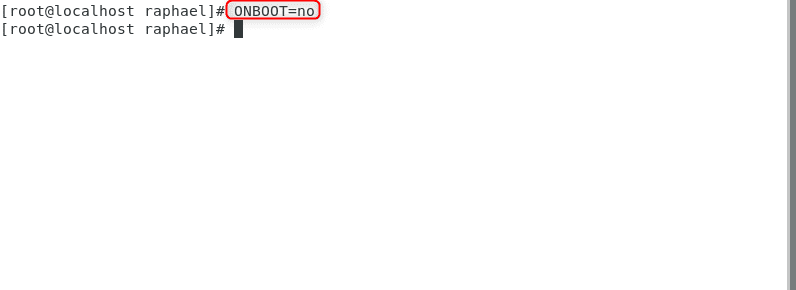
Troubleshoot base URL issues
On boot

Activating Network Interfaces with dhclient Command

To troubleshoot base URL issues, you need to activate network interfaces. Thus, here, the final command is straight forward just type the command dhclient. However, The Internet Systems Consortium DHCP Client, dhclient, provides a means for configuring one or more network interfaces using the Dynamic Host Configuration

#dhclient
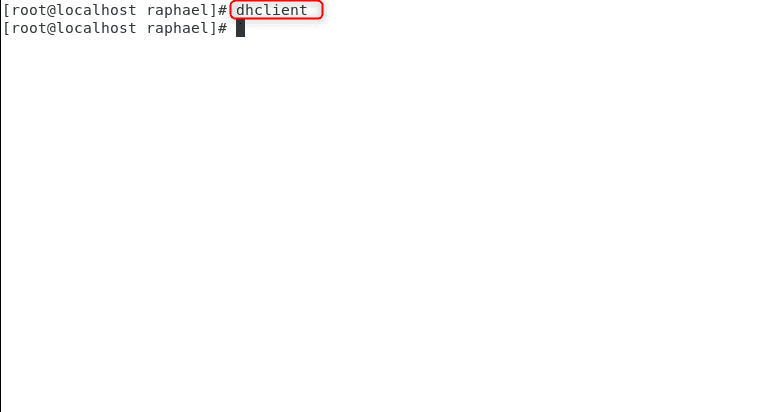
Resolving missing base URL
dhclient

How to solve cannot find a valid base URL

Resolving a missing base URL would require you to do a Yum update. Hence, If it runs, indicating package downloads, you may face a system package repository configuration issue. Moreover, To troubleshoot this, follow these steps. In addition, Compare the image below with the first one in this guide.
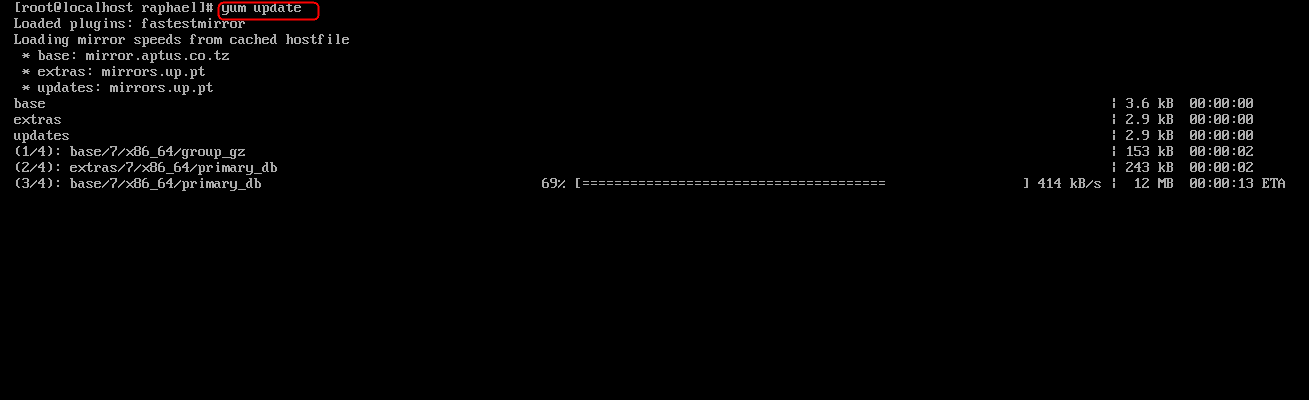
yumupdate
yum update

The firmware was replaced as shown below

completed
process completed

The Linux shell shows the next steps or confirms completed processes, enhancing attentiveness. However, there are times when you might encounter issues like ‘cannot find a valid base URL.’ In such cases, it’s essential to know how to solve this problem and continue smoothly with your tasks.

Summary

Addressing the challenge, we utilized ONBOOT=no and dhclient commands.

Rate this post

Thank you for reading this post. Kindly share it with others.

  • Click to share on X (Opens in new window) X
  • Click to share on Reddit (Opens in new window) Reddit
  • Click to share on LinkedIn (Opens in new window) LinkedIn
  • Click to share on Facebook (Opens in new window) Facebook
  • Click to share on Pinterest (Opens in new window) Pinterest
  • Click to share on Tumblr (Opens in new window) Tumblr
  • Click to share on Telegram (Opens in new window) Telegram
  • Click to share on WhatsApp (Opens in new window) WhatsApp
  • Click to share on Pocket (Opens in new window) Pocket
  • Click to share on Mastodon (Opens in new window) Mastodon
  • Click to share on Bluesky (Opens in new window) Bluesky
  • Click to share on Threads (Opens in new window) Threads
  • Click to share on Nextdoor (Opens in new window) Nextdoor
Linux Tags:DHCP, sudo

Post navigation

Previous Post: How to deploy Ansible AWX on centos 8
Next Post: How to solve Errno 256

Related Posts

  • dns
    How to setup a cache-only DNS server Linux
  • FEATUREDC
    How to create Confidential VMs in Azure AWS/Azure/OpenShift
  • Linux Shell Scripting 1
    Write a Shell Script that Count Lines and Words in a File Linux
  • 517443 637084112713220326 16x9 1
    How can I tell if a password is set for a user account on Linux Linux
  • How to create edit save exit file
    Mastering Vim in Linux: How to Create, Edit, Save, and Quit Files Linux
  • Ubuntu on Windows
    Install Ubuntu 20.04 LTS on Windows via WSL Linux

More Related Articles

dns How to setup a cache-only DNS server Linux
FEATUREDC How to create Confidential VMs in Azure AWS/Azure/OpenShift
Linux Shell Scripting 1 Write a Shell Script that Count Lines and Words in a File Linux
517443 637084112713220326 16x9 1 How can I tell if a password is set for a user account on Linux Linux
How to create edit save exit file Mastering Vim in Linux: How to Create, Edit, Save, and Quit Files Linux
Ubuntu on Windows Install Ubuntu 20.04 LTS on Windows via WSL Linux

Leave a Reply Cancel reply

You must be logged in to post a comment.

Microsoft MVP

VEEAMLEGEND

vexpert-badge-stars-5

Virtual Background

GoogleNews

Categories

veeaam100

sysadmin top30a

  • vmwareconverter
    vCenter Converter removed from available downloads on VMware – Use Veeam instead Virtualization
  • Azure CI CD Pipeline
    CI/CD Pipeline: Your First in Azure DevOps with ASP.Net Core AWS/Azure/OpenShift
  • cimInstance wmi
    How to fix Get-CimInstance Access PermissionDenied Windows
  • 05kvj2jzbpj1ugp4etb4gdf 19.fit scale.size 2698x1517 e1690630247655
    Various methods to launch the Event Viewer Windows Server
  • PXE Boot Stuck or No Boot Image was found   Te bootloader did not find any operating system
    Fix PXE Boot Stuck or No Boot Image was found for HyperV VM Virtualization
  • screenshot 2020 05 05 at 22.42.35
    How to run Windows applications on Linux via WineHQ Linux
  • Featured image 3
    How to add a device to your Microsoft Account Microsoft Exchange/Office/365
  • windows powershell thumbnail
    Unable to uninstall AppX? How to uninstall builtin programs using PowerShell in Windows 10 Scripts

Subscribe to Blog via Email

Enter your email address to subscribe to this blog and receive notifications of new posts by email.

Join 1,836 other subscribers
  • RSS - Posts
  • RSS - Comments
  • About
  • Authors
  • Write for us
  • Advertise with us
  • General Terms and Conditions
  • Privacy policy
  • Feedly
  • Telegram
  • Youtube
  • Facebook
  • Instagram
  • LinkedIn
  • Tumblr
  • Pinterest
  • Twitter
  • mastodon

Tags

Active Directory AWS Azure Bitlocker Microsoft Windows PowerShell WDS Windows 10 Windows 11 Windows Server 2016

Copyright © 2025 TechDirectArchive


Loading Comments...
 

You must be logged in to post a comment.