Can’t connect via RDP upon installing Norton 360


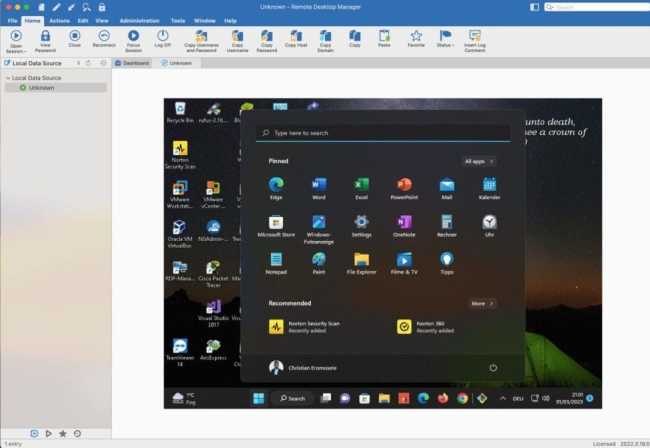
In an RDP setup, a client connects to another computer running RDP server software. You can use the Remote Desktop Connection (mstsc.exe) on Windows, the Microsoft Remote Desktop App on Mac to connect to and control your Windows PC from a remote device. When you allow remote desktop connections to your PC, you can use another device to connect to your PC and have access to all of your apps, files, and network resources as if you were sitting at your desk. In this article, you will learn how to resolve the following RDP connection issue “Can’t connect via RDP upon installing Norton 360”.
Here are some guides on Remote Desktop Connection: How to protect Remote Desktop credentials with Windows Defender Remote Credential Guard or Restricted Admin Mode, and how to connect to the Remote Desktop console session from the command line.
Recently after installing Norton 360 Antivirus solution, NIS Smart Firewall blocked my remote Desktop Connection. As such, remotely connecting to the device was no longer possible. In this guide, I will show you how to permit Inbound Remote Desktop Connection to your device. You will get the following error message when you initiate a remote desktop connection.
The error message might differ depending on the Remote Desktop Client you are using. can see below, the connection to the remote failed. Please see these exciting guides: The Best Way to Backup Dropbox to Box in 2022, and how to find saved Wi-Fi Passwords in Windows 10 and Windows 11.


Solution – Disable Default Block Remote Desktop rule
Fixing this issue was very straightforward considering I have been able to connect remotely. I had to physically connect to the console of the device. This is because I knew the issue arose after installing Norton 360.

According to Norton, Remote Desktops are blocked by default in Public networks for security reasons.
If you want to enable it explicitly, please follow the below procedure.
Please see how to remove a Remote Desktop Service collection on Windows Server, how to install a new Per User Remote Desktop Services license, and how to install HTML 5 Web Client for Microsoft RDS Server.
Launch the Norton 360 Application
Since we are aware we do not have the above issue. Let us launch the Norton App, and click on “Open” Device Security as shown below.

This will open the Norton 360 Device Security Window as shown below. Click on the settings Gear!

From the Settings Window, select Firewall as shown below.

Also, see How does Key Rotation work in MBAM?. How to Register Devices to Intune and EntraID Using Company Portal, and How to update Gitlab-runners on Windows.
Disable the Blocked rule
On the Firewall windows, search for the description related to Remote Desktop.
This rule was blocked by default. 
To resolve my remote connection issue. I will have to uncheck the active block rule and click on apply as shown below.
When this is done. Navigate to your remote PC and try to connect again. This issue will no longer persist!

When done. Click on the close button. Also, close the Security Security window and the Norton 360 Application.
Y, How to fix repeated app-blocking connection alerts from Norton on Mac, and how to setup Trend Micro WorryFree Business Security Server.
Modify Firewall rule
Note: While the above rule might be enough most times as it sets it as inactive, it might not be sufficient going forward because Norton might set the flag again to the active state.
To do this, click on modify and select “Allow”, and click on Apply.

I hope you found this blog post helpful. In this article, you have learned how to resolve “Can’t connect via RDP upon installing Norton 360”.
Here are some related guides on Norton: How to view, clear, and print Norton security events on a Mac PC. Here is how to download and install Norton 360 Advanced Anti-Virus on your Mac device.
FAQs in relation to Norton Antivirus Firewall rules
What should I do if a legitimate program is being blocked by Norton Firewall?
If a legitimate program is being blocked such as the Remote Desktop Protocol. You can create a rule in the Firewall settings to allow that specific program’s traffic. Be cautious when doing this and make sure you trust the program
How does Norton Firewall work?
Norton Firewall uses a set of rules to determine which network traffic is allowed or blocked. These rules can be configured by the user to customize the firewall’s behaviour.
I hope you found this article on how to fix Can’t connect via RDP upon installing Norton 360useful. If you have any questions, please let me know in the comment session.




Thank you, Norton has a strangle lock, I was trying to revert to Windows Firewall where I had instructions on allowing RDP. My laptop could RDP into my desktop for over a year, then my desktop disappeared off of Explorer:Network. My remote folder shares also died. I guess Norton slip-streamed an update that buggered it all. I also spent a long time trying to get past the simplistic Home screen to find any settings in 360.
You are welcome! I am glad you found it useful…