Skip to content

TechDirectArchive

Hands-on IT, Cloud, Security & DevOps Insights

  • Home
  • About
  • Advertise With US
  • Contact
  • Reviews
  • Toggle search form
  • veeam
    Fix Failed to connect to Veeam Backup and Replication Server Backup
  • wsus logo e1653651564255
    How to configure Windows server update services Windows Server
  • PIN9 1
    How to increase Windows PIN complexity Windows
  • ddf
    How to configure Windows Deployment Services on Windows Server Windows Server
  • command prompt powershell 670x335 1
    How to Start, Stop and Restart Windows Server Update WSUS Services via PowerShell and CMD Windows
  • images 4
    How to set up WatchGuard Log Server Network | Monitoring
  • Install FileZilla Client
    FileZilla Client on Mac: How to Transfer Files to WordPress via SFTP Mac
  • Delete Expired Profiles on Mac
    Remove Expired Configuration Profiles on Mac Mac

Category: Version Control System

Version Control System (VCS) is software that tracks and manages changes to code or documents, enabling collaboration, history tracking, and easy rollback

Setup HTTPS users using Git credentials and Pushing Code to AWS CodeCommit

Posted on 19/03/202204/09/2023 Temitope Odemo By Temitope Odemo 2 Comments on Setup HTTPS users using Git credentials and Pushing Code to AWS CodeCommit
Setup HTTPS users using Git credentials and Pushing Code to AWS CodeCommit

If you want to create a connection to AWS CodeCommit repositories is by configuring Git credentials for CodeCommit in the IAM console. In this article, you shall learn how to setup HTTPS users using Git credentials and Pushing Code to AWS CodeCommit. Kindly check these pages to read more on AWS: How to Deploy Dynamic…

Read More “Setup HTTPS users using Git credentials and Pushing Code to AWS CodeCommit” »

AWS/Azure/OpenShift, Version Control System

How to fix importing the project failed: Project namespace path can contain only letters, digits, etc

Posted on 19/03/202227/08/2024 Christian By Christian No Comments on How to fix importing the project failed: Project namespace path can contain only letters, digits, etc
How to fix importing the project failed: Project namespace path can contain only letters, digits, etc

GitLab makes the software lifecycle faster and radically improves the speed of business. I would love to highlight what Bitbucket is as well. Bitbucket is more than just Git code management. Bitbucket gives teams one place to plan projects, collaborate on code, test, and deploy. In this article, we will discuss How to fix importing…

Read More “How to fix importing the project failed: Project namespace path can contain only letters, digits, etc” »

Version Control System

How to use Command-Line on Git Bash and GitHub Desktop to PUSH local code to GitHub

Posted on 06/03/202222/08/2023 Temitope Odemo By Temitope Odemo No Comments on How to use Command-Line on Git Bash and GitHub Desktop to PUSH local code to GitHub
How to use Command-Line on Git Bash and GitHub Desktop to PUSH local code to GitHub

GitHub is a code repository and hosting platform for version control and collaboration. The software GitHub is a Microsoft platform that helps the development team to collaborate on different projects from anywhere in the world. GitHub Desktop is an application that allows you to interact with GitHub using a Graphical User Interface (GUI) instead of using the…

Read More “How to use Command-Line on Git Bash and GitHub Desktop to PUSH local code to GitHub” »

Version Control System

Error: cannot lock ref ‘refs/remotes/origin/windows’: unable to resolve reference ‘refs/remotes/origin/windows’, Not a directory

Posted on 08/02/202221/12/2023 Christian By Christian No Comments on Error: cannot lock ref ‘refs/remotes/origin/windows’: unable to resolve reference ‘refs/remotes/origin/windows’, Not a directory
Error: cannot lock ref ‘refs/remotes/origin/windows’: unable to resolve reference ‘refs/remotes/origin/windows’, Not a directory

In this article, we shall discuss how to fix the Error: cannot lock ref ‘refs/remotes/origin/windows’: unable to resolve reference ‘refs/remotes/origin/windows’, Not a directory. Kindly refer to these related guides: How to install, register and start GitLab Runner on Windows, Panic: Failed to register the GitLab-runner, you may be having network issues, how to clone a…

Read More “Error: cannot lock ref ‘refs/remotes/origin/windows’: unable to resolve reference ‘refs/remotes/origin/windows’, Not a directory” »

Version Control System

Install Docker Desktop and register GitLab-Runner with Docker-windows executor

Posted on 05/02/202217/05/2023 Christian By Christian No Comments on Install Docker Desktop and register GitLab-Runner with Docker-windows executor
Install Docker Desktop and register GitLab-Runner with Docker-windows executor

The Docker executor when used with GitLab CI, connects to Docker Engine and runs each build in a separate and isolated container using the predefined image that is set up in .gitlab-ci.yml and in accordance with the config. Kindly refer to these related guides: How to create and deploy a local Registry Server with Docker Image, how to Pull…

Read More “Install Docker Desktop and register GitLab-Runner with Docker-windows executor” »

Containers, Version Control System

Preparation failed: The docker client must be run with elevated privileges

Posted on 17/10/202118/12/2025 Christian By Christian No Comments on Preparation failed: The docker client must be run with elevated privileges
Preparation failed: The docker client must be run with elevated privileges

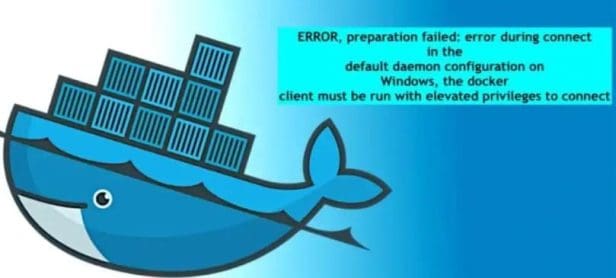
In this article, we shall discuss “Preparation failed: Error during connect in the default daemon configuration on Windows – the docker client must be run with elevated privileges”. Docker is an open platform for developing, shipping and running applications. It provides a simple and powerful developer experience, workflows, and collaboration for creating applications. Please, see…

Read More “Preparation failed: The docker client must be run with elevated privileges” »

Version Control System

Failed to pull image with the policy “always” error from the daemon

Posted on 17/10/202122/02/2025 Christian By Christian No Comments on Failed to pull image with the policy “always” error from the daemon
Failed to pull image with the policy “always” error from the daemon

A Docker image is a file used to execute code in a Docker container. It acts as a set of instructions to build a Docker container (more like a template). In this article, we shall learn “how to fix failed to pull the image with the policy “always” error from the daemon”. A Docker image contains…

Read More “Failed to pull image with the policy “always” error from the daemon” »

Version Control System

How to uninstall GitLab Runner from your Windows device

Posted on 16/10/202118/04/2024 Christian By Christian 2 Comments on How to uninstall GitLab Runner from your Windows device
How to uninstall GitLab Runner from your Windows device

GitLab Runner is an open-source project that is used to run your CI/CD jobs and send the results back to GitLab. It can be run as a single binary; no language-specific requirements are needed. In this article, I shall show you the steps to uninstall GitLab Runner from your Windows device. You can choose to install the…

Read More “How to uninstall GitLab Runner from your Windows device” »

Version Control System

Git config –global init.defaultBranch: Error cannot lock ref ‘refs/remotes/origin/windows’, not a directory

Posted on 16/10/202121/12/2023 Christian By Christian No Comments on Git config –global init.defaultBranch: Error cannot lock ref ‘refs/remotes/origin/windows’, not a directory
Git config –global init.defaultBranch: Error cannot lock ref ‘refs/remotes/origin/windows’, not a directory

This article provides you with the steps to fix Git config –global init.defaultBranch: Error cannot lock ref ‘refs/remotes/origin/windows’, not a directory. A branch in Git is simply a lightweight movable pointer to one of the commits. Please see how to clone a repository and install software from GitHub on Windows, how to install and uninstall Docker Desktop on Windows…

Read More “Git config –global init.defaultBranch: Error cannot lock ref ‘refs/remotes/origin/windows’, not a directory” »

Version Control System

The term “git” was not used as the name of a cmdlet, function, script file, or executable Program recognized

Posted on 05/10/202109/06/2024 Christian By Christian No Comments on The term “git” was not used as the name of a cmdlet, function, script file, or executable Program recognized
The term “git” was not used as the name of a cmdlet, function, script file, or executable Program recognized

In this article, we shall discuss how to fix the term “git” was not used as the name of a cmdlet, function, script file, or executable Program recognized. Git is a free and open-source distributed version control system designed to handle everything from small to very large projects with speed and efficiency. Please see Kindly refer…

Read More “The term “git” was not used as the name of a cmdlet, function, script file, or executable Program recognized” »

Version Control System

Panic: Failed to register the GitLab-runner, you may be having network issues

Posted on 28/09/202128/08/2023 Christian By Christian No Comments on Panic: Failed to register the GitLab-runner, you may be having network issues
Panic: Failed to register the GitLab-runner, you may be having network issues

Registering a runner is the process that binds the runner with one or more GitLab instances. After you install the application, you register individual runners, or multiple runners on the same host machine, each with a different configuration, by repeating the register command. Runners are the agents that run the CI/CD jobs that come from GitLab. When…

Read More “Panic: Failed to register the GitLab-runner, you may be having network issues” »

Version Control System

GitLab-runner is not recognized as an internal or external command, operable program, or batch file

Posted on 28/09/202128/08/2023 Christian By Christian No Comments on GitLab-runner is not recognized as an internal or external command, operable program, or batch file
GitLab-runner is not recognized as an internal or external command, operable program, or batch file

GitLab Runner is open-source and written in Go. It can be run as a single binary; no language-specific requirements are needed. GitLab Runner can also run inside a Docker container or be deployed into a Kubernetes cluster. After you install the application, you register individual runners. Runners are the agents that run the CI/CD jobs that come…

Read More “GitLab-runner is not recognized as an internal or external command, operable program, or batch file” »

Version Control System

Install and Register GitLab Runner on Windows

Posted on 28/09/202128/03/2024 Christian By Christian No Comments on Install and Register GitLab Runner on Windows
Install and Register GitLab Runner on Windows

In this guide, you will learn how to Install and Register GitLab Runner on Windows. GitLab Runner is an open-source application and it is written in Go. It works with GitLab CI/CD to run jobs in a pipeline. It can be run as a single binary; no language-specific requirements are needed. Please see how to use…

Read More “Install and Register GitLab Runner on Windows” »

Version Control System

Posts pagination

Previous 1 2 3 4 Next

Microsoft MVP

VEEAMLEGEND

vexpert-badge-stars-5

Virtual Background

GoogleNews

Categories

veeaam100

sysadmin top30a

  • veeam
    Fix Failed to connect to Veeam Backup and Replication Server Backup
  • wsus logo e1653651564255
    How to configure Windows server update services Windows Server
  • PIN9 1
    How to increase Windows PIN complexity Windows
  • ddf
    How to configure Windows Deployment Services on Windows Server Windows Server
  • command prompt powershell 670x335 1
    How to Start, Stop and Restart Windows Server Update WSUS Services via PowerShell and CMD Windows
  • images 4
    How to set up WatchGuard Log Server Network | Monitoring
  • Install FileZilla Client
    FileZilla Client on Mac: How to Transfer Files to WordPress via SFTP Mac
  • Delete Expired Profiles on Mac
    Remove Expired Configuration Profiles on Mac Mac

Subscribe to Blog via Email

Enter your email address to subscribe to this blog and receive notifications of new posts by email.

Join 1,839 other subscribers
  • RSS - Posts
  • RSS - Comments
  • About
  • Authors
  • Write for us
  • Advertise with us
  • General Terms and Conditions
  • Privacy policy
  • Feedly
  • Telegram
  • Youtube
  • Facebook
  • Instagram
  • LinkedIn
  • Tumblr
  • Pinterest
  • Twitter
  • mastodon

Tags

AWS Azure Bitlocker Microsoft Windows PowerShell WDS Windows 10 Windows 11 Windows Deployment Services Windows Server 2016

Copyright © 2025 TechDirectArchive