Skip to content

TechDirectArchive

Hands-on IT, Cloud, Security & DevOps Insights

  • Home
  • About
  • Advertise With US
  • Reviews
  • Contact
  • Toggle search form
  • screenshot 2020 02 23 at 10.50.09
    Perform Pleasant Password Self-serve Reset using the “link” Virtualization
  • elasticsearch error feature
    Elasticsearch: How to stop systemd service start operation from timing out Linux
  • Fix Windows Installer Service Could Not Be Accessed Error
    How to Fix the “Windows Installer Service Could Not Be Accessed” Error While Installing an Application Windows
  • How to Solve Parameter is Incorrect problem on External Hard Disk
    How to Solve “The parameter is incorrect” problem on External Hard Disk in Windows Windows
  • Install Lets Encrypt Certificate on Windows with Certbot
    Install Lets Encrypt Certificate on Windows with Certbot Web Server
  • Feature image  Error Code 0xC1900101 – 0x30018
    How to Fix Windows Update Error Code 0xC1900101 – 0x30018 Windows
  • Resize Proxmox VM
    How to Resize or Expand Proxmox Hard Drive Virtualization
  • banner
    How to Secure your API key in Postman Password Manager

Category: Windows

Step-by-step guides and tips for Windows setup, installation, customization, and troubleshooting to optimize your PC performance and user experience

Query MBAM-protected Client for non-compliance [Part 2]

Posted on 20/12/202520/12/2025 Christian By Christian No Comments on Query MBAM-protected Client for non-compliance [Part 2]
Query MBAM-protected Client for non-compliance  [Part 2]

IT support teams face numerous BitLocker compliance alerts daily from remote, and home/hybrid deployments. But without remote WMI queries etc., each ticket demands time-consuming VPN/RDP sessions, physical dispatches, or endless “reboot due to upgrades and updates. In this article, we shall discuss how to query MBAM-protected Client for non-compliance [Part 2]. Please, see how to…

Read More “Query MBAM-protected Client for non-compliance [Part 2]” »

Windows, Windows Server

Why Software KVMs such as Synergy is replacing Hardware KVMs

Posted on 13/12/202518/12/2025 Christian By Christian No Comments on Why Software KVMs such as Synergy is replacing Hardware KVMs
Why Software KVMs such as Synergy is replacing Hardware KVMs

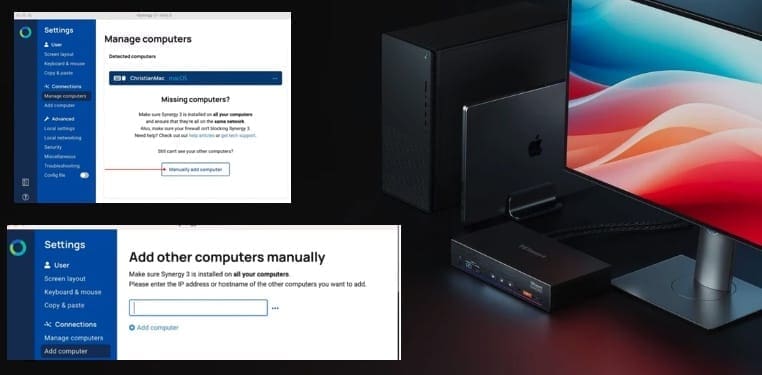
If you have ever found yourself juggling multiple Personal Computers (PCs) at your desk. We bring you a solution that you might not have heard about previously. Synergy is software that lets you use one mouse and keyboard to control multiple PCs across Windows, macOS, and Linux. Just move your cursor between machines like they…

Read More “Why Software KVMs such as Synergy is replacing Hardware KVMs” »

Linux, Mac, Reviews, Windows

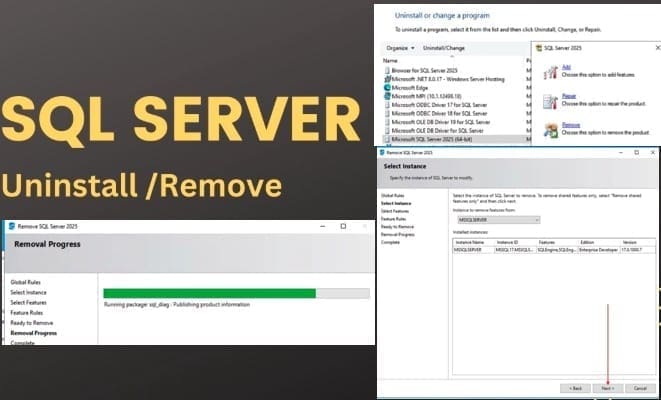
Uninstall Microsoft SQL Server 2025 from Windows

Posted on 10/12/202510/12/2025 Christian By Christian No Comments on Uninstall Microsoft SQL Server 2025 from Windows
Uninstall Microsoft SQL Server 2025 from Windows

Microsoft SQL Server is a powerful relational database management system (RDBMS). Applications and tools connect directly to a SQL Server instance or database and interact with it using Transact-SQL (T-SQL). You can run SQL Server on Windows or Linux, deploy it in Linux containers, or host it on an Azure Virtual Machine or any other…

Read More “Uninstall Microsoft SQL Server 2025 from Windows” »

Oracle/MSSQL/MySQL, Windows, Windows Server

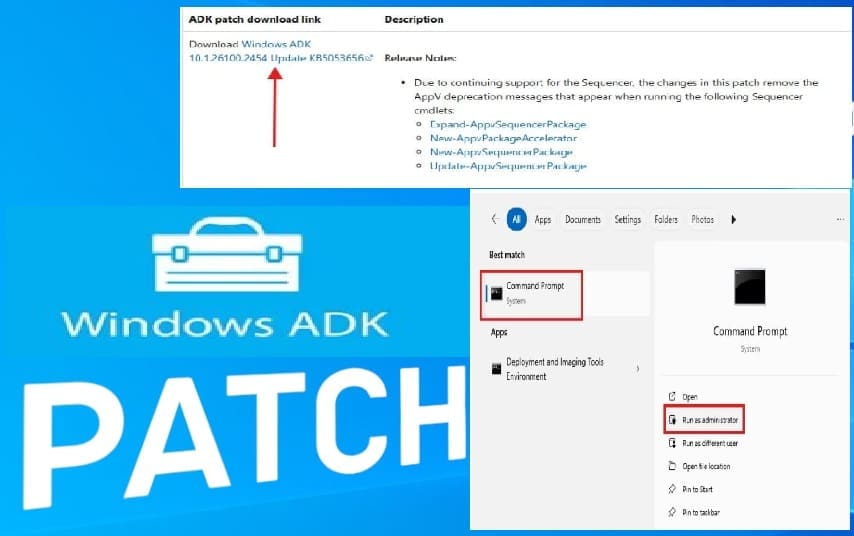
How to download and install the Windows ADK Patches

Posted on 09/12/202509/12/2025 Christian By Christian No Comments on How to download and install the Windows ADK Patches
How to download and install the Windows ADK Patches

Previously, You would need to uninstall and reinstall the Windows ADK and the Windows PE add-on for this ADK support when there are new releases. This has changed as the ADK patches now allow users on ADK versions Windows ADK 10.1.26100.2454 (December 2024) and newer to update their ADK installations without having to uninstall and…

Read More “How to download and install the Windows ADK Patches” »

Windows, Windows Server

Logon Failure: User has not been granted the requested logon type

Posted on 08/09/202508/09/2025 Christian By Christian No Comments on Logon Failure: User has not been granted the requested logon type
Logon Failure: User has not been granted the requested logon type

In this article, we shall discuss how to fix “Logon Failure: the user has not been granted the requested logon type at this computer”. Here is a similar article on this topic “Error 1385: The user has not been granted the requested logon type at this time“. I ran into this error during the cause…

Read More “Logon Failure: User has not been granted the requested logon type” »

Windows, Windows Server

Fix Error 0x87E10BC6 on a PC running Windows non-core Edition

Posted on 03/09/202516/09/2025 Christian By Christian No Comments on Fix Error 0x87E10BC6 on a PC running Windows non-core Edition
Fix Error 0x87E10BC6 on a PC running Windows non-core Edition

In this article, we shall discuss how to Fix Error 0x87E10BC6 on a PC running Windows non-core Edition. The error code 0x87e10bc6 occurs when there is an issue with activating Windows as we will see very shortly. This can be due to various reasons such as server issues, firewall interference, or incorrect product key. Please,…

Read More “Fix Error 0x87E10BC6 on a PC running Windows non-core Edition” »

Windows, Windows Server

Protect your Windows Devices with MFA with SystoLOCK

Posted on 21/08/202521/08/2025 Christian By Christian No Comments on Protect your Windows Devices with MFA with SystoLOCK
Protect your Windows Devices with MFA with SystoLOCK

SystoLOCK is a passwordless Multi Factor Authentication (MFA) platform developed by Systola GmbH here in Deutschland (Germany). Therefore, in this article, we shall discuss how to protect your Windows Devices with MFA with SystoLOCK. Please, see Creating IAM Users, Adding MFA and Policies on AWS, “MFA on Root Account: Create a User on AWS and…

Read More “Protect your Windows Devices with MFA with SystoLOCK” »

Security | Vulnerability Scans and Assessment, Windows, Windows Server

How to Install ROOT CA Enterprise and NPS Wifi Certificate

Posted on 07/08/202524/12/2025 Link State By Link State No Comments on How to Install ROOT CA Enterprise and NPS Wifi Certificate
How to Install ROOT CA Enterprise and NPS Wifi Certificate

Why you need a Microsoft Root CA Enterprise to authenticate Wi-Fi users with NPS. In this guide, we will discuss how to Install ROOT CA Enterprise and NPS Wifi Certificate. When you want to authenticate users who connect to your corporate Wi-Fi network using credentials (such as those from Active Directory), one of the most…

Read More “How to Install ROOT CA Enterprise and NPS Wifi Certificate” »

Windows, Windows Server

Enable Secure Boot: Fix Secure Boot certificates expiration

Posted on 10/07/202522/10/2025 Christian By Christian No Comments on Enable Secure Boot: Fix Secure Boot certificates expiration
Enable Secure Boot: Fix Secure Boot certificates expiration

In this article, we shall discuss how to “Enable Secure Boot: Fix Secure Boot certificates expiration in June 2026”. That is, after 15 years, the Secure Boot certificates that are part of Windows systems will start expiring. Windows devices will need new certificates to maintain continuity and protection. These certificates are the basics of trust…

Read More “Enable Secure Boot: Fix Secure Boot certificates expiration” »

Windows, Windows Server

Fix Windows defender blocked incoming connection on Windows

Posted on 03/07/202503/07/2025 Dickson Victor By Dickson Victor No Comments on Fix Windows defender blocked incoming connection on Windows
Fix Windows defender blocked incoming connection on Windows

Microsoft Defender Antivirus is a next-generation protection solution that comes pre-installed with Windows 11. It provides always on real-time antivirus protection. In this guide, we shall discuss the fix Windows defender blocked incoming connection on Windows. Please, see What you need to know about Microsoft Defender Antivirus, how to enable FIPS mode on Windows Server,…

Read More “Fix Windows defender blocked incoming connection on Windows” »

Network | Monitoring, Windows, Windows Server

BitLocker behavior when MBAM agent is removed: No Uninstall Option in Control Panel

Posted on 02/07/202507/09/2025 Christian By Christian No Comments on BitLocker behavior when MBAM agent is removed: No Uninstall Option in Control Panel
BitLocker behavior when MBAM agent is removed: No Uninstall Option in Control Panel

MBAM (Microsoft BitLocker Administration and Monitoring) is a tool that enables you (organizations) to centrally manage and monitor BitLocker Drive Encryption across Windows devices. In this article, we shall discuss “BitLocker behavior when MBAM agent is removed: Remove MBAM Agent When Uninstall Option is missing”. Please, see Get a list of installed programs locally or…

Read More “BitLocker behavior when MBAM agent is removed: No Uninstall Option in Control Panel” »

Windows

What you need to know about Microsoft Defender Antivirus

Posted on 16/06/202524/06/2025 Christian By Christian No Comments on What you need to know about Microsoft Defender Antivirus
What you need to know about Microsoft Defender Antivirus

In this article, the emphasis on “What you need to know about Microsoft Defender Antivirus”. Microsoft Defender Antivirus is a next-generation protection component of Microsoft Defender for Endpoint. It combines machine learning, big data analysis, in-depth threat research, and the Microsoft cloud infrastructure to protect endpoints across your organization. Please, see how to Set Microsoft…

Read More “What you need to know about Microsoft Defender Antivirus” »

Security | Vulnerability Scans and Assessment, Windows, Windows Server

Guide to Remote Desktop Connection Properties for Secure Access

Posted on 28/05/202528/05/2025 Christian By Christian No Comments on Guide to Remote Desktop Connection Properties for Secure Access
Guide to Remote Desktop Connection Properties for Secure Access

Since the COVID-19 pandemic, remote work has become the new norm. One of the key technologies enabling people to work effectively from home is Microsoft’s Remote Desktop Protocol (RDP). Here is a guide Guide to Remote Desktop Connection Properties for Secure Access. Please see how to determine why an MBAM-protected device is non-compliant, and an…

Read More “Guide to Remote Desktop Connection Properties for Secure Access” »

Windows, Windows Server

Posts pagination

1 2 … 58 Next

Microsoft MVP

VEEAMLEGEND

vexpert-badge-stars-5

Virtual Background

GoogleNews

Categories

veeaam100

sysadmin top30a

  • screenshot 2020 02 23 at 10.50.09
    Perform Pleasant Password Self-serve Reset using the “link” Virtualization
  • elasticsearch error feature
    Elasticsearch: How to stop systemd service start operation from timing out Linux
  • Fix Windows Installer Service Could Not Be Accessed Error
    How to Fix the “Windows Installer Service Could Not Be Accessed” Error While Installing an Application Windows
  • How to Solve Parameter is Incorrect problem on External Hard Disk
    How to Solve “The parameter is incorrect” problem on External Hard Disk in Windows Windows
  • Install Lets Encrypt Certificate on Windows with Certbot
    Install Lets Encrypt Certificate on Windows with Certbot Web Server
  • Feature image  Error Code 0xC1900101 – 0x30018
    How to Fix Windows Update Error Code 0xC1900101 – 0x30018 Windows
  • Resize Proxmox VM
    How to Resize or Expand Proxmox Hard Drive Virtualization
  • banner
    How to Secure your API key in Postman Password Manager

Subscribe to Blog via Email

Enter your email address to subscribe to this blog and receive notifications of new posts by email.

Join 1,839 other subscribers
  • RSS - Posts
  • RSS - Comments
  • About
  • Authors
  • Write for us
  • Advertise with us
  • General Terms and Conditions
  • Privacy policy
  • Feedly
  • Telegram
  • Youtube
  • Facebook
  • Instagram
  • LinkedIn
  • Tumblr
  • Pinterest
  • Twitter
  • mastodon

Tags

AWS Azure Bitlocker Microsoft Windows PowerShell WDS Windows 10 Windows 11 Windows Deployment Services Windows Server 2016

Copyright © 2025 TechDirectArchive