Skip to content

TechDirectArchive

Hands-on IT, Cloud, Security, Veeam & DevOps

  • Home
  • About
  • Advertise With US
  • Reviews
  • Contact
  • Toggle search form

Tag: Install VRO License

In-place upgrade of Veeam Recovery Orchestrator to version 13.1

Posted on 25/08/202627/08/2026 Christian By Christian No Comments on In-place upgrade of Veeam Recovery Orchestrator to version 13.1
In-place upgrade of Veeam Recovery Orchestrator to version 13.1

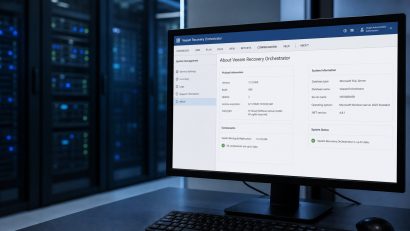
Unlike VBR (Veeam Backup and Replication), Veeam Recovery Orchestrator (VRO) v13 is still Windows-based. Just like Veeam ONE, it does not have a Linux-based VSA (Appliance model). To run VRO, you must install VRO on a standard Microsoft Windows Server. In this article, we shall discuss how to perform an In-place upgrade of Veeam Recovery…

Read More “In-place upgrade of Veeam Recovery Orchestrator to version 13.1” »
Backup

How to replace Veeam Recovery Orchestrator License

Posted on 11/03/202623/06/2026 Christian By Christian No Comments on How to replace Veeam Recovery Orchestrator License
How to replace Veeam Recovery Orchestrator License

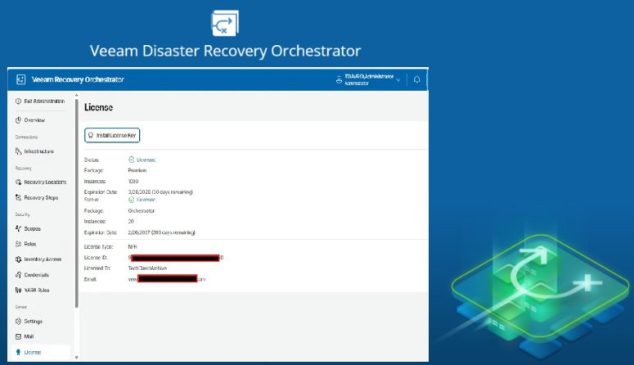
During the installation of Veeam Recovery Orchestrator (VRO), I initially applied an evaluation license, which expires after 30 days. Since this is not sustainable for my lab environment, I requested an NFR (Not‑For‑Resale) license, as discussed here “how to apply and install Veeam NFR License“. Therefore, in this article, I will discuss How to replace…

Read More “How to replace Veeam Recovery Orchestrator License” »

Backup

Microsoft MVP

vexpert-badge-stars-5

Virtual Background

VEEAMLEGEND

Categories

Top 30 Sysadmin blog

veeaam100

Veeam Vanguard

  • images
    Fix the Synchronization service scheduler is suspended AWS/Azure/OpenShift
  • ePO PIA Tool
    Fixes to Trellix ePolicy Orchestrator Installation Errors Security | Vulnerability Scans and Assessment
  • powershell
    Set PowerShell Execution Policy via Windows Settings Windows
  • sdgfdhx
    MDT Warning: Unable to set working directory, the application returned an unexpected code 2 Windows Server
  • How to Fix Microsoft Edge Not Responding on Windows 11
    How to Fix Microsoft Edge Not Responding on Windows 11 Network | Monitoring
  • Screenshot 2022 04 02 at 23.08.25
    How to stop Docker from automatically starting on Mac Mac
  • discorddd
    Discord Installation Guide for Linux System Linux
  • Free up filesystem root space
    How to fix the Filesystem root is running low on Disk space Virtualization

Subscribe to Blog via Email

Enter your email address to subscribe to this blog and receive notifications of new posts by email.

Join 1,747 other subscribers
  • RSS - Posts
  • RSS - Comments
  • About
  • Authors
  • Write for us
  • Contact
  • Advertise with us
  • General Terms and Conditions
  • Privacy policy
  • Feedly
  • Telegram
  • Youtube
  • Facebook
  • Instagram
  • LinkedIn
  • Tumblr
  • Pinterest
  • Twitter
  • mastodon
  • Bsky

Tags

Active Directory Azure Bitlocker Microsoft Windows PowerShell WDS Windows 10 Windows 11 Windows Deployment Services Windows Server 2016

Copyright © 2026 TechDirectArchive