Skip to content

TechDirectArchive

Hands-on IT, Cloud, Security & DevOps Insights

  • Home
  • About
  • Advertise With US
  • Contact
  • Reviews
  • Toggle search form
Home » Microsoft Exchange/Office/365 » How to Remove a profile on outlook

How to Remove a profile on outlook

Posted on 11/04/201626/10/2023 Christian By Christian No Comments on How to Remove a profile on outlook
Outlook profile deletion

When you need to streamline your Outlook experience by managing your email accounts, the first step is to remove a profile on Outlook. Outlook uses e-mail profiles, remembering and organizing your email accounts, effectively storing their data. In this article, we shall discuss how to Remove a profile on Outlook. Please see How to Transfer User Profile to another User in Windows, how to change Windows 11 and 10 default mail app to Outlook, and how to stop Outlook from opening links in Edge Browser.

What is an e-mail profile? Outlook utilizes e-mail profiles, remembering your accounts and storing their data. Each profile provides Outlook with the following information:

  • What account information to use This information includes the user name, display name, e-mail server name, and Internet service provider (ISP) account password.
  • Where the e-mail data is delivered and stored In Outlook, data is delivered and stored either on the e-mail server or a in .pst file on your computer. This data includes rules, messages, contacts, calendars, notes, tasks, journals, Search Folders, and other settings.

Please see XTM Device Image Backup: WatchGuard Firebox Guide, how to set up Email notifications for MBAM Enterprise and Compliance and Recovery Audit reports, and steeps to Create Profiles for your AWS Access Credentials for AWS Toolkit in Visual Studio.

Remove an Outlook Profile

Outlook e-mail profiles are stored in the Windows registry. When Outlook starts, it retrieves the profile information from the registry.

Up till now, there is still no formal process of signing out of Outlook. But you can follow these steps to remove your profile on Outlook.

- Right-click start-up menu on your PC
- Click control panel (Which displays all control panel items)
- Click on “Mail”
- Select “Show Profile”
- Highlight the account and press “Remove”

FAQ relating to Outlook

How do I add a signature to my Outlook emails? 

You can add a signature to your Outlook emails by following the steps below. To create an email signature that you can add automatically to all outgoing messages or add manually to specific ones.
– Select Settings at the top of the page.
– Select Mail >Compose and reply.
– Under Email signature, type your signature and use the available formatting options to change its appearance.
– Select the default signature for new messages and replies.
– Select Save when you’re done

How can I manually add my signature to a new message?

If you have created a signature but did not specify to automatically add it to all outgoing messages. You can add it later when you write an email message. to do this,
– Go to your mailbox and choose New email.
– Type your message, and then choose > Insert signature at the bottom of the compose pane.
– When your email message is ready, choose Send.

I hope you found this blog post helpful on how to Remove a profile on outlook. If you have any questions, please let me know in the comment session.

5/5 - (1 vote)

Thank you for reading this post. Kindly share it with others.

  • Share on X (Opens in new window) X
  • Share on Reddit (Opens in new window) Reddit
  • Share on LinkedIn (Opens in new window) LinkedIn
  • Share on Facebook (Opens in new window) Facebook
  • Share on Pinterest (Opens in new window) Pinterest
  • Share on Tumblr (Opens in new window) Tumblr
  • Share on Telegram (Opens in new window) Telegram
  • Share on WhatsApp (Opens in new window) WhatsApp
  • Share on Mastodon (Opens in new window) Mastodon
  • Share on Bluesky (Opens in new window) Bluesky
  • Share on Threads (Opens in new window) Threads
  • Share on Nextdoor (Opens in new window) Nextdoor
Network | Monitoring Tags:Outlook, Outlook Profile

Post navigation

Previous Post: Remove Microsoft Exchange Server: Using ADSIEdit Tool
Next Post: SSH access on Ubuntu server: Easy Guide

Related Posts

  • Docker error manifest
    Docker image OS “windows” cannot be used on this platform: No matching manifest for linux/amd64 in the manifest list entries from Microsoft Docker Registry Network | Monitoring
  • Database Connection Stuck on Working on it
    How to fix TeamPass stuck on working on it Network | Monitoring
  • screenshot 2020 03 19 at 19.17.42
    SG300 Firmware Upgrade Copy: Illegal software format Network | Monitoring
  • create Microsoft 365 Account
    How to create Microsoft 365 Account Network | Monitoring
  • Cloud Infrastructure and Application Security Best Practices
    [AZURE] Hybrid Cloud Infrastructure and Application Security Best Practices Network | Monitoring
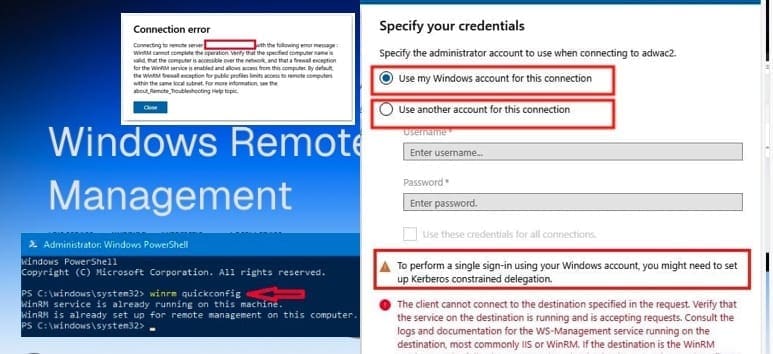
  • WinRM and Kerberos Delegation troubleshooting
    Troubleshooting WinRM and Kerberos Delegation for WAC Network | Monitoring

More Related Articles

Docker error manifest Docker image OS “windows” cannot be used on this platform: No matching manifest for linux/amd64 in the manifest list entries from Microsoft Docker Registry Network | Monitoring
Database Connection Stuck on Working on it How to fix TeamPass stuck on working on it Network | Monitoring
screenshot 2020 03 19 at 19.17.42 SG300 Firmware Upgrade Copy: Illegal software format Network | Monitoring
create Microsoft 365 Account How to create Microsoft 365 Account Network | Monitoring
Cloud Infrastructure and Application Security Best Practices [AZURE] Hybrid Cloud Infrastructure and Application Security Best Practices Network | Monitoring
WinRM and Kerberos Delegation troubleshooting Troubleshooting WinRM and Kerberos Delegation for WAC Network | Monitoring

Leave a Reply Cancel reply

You must be logged in to post a comment.

Microsoft MVP

VEEAMLEGEND

vexpert-badge-stars-5

Virtual Background

GoogleNews

Categories

veeaam100

Veeam Vanguard

  • browser
    How to configure a new tab page URL in Microsoft Edge Windows
  • How to create edit save exit file
    Mastering Vim in Linux: How to Create, Edit, Save, and Quit Files Linux
  • Screenshot 2021 03 16 at 21.14.05
    Unable to locate the account: Fix call to DsGetDcNameWithAccount failed with return value 0x0000054B Windows Server
  • VBR console update
    Veeam Backup Console must be updated to the latest version Backup
  • Deploy to ACI
    Create Azure Container instance to deploy your image to Azure using Azure CLI AWS/Azure/OpenShift
  • Creating a WinPE USB Drive Fixing System Boot Issues
    Creating a WinPE USB Drive: Fixing System Boot Issues Windows
  • How to Clear Search History on Bing Chat AI
    How to Clear Search History on Bing Chat AI Windows
  • GitMarkdown
    Install Git on Windows: Practical Git use with markdown Version Control System

Subscribe to Blog via Email

Enter your email address to subscribe to this blog and receive notifications of new posts by email.

Join 1,817 other subscribers
  • RSS - Posts
  • RSS - Comments
  • About
  • Authors
  • Write for us
  • Advertise with us
  • General Terms and Conditions
  • Privacy policy
  • Feedly
  • Telegram
  • Youtube
  • Facebook
  • Instagram
  • LinkedIn
  • Tumblr
  • Pinterest
  • Twitter
  • mastodon

Tags

Active Directory Azure Bitlocker Microsoft Windows PowerShell WDS Windows 10 Windows 11 Windows Deployment Services Windows Server 2016

Copyright © 2025 TechDirectArchive


Loading Comments...
 

You must be logged in to post a comment.