What are the differences between MDT and WDS

In this article, we will discuss “What are the differences between MDT and WDS”. Microsoft Deployment Toolkit (MDT), formerly known as Business Desktop Deployment is a free tool for automating Windows and Windows Server operating system deployment, leveraging the Windows Assessment and Deployment Kit (ADK) for Windows 10. Kindly refer to these related guides: How to remove the Windows Deployment Services role via the GUI and PowerShell, how to add boot and install images to WDS and configure Multicast transmission via the GUI and WDSUTIL, and how to deploy images to computers or virtual machines using WDS.
MDT is a unified collection of tools, processes, and guidance for automating desktop and server deployment. Read on to discover the differences between MDT and WDS.
You can use it to create reference images or as a complete deployment solution. It is worth noting that “MDT and WDS” help install Windows OS. To do this, MDT uses a series of steps in a task sequence that perform the installation.
Kindly refer to the following guides for more information on WDS and MDT. Windows Deployment Services: How to setup and install WDS role, and how to configure DHCP Server option 60, 66, and 67 for WDS.
Differences Between MDT and WDS
MDT uses two ways to connect to the server over the network, a USB key, or the PXE. Pre-execution Environment (PXE) requires the use of a Windows Server configured with the Windows Deployment Services (WDS) role. Here’s a detailed article on ADK, MDT, and WDS: How to deploy Windows using MDT, and WDS.
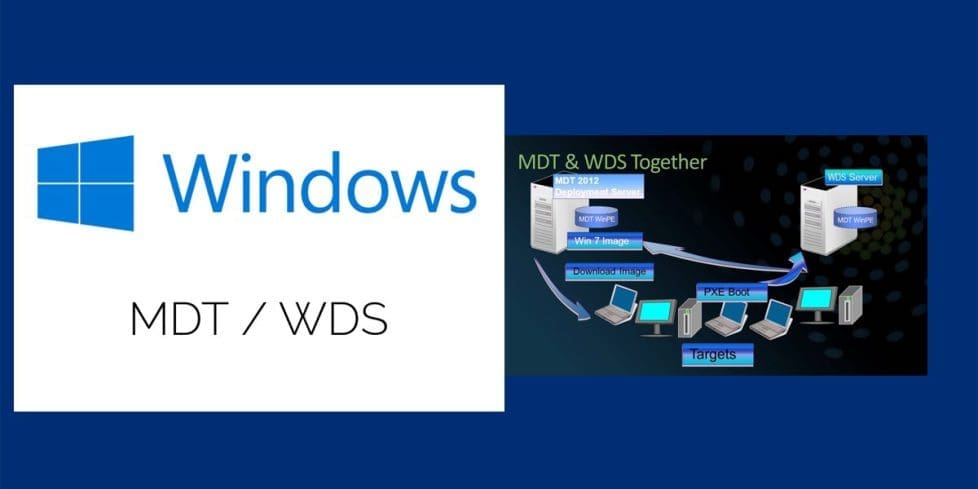
MDT works alongside WDS by providing the PXE server capabilities on the network. Furthermore, it handles the connection to the MDT Share using a pre-generated MDT boot file. If you want your clients to use OS images from WDS, you’ll need to import these boot images in WDS.
WDS can also help capture images of your reference device. In addition, it deploy them with driver support to various devices within your environment using PXE. While MDT is more of a design tool MDT is creating boot images with various step-by-step deployment sequences.
Another way MDT differ from WDS is that Windows Deployment Services (WDS) is a server technology that performs network-based installation of Windows OS. WDS is the revised version of Remote Installation Services (RIS) and it enables the deployment of Windows operating systems. You can use WDS to set up new clients via a network-based installation.
Here’s an article on the differences between High-Touch, Lite-Touch, and Zero-Touch installation? Also, see the following guide “MDT accidental OS deletion: Mistakenly deleted your Operating Systems over Microsoft Deployment Toolkit“.
FAQs
I encountered the error: “The computer restarted unexpectedly or encountered an unexpected error. Windows installation cannot proceed.” How can I reinstall Windows to fix this issue?
If you run into this error, you have two options to reinstall Windows:
1: PXE Boot: Ensure the Ethernet cable is connected, then boot from the network using PXE to reinstall Windows.
2: ISO or USB Installation: Use a bootable Windows ISO or USB drive to perform a clean installation.
Why does my computer keep restarting during Windows installation, and how can I fix it?
Frequent restarts during Windows installation could be due to corrupted installation files, hardware issues, or incorrect boot settings. Below are some steps to fix this:
– Check Installation Media: If using a USB or ISO, ensure the installation files are not corrupted by recreating the bootable media using Rufus or the Media Creation Tool.
– Verify BIOS/UEFI Settings: Make sure Secure Boot is enabled or disabled depending on your system requirements, and confirm the correct boot order.
– Try a Different Installation Method: If the issue persists, use PXE boot (if available) or install Windows from a different USB port or another bootable device.
I hope you found this blog post on “What are the differences between MDT and WDS?’ helpful. Please let me know in the comment session if you have any questions.