Skip to content

TechDirectArchive

Hands-on IT, Cloud, Security & DevOps Insights

  • Home
  • About
  • Advertise With US
  • Reviews
  • Contact
  • Toggle search form
Home » Network | Monitoring » How to Change the Lock Screen Wallpaper in Windows 11

How to Change the Lock Screen Wallpaper in Windows 11

Posted on 29/04/202209/04/2024 Imoh Etuk By Imoh Etuk No Comments on How to Change the Lock Screen Wallpaper in Windows 11
Windows-11

Windows 11 has a lock screen similar to Windows 10, and the wallpaper can be changed. This is not to be confused with the sign-in screen, where you enter your password or PIN to gain access to the desktop. The first screen displays the time, app information, and wallpaper. You can learn to carry some similar tasks like on Windows 11 about Windows through the following links: how to disable Ads in Windows 11, and How to Install and Set Lively Wallpaper on Windows 11.

Also, see “Desktop Wallpaper and Screen Saver Management: Configure and apply Group Policy Objects on Windows Server“, How to create Desktop Stickers in Windows 11, and How to disable automatic screen lock in Ubuntu Linux.

Change the Wallpaper on the Windows 11 Lock Screen

To change the lock screen wallpaper, go to the Start menu and select Settings. You can also use the keyboard shortcut Windows key + I to open Settings directly.

Personalization-settings
Personalization Option

When Settings appears, select Personalization from the left-hand menu. Then, from the right-hand menu, select the Lock Screen option from the “Personalization” section.

Lock-Screen
Lock Screen

Personalize your lock screen

Now, in the Personalize - > Lock screen section, select the “Personalize your lock screen” dropdown menu. There are three options available to you.

Personalize-your-lock-Screen-Option
Personalize your Lock Screen
Picture-option
Selecting Screensaver Background

Windows Spotlight: Windows sets images automatically. Please see How to disable Lock Screen on Windows 10.

Picture: You can use this to select an image from Microsoft or a photo from your collection. You simply need to navigate to it and set it as your lock screen wallpaper.

Slideshow: Select a folder containing photos and other images, and they will rotate through at regular intervals.

Select-Picture
Selecting Customized Picture for Screen Saver

Once you’ve decided on an image for the lock screen, you may want to change which apps show notifications. To do so, select an app from the menu next to “Lock screen status.” It’s worth noting that you can select none if you don’t want anything to appear.

Select-app-to-for-lock-screen
Selecting the Lock Screen App

When you press Enter on your keyboard, click your mouse, or swipe up on a touchscreen device, you are taken to the login screen. When you change the Lock Screen wallpaper, it also changes the login screen. You can, however, disable it.

Turn off the “Show the lock screen background picture on the sign-in screen” button while you’re in the Personalize > Lock screen section.

Turn-off-Screen-lock

I hope you found this article useful on How to Change the Lock Screen Wallpaper in Windows 11. Please feel free to leave a comment below.

Rate this post

Thank you for reading this post. Kindly share it with others.

  • Share on X (Opens in new window) X
  • Share on Reddit (Opens in new window) Reddit
  • Share on LinkedIn (Opens in new window) LinkedIn
  • Share on Facebook (Opens in new window) Facebook
  • Share on Pinterest (Opens in new window) Pinterest
  • Share on Tumblr (Opens in new window) Tumblr
  • Share on Telegram (Opens in new window) Telegram
  • Share on WhatsApp (Opens in new window) WhatsApp
  • Share on Mastodon (Opens in new window) Mastodon
  • Share on Bluesky (Opens in new window) Bluesky
  • Share on Threads (Opens in new window) Threads
  • Share on Nextdoor (Opens in new window) Nextdoor
Network | Monitoring

Post navigation

Previous Post: How to install RDS via Quick Start Deployment: Install, Publish, Update, and Uninstall Remote Desktop Web Client
Next Post: How to Install and Configure Elasticsearch on Linux 

Related Posts

  • tmgexchange2013owachangepasswordform
    How to change your password in Outlook Web Access Network | Monitoring
  • cisco ASA
    Basic Cisco ASA troubleshooting Commands Guide Network | Monitoring
  • Add camaeras
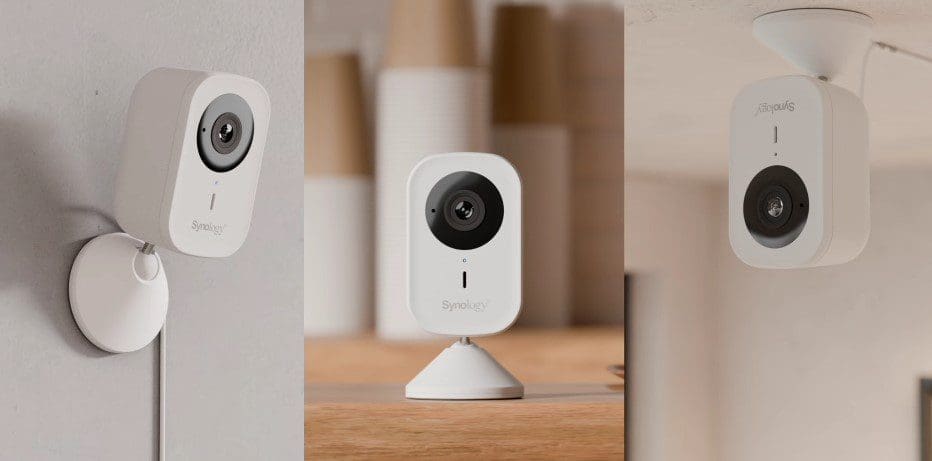
    Add additional CC400W Cameras to Synology Surveillance Station Backup
  • Different Class IP Address
    Classes of IP Address: Understanding IP Address Classification Network | Monitoring
  • screenshot 2020 02 08 at 17.31.28
    How to perform Password Change with OWA Network | Monitoring
  • vmwarefrsd4
    CVE-2021-31693: VMware Tools for Windows update addresses a denial-of-service vulnerability Network | Monitoring

More Related Articles

tmgexchange2013owachangepasswordform How to change your password in Outlook Web Access Network | Monitoring
cisco ASA Basic Cisco ASA troubleshooting Commands Guide Network | Monitoring
Add camaeras Add additional CC400W Cameras to Synology Surveillance Station Backup
Different Class IP Address Classes of IP Address: Understanding IP Address Classification Network | Monitoring
screenshot 2020 02 08 at 17.31.28 How to perform Password Change with OWA Network | Monitoring
vmwarefrsd4 CVE-2021-31693: VMware Tools for Windows update addresses a denial-of-service vulnerability Network | Monitoring

Leave a Reply Cancel reply

You must be logged in to post a comment.

Microsoft MVP

VEEAMLEGEND

vexpert-badge-stars-5

Virtual Background

GoogleNews

Categories

veeaam100

Veeam Vanguard

  • Fatal Refusing to Merge
    How to Fix Fatal Git Error Refusing to Merge Unrelated Histories Version Control System
  • Feature image LSA
    How to configure additional LSA Protection Security | Vulnerability Scans and Assessment
  • Screenshot 2024 02 09 at 7.34.18 PM
    How to create a Logic App for monitoring tweets AWS/Azure/OpenShift
  • amazon ec2 multiple ips 1
    What to note before assigning Multiple IPs’ to an Instance AWS/Azure/OpenShift
  • YouTubeComment456789
    How to hold comments for review on YouTube JIRA|Confluence|Apps
  • mysqlhero
    How to reset MySQL Root password Oracle/MSSQL/MySQL
  • image 2
    How to Fix Microsoft Edge Not Responding Windows
  • 71PSZcv0RL. AC SX425
    How to disable unused Cisco Access Ports Network | Monitoring

Subscribe to Blog via Email

Enter your email address to subscribe to this blog and receive notifications of new posts by email.

Join 1,811 other subscribers
  • RSS - Posts
  • RSS - Comments
  • About
  • Authors
  • Write for us
  • Advertise with us
  • General Terms and Conditions
  • Privacy policy
  • Feedly
  • Telegram
  • Youtube
  • Facebook
  • Instagram
  • LinkedIn
  • Tumblr
  • Pinterest
  • Twitter
  • mastodon

Tags

Active Directory Azure Bitlocker Microsoft Windows PowerShell WDS Windows 10 Windows 11 Windows Deployment Services Windows Server 2016

Copyright © 2025 TechDirectArchive


Loading Comments...
 

You must be logged in to post a comment.