Skip to content

TechDirectArchive

Hands-on IT, Cloud, Security & DevOps Insights

  • Home
  • About
  • Advertise With US
  • Reviews
  • Contact
  • Toggle search form
Home » Linux » How to install WireShark on a Linux Ubuntu System
  • MBAM Reports
    Microsoft BitLocker Administration and Monitoring Report Fields Windows Server
  • wmic4
    Security Identifier: Find User SID in Windows Windows
  • Featured post.
    How to fix The Group Policy settings for BitLocker startup options are in conflict and cannot be applied Security | Vulnerability Scans and Assessment
  • nonexistent AD
    Fix Active Directory Domain Controller (AD DS) for this domain could not be contacted Windows Server
  • BitLocker34
    BitLocker Back Door: Stolen laptop to inside the company network Security | Vulnerability Scans and Assessment
  • Clickable icons Edge Browser
    Remove clickable icons from the Edge browser JIRA|Confluence|Apps
  • reboot computer
    Determine the last boot time of a Windows Server Windows Server
  • VMware Type 1 Hypervisor installation
    How to install ESXi on a Beelink EQ12 Mini PC Virtualization

How to install WireShark on a Linux Ubuntu System

Posted on 28/09/202215/07/2023 Raphael Gab-Momoh By Raphael Gab-Momoh No Comments on How to install WireShark on a Linux Ubuntu System
WireShark

Wireshark is a free and open-source packet analyzer. In addition, it is utilized for network troubleshooting, analysis, software development, communications protocol development, and instruction. Whether you’re a network administrator, developer, or security professional, installing Wireshark on your system will provide valuable insights into your network’s activities This article will show you how to install Wireshark on Linux. The commands will also work for older versions of Ubuntu as well. Other valuable articles can be found here: How to Install PlayonLinux on a Linux System and How to install Windows Server 2022 on VirtualBox and How to Set Up and Use an Upstream Branch in Git andHow to install and Uninstall Discord in a Linux System and How to install Unison on a Linux System also How to install Redis on a Linux System.

Prerequisites to Install Wireshark on Linux

  1. Ubuntu machine any version from 14.01 but for this exercise, we shall be using 22.04
  2. A user account with sudo privileges
  3. Command line interface

To install Wireshark on Linux, follow the steps below:

Step1. Update Package Index and System Dependencies

Run the following command on command line to update the core libraries:

sudo apt update 
How to install WireShark on a Linux-packagesu
packages

Step2: Install Wireshark on Linux

Run the following command on command line to install wireshark on ubuntu system:

sudo apt install wireshark

When prompted for a yes or a no, leave it in the default settings.

How to install WireShark on a Linux-promo
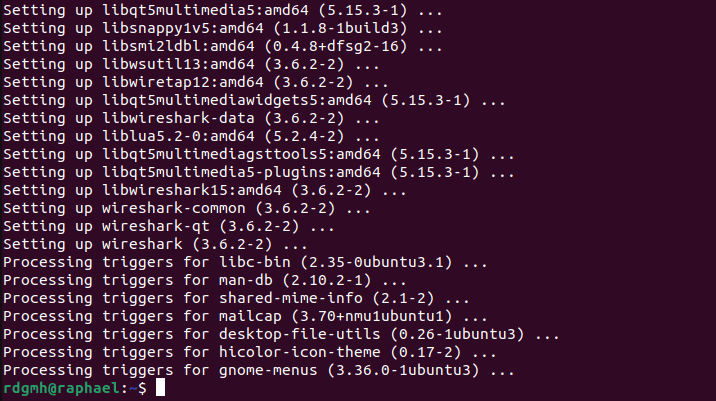
wireshark configuration
How to install WireShark on a Linux-wireshack-installation-complete
wireshark installation complete

Step3: Verify Wireshark Installation on Linux Ubuntu

Use the command line to check if Wireshark was successfully installed on Ubuntu 22.04:

wireshark --version
wirev
wireshark version

Step4: Launch Wireshark

After installation, proceed to launch Wireshark on Ubuntu system. Thus, by default, Wireshark requires root privileges to capture network traffic. However, running Wireshark with root permissions is not recommended due to security concerns. To allow non-root users to capture packets, you need to grant them the necessary permissions.

Run the following command on command line to launch Wireshark on Ubuntu:

sudo wireshark
launw
wireshark launched

Step5 : Uninstall Wireshark

Run the following command on command line to remove Wireshark from Ubuntu:

removed
wireshark removed

Summary

In conclusion, by following the steps above, you’ll be able to install Wireshark on your Linux successfully.

Rate this post

Thank you for reading this post. Kindly share it with others.

  • Click to share on X (Opens in new window) X
  • Click to share on Reddit (Opens in new window) Reddit
  • Click to share on LinkedIn (Opens in new window) LinkedIn
  • Click to share on Facebook (Opens in new window) Facebook
  • Click to share on Pinterest (Opens in new window) Pinterest
  • Click to share on Tumblr (Opens in new window) Tumblr
  • Click to share on Telegram (Opens in new window) Telegram
  • Click to share on WhatsApp (Opens in new window) WhatsApp
  • Click to share on Pocket (Opens in new window) Pocket
  • Click to share on Mastodon (Opens in new window) Mastodon
  • Click to share on Bluesky (Opens in new window) Bluesky
  • Click to share on Threads (Opens in new window) Threads
  • Click to share on Nextdoor (Opens in new window) Nextdoor
Linux

Post navigation

Previous Post: How to Install PlayonLinux on a Linux System
Next Post: How to Install and Uninstall Yarn on Ubuntu Linux

Related Posts

  • feature photo quit vim
    How to Exit Linux Vim or Vi Editor Linux
  • image 10
    Change Visual Studio Code UI language JIRA|Confluence|Apps
  • apache ubuntu 20 04
    How to Install Apache HTTP Server on Ubuntu 20.04 LTS Linux
  • On ubuntu mariadb
    How to install MariaDB on Ubuntu Linux
  • RUST FEATURE
    How to install Rust in a Linux System Linux
  • banner
    Fix npm install hangs on “sill idealTree buildDeps” Linux

More Related Articles

feature photo quit vim How to Exit Linux Vim or Vi Editor Linux
image 10 Change Visual Studio Code UI language JIRA|Confluence|Apps
apache ubuntu 20 04 How to Install Apache HTTP Server on Ubuntu 20.04 LTS Linux
On ubuntu mariadb How to install MariaDB on Ubuntu Linux
RUST FEATURE How to install Rust in a Linux System Linux
banner Fix npm install hangs on “sill idealTree buildDeps” Linux

Leave a Reply Cancel reply

You must be logged in to post a comment.

Microsoft MVP

VEEAMLEGEND

vexpert-badge-stars-5

Virtual Background

GoogleNews

Categories

veeaam100

sysadmin top30a
 
  • MBAM Reports
    Microsoft BitLocker Administration and Monitoring Report Fields Windows Server
  • wmic4
    Security Identifier: Find User SID in Windows Windows
  • Featured post.
    How to fix The Group Policy settings for BitLocker startup options are in conflict and cannot be applied Security | Vulnerability Scans and Assessment
  • nonexistent AD
    Fix Active Directory Domain Controller (AD DS) for this domain could not be contacted Windows Server
  • BitLocker34
    BitLocker Back Door: Stolen laptop to inside the company network Security | Vulnerability Scans and Assessment
  • Clickable icons Edge Browser
    Remove clickable icons from the Edge browser JIRA|Confluence|Apps
  • reboot computer
    Determine the last boot time of a Windows Server Windows Server
  • VMware Type 1 Hypervisor installation
    How to install ESXi on a Beelink EQ12 Mini PC Virtualization

Subscribe to Blog via Email

Enter your email address to subscribe to this blog and receive notifications of new posts by email.

Join 1,841 other subscribers
  • RSS - Posts
  • RSS - Comments
  • About
  • Authors
  • Write for us
  • Advertise with us
  • General Terms and Conditions
  • Privacy policy
  • Feedly
  • Telegram
  • Youtube
  • Facebook
  • Instagram
  • LinkedIn
  • Tumblr
  • Pinterest
  • Twitter
  • mastodon

Tags

AWS Azure Bitlocker Microsoft Windows PowerShell WDS Windows 10 Windows 11 Windows Deployment Services Windows Server 2016

Copyright © 2025 TechDirectArchive


Loading Comments...
 

You must be logged in to post a comment.