Skip to content

TechDirectArchive

Hands-on IT, Cloud, Security & DevOps Insights

  • Home
  • About
  • Advertise With US
  • Reviews
  • Contact
  • Toggle search form
  • WindowsServer2022
    Windows Server 2022 Capabilities: Register Windows Admin Center with Azure Windows Server
  • Stop teams from auto start
    Prevent Microsoft Teams from starting automatically on Windows Windows
  • VMware workstation networking issues
    Network cable Unplugged: Fix VMware “Warning – Multiple default gateways are intended to provide redundancy to a single network Virtualization
  • 1723152 3cc3 2 750x405 1
    Cluster creation in Proxmox VE Virtualization
  • find my device banner
    Video on how to Enable Find My Device on Windows 11 Windows
  • wine 2 1
    How to install and uninstall WineHQ on Linux Linux
  • Actualidad 211741393 129861581 1050x760
    Edge GPO settings: All Group Policies available to configure Microsoft Edge Settings Windows Server
  • windows deployment services imagen destacada blog redigit
    How to create a capture image on Windows Deployment Services Windows Server

Tag: Microsoft Deployment Toolkit (MDT)

Microsoft Deployment Toolkit (MDT) provides a unified collection of tools, processes, and guidance for automating desktop and server deployments.

How to migrate WDS and MDT to a new Windows Server

Posted on 10/01/202409/12/2025 Christian By Christian No Comments on How to migrate WDS and MDT to a new Windows Server
How to migrate WDS and MDT to a new Windows Server

Windows Deployment Services is the updated and redesigned version of Remote Installation Services (RIS). Windows Deployment Services enables you to deploy Windows operating systems over the network. With this solution, you do not have to install each operating system directly from a CD or DVD. In this article, we will show you the steps on…

Read More “How to migrate WDS and MDT to a new Windows Server” »

Windows Server

How to deploy MBAM Client as part of a Windows Deployment

Posted on 19/10/202225/07/2024 Christian By Christian No Comments on How to deploy MBAM Client as part of a Windows Deployment
How to deploy MBAM Client as part of a Windows Deployment

The Microsoft BitLocker Administration and Monitoring (MBAM) client enables administrators to enforce and monitor BitLocker drive encryption on computers in the enterprise. Kindly refer to some of these related guides: How to query MBAM to display the report for BitLocker Recovery for a specified period of time, What are the effects of renaming an MBAM…

Read More “How to deploy MBAM Client as part of a Windows Deployment” »

Windows Server

An error has occurred in the script on this page: HTA applications report a Script error after upgrading to ADK for Windows 11, version 22H2

Posted on 17/10/202220/03/2024 Christian By Christian 4 Comments on An error has occurred in the script on this page: HTA applications report a Script error after upgrading to ADK for Windows 11, version 22H2
An error has occurred in the script on this page: HTA applications report a Script error after upgrading to ADK for Windows 11, version 22H2

Microsoft Deployment Toolkit (MDT) is a unified collection of tools, processes, and guidance for automating desktop and server deployment. And this in turn reduces deployment time and standardizes desktop and server image deployment. In this article, you will learn how to fix an error has occurred in the script on this page: HTA applications report…

Read More “An error has occurred in the script on this page: HTA applications report a Script error after upgrading to ADK for Windows 11, version 22H2” »

Windows Server

How to uninstall and upgrade ADK, WinPE, and MDT

Posted on 29/09/202226/10/2023 Christian By Christian No Comments on How to uninstall and upgrade ADK, WinPE, and MDT
How to uninstall and upgrade ADK, WinPE, and MDT

The Windows Assessment and Deployment Kit (Windows ADK) and Windows PE add-on have the tools you need to customize Windows images for large-scale deployment and to test the quality and performance of your system. In this article, we shall discuss How to uninstall and upgrade ADK, WinPE, and MDT. The Windows ADK includes the Windows…

Read More “How to uninstall and upgrade ADK, WinPE, and MDT” »

Windows Server

Workaround and Permanent fix for this snap-in performed a non-valid operation and has been unloaded: To continue using this snap-in restart MMC or try loading the snap-in again

Posted on 29/09/202228/08/2023 Christian By Christian No Comments on Workaround and Permanent fix for this snap-in performed a non-valid operation and has been unloaded: To continue using this snap-in restart MMC or try loading the snap-in again
Workaround and Permanent fix for this snap-in performed a non-valid operation and has been unloaded: To continue using this snap-in restart MMC or try loading the snap-in again

The Windows Assessment and Deployment Kit (Windows ADK) and Windows PE add-on have the tools you need to customize Windows images for large-scale deployment, and to test the quality and performance of your system, its added components, and the applications running on it. Here are some interesting guides on how to set up and install the…

Read More “Workaround and Permanent fix for this snap-in performed a non-valid operation and has been unloaded: To continue using this snap-in restart MMC or try loading the snap-in again” »

Windows Server

Stuck at Start PXE over IPv4: PXE-E18 Server response timeout

Posted on 22/12/202101/01/2026 Christian By Christian 2 Comments on Stuck at Start PXE over IPv4: PXE-E18 Server response timeout
Stuck at Start PXE over IPv4: PXE-E18 Server response timeout

In this blog post, we will discuss the fx to “Stuck at Start PXE over IPv4: PXE-E18 Server response timeout”. Secure Boot is a security feature included in the latest generation of the Unified Extensible Firmware Interface (UEFI) in Windows. You may also want to see this guide: Windows 11 System Requirements: Why does Microsoft…

Read More “Stuck at Start PXE over IPv4: PXE-E18 Server response timeout” »

Windows

Failed to run the action install Operating System: Lifetouch deployment failed, Return Code = -2147467259 0x80004005 when installing Windows image via MDT

Posted on 03/11/202130/09/2023 Christian By Christian No Comments on Failed to run the action install Operating System: Lifetouch deployment failed, Return Code = -2147467259 0x80004005 when installing Windows image via MDT
Failed to run the action install Operating System: Lifetouch deployment failed, Return Code = -2147467259 0x80004005 when installing Windows image via MDT

Image deployment in MDT is defined by task sequences, which are a set of instructions that tell the program how to create or deploy an image. For example, a task sequence can be created that will deploy an operating system and perform Windows updates on a reference virtual machine. Task sequences are the heart and…

Read More “Failed to run the action install Operating System: Lifetouch deployment failed, Return Code = -2147467259 0x80004005 when installing Windows image via MDT” »

Windows

How to update Microsoft Defender Antivirus into the install image of Windows (install.wim)

Posted on 14/09/202115/09/2023 Christian By Christian No Comments on How to update Microsoft Defender Antivirus into the install image of Windows (install.wim)
How to update Microsoft Defender Antivirus into the install image of Windows (install.wim)

Microsoft Defender Antivirus, formerly known as Windows Defender, is an antivirus protection program that’s included with Windows 10. Unlike other antivirus programs like McAfee, Microsoft Defender is free and doesn’t require any additional installation. Therefore, in this guide, I will be showing you how to update the Windows installation image (install.wim) file with the latest…

Read More “How to update Microsoft Defender Antivirus into the install image of Windows (install.wim)” »

Windows

How to install and debug logs with the CMTrace Tool

Posted on 21/07/202120/02/2024 Christian By Christian 1 Comment on How to install and debug logs with the CMTrace Tool
How to install  and debug logs with the CMTrace Tool

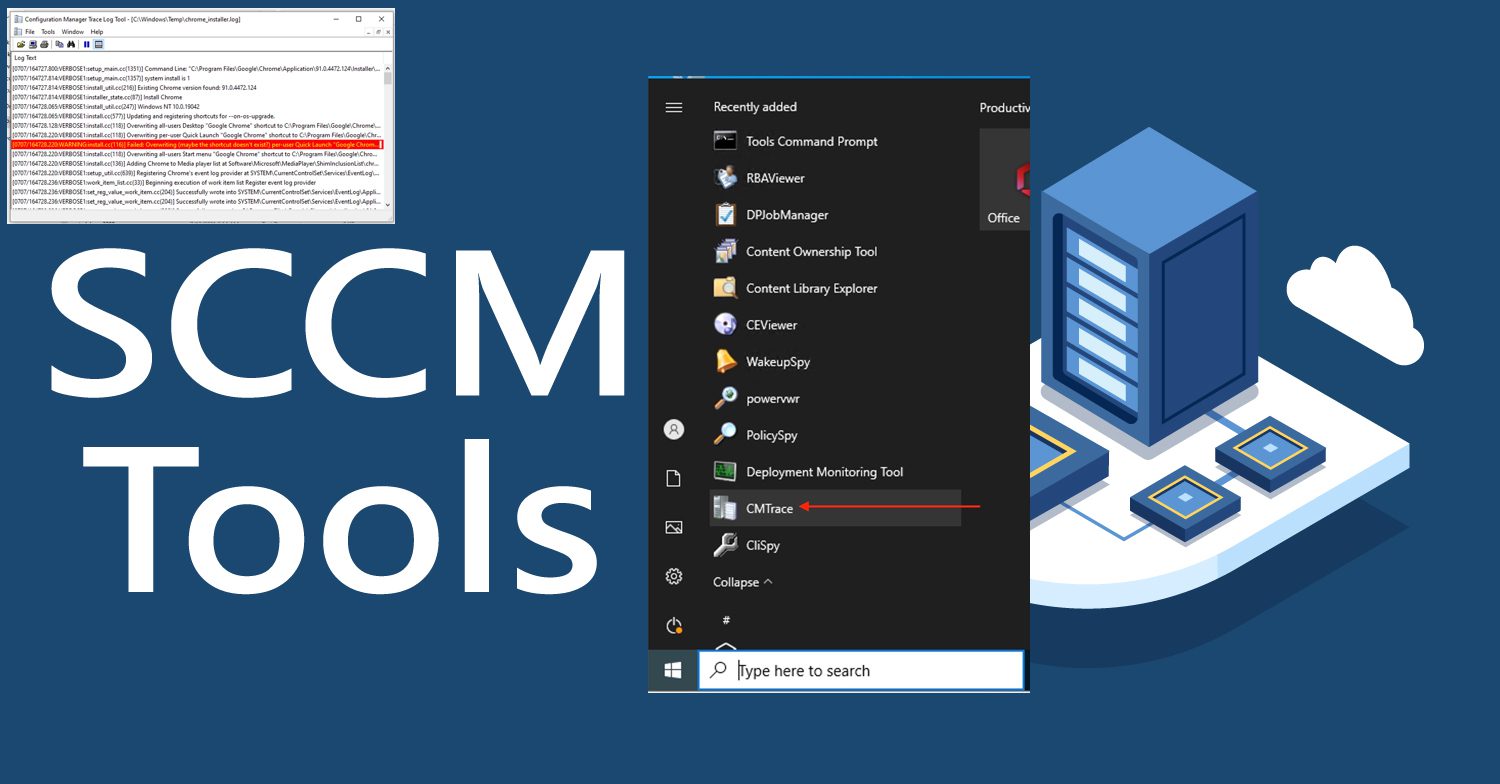
CMTrace Log Viewer is also referred to as the CMTrace tool (previously called Trace32). It is a tool from Microsoft to view log files such as Microsoft Deployment Toolkit (MDT), Microsoft Software Center Configuration Manager (SCCM), DISM, and many others. Though, mostly for SCCM as it is part of “Configuration Manager Tools”. In this guide,…

Read More “How to install and debug logs with the CMTrace Tool” »

Windows Server

How to check the version of Windows ADK

Posted on 12/03/202128/09/2023 Christian By Christian No Comments on How to check the version of Windows ADK
How to check the version of Windows ADK

Windows Assessment and Deployment Kit (ADK) contains core assessment and deployment tools and technologies which includes Deployment Image Servicing and Management (DISM), Windows Imaging and Configuration Designer (Windows ICD). In addition, the ADK Windows encompasses System Image Manager (Windows SIM), User State Migration Tool (USMT), Volume Activation Management Tool (VAMT), Windows Preinstallation Environment (Windows PE),…

Read More “How to check the version of Windows ADK” »

Windows

Error Code: 0x80070035: MDT unable to access the Log share, the Network Path was not found

Posted on 11/03/202120/03/2024 Christian By Christian No Comments on Error Code: 0x80070035: MDT unable to access the Log share, the Network Path was not found
Error Code: 0x80070035: MDT unable to access the Log share, the Network Path was not found

This article will discuss “MDT unable to access the Log share: Network Path was not found”. Kindly refer to the following guides for more information on WDS and MDT. How to setup and install WDS role, how to configure WDS and DHCP Deployment Scenarios: Configure DHCP Options 60, 66, and 67, and Folder Access Denied, you require permission from…

Read More “Error Code: 0x80070035: MDT unable to access the Log share, the Network Path was not found” »

Windows

Create and access a hidden share folder on Windows

Posted on 11/03/202107/08/2024 Christian By Christian No Comments on Create and access a hidden share folder on Windows
Create and access a hidden share folder on Windows

Administrative shares are also referred to as “hidden shares”. The hidden shares on a Windows PC have a name that ends with a dollar sign ($). These are shares available on the network share that is not visible when viewing another PC’s shares but are still accessible when the share name (hidden share) is known. See this…

Read More “Create and access a hidden share folder on Windows” »

Windows

Failure 5456: Unable to determine destination disk, partition, and/or drive, see BDD Log

Posted on 09/03/202121/09/2023 Christian By Christian No Comments on Failure 5456: Unable to determine destination disk, partition, and/or drive, see BDD Log
Failure 5456: Unable to determine destination disk, partition, and/or drive, see BDD Log

The BDD.log is an aggregated MDT log file that is copied to a network location at the end of the deployment if you specify the SLShare property in the Customsettings.ini file. Deployment Toolkit (MDT) provides information on current known issues, possible workarounds for those issues, and troubleshooting guidance. The MDT log file format is designed to be…

Read More “Failure 5456: Unable to determine destination disk, partition, and/or drive, see BDD Log” »

Windows

Posts pagination

1 2 … 4 Next

Microsoft MVP

VEEAMLEGEND

vexpert-badge-stars-5

Virtual Background

GoogleNews

Categories

veeaam100

sysadmin top30a

  • WindowsServer2022
    Windows Server 2022 Capabilities: Register Windows Admin Center with Azure Windows Server
  • Stop teams from auto start
    Prevent Microsoft Teams from starting automatically on Windows Windows
  • VMware workstation networking issues
    Network cable Unplugged: Fix VMware “Warning – Multiple default gateways are intended to provide redundancy to a single network Virtualization
  • 1723152 3cc3 2 750x405 1
    Cluster creation in Proxmox VE Virtualization
  • find my device banner
    Video on how to Enable Find My Device on Windows 11 Windows
  • wine 2 1
    How to install and uninstall WineHQ on Linux Linux
  • Actualidad 211741393 129861581 1050x760
    Edge GPO settings: All Group Policies available to configure Microsoft Edge Settings Windows Server
  • windows deployment services imagen destacada blog redigit
    How to create a capture image on Windows Deployment Services Windows Server

Subscribe to Blog via Email

Enter your email address to subscribe to this blog and receive notifications of new posts by email.

Join 1,834 other subscribers
  • RSS - Posts
  • RSS - Comments
  • About
  • Authors
  • Write for us
  • Advertise with us
  • General Terms and Conditions
  • Privacy policy
  • Feedly
  • Telegram
  • Youtube
  • Facebook
  • Instagram
  • LinkedIn
  • Tumblr
  • Pinterest
  • Twitter
  • mastodon

Tags

Active Directory AWS Azure Bitlocker Microsoft Windows PowerShell WDS Windows 10 Windows 11 Windows Server 2016

Copyright © 2025 TechDirectArchive