Skip to content

TechDirectArchive

Hands-on IT, Cloud, Security, Veeam & DevOps

  • Home
  • About
  • Advertise With US
  • Reviews
  • Contact
  • Toggle search form

Category: Windows

Step-by-step guides and tips for Windows setup, installation, customization, and troubleshooting to optimize your PC performance and user experience

Prevent the Saving of RDP Credentials in Windows 10

Posted on 18/03/202017/08/2026 Christian By Christian No Comments on Prevent the Saving of RDP Credentials in Windows 10
Prevent the Saving of RDP Credentials in Windows 10

In this article, I will show you how to prevent the Saving of RDP Credentials in Windows 10. By default, Windows allows users to save their passwords for RDP connections. When this setting is enabled for Remote Desktop Connection, users will no longer be able to save passwords. When a user opens an RDP file…

Read More “Prevent the Saving of RDP Credentials in Windows 10” »

Windows

Windows Licensing: How to find your Windows 10 Product key

Posted on 18/03/202017/08/2026 Christian By Christian No Comments on Windows Licensing: How to find your Windows 10 Product key
Windows Licensing: How to find your Windows 10 Product key

Activation is the process by which your Windows device is licensed and considered genuine. Activation helps verify that your copy of Windows is genuine and hasn’t been used on more devices than the Microsoft Software License Terms permits. See this guide on how to check Windows 10 activation status and change your product key. See…

Read More “Windows Licensing: How to find your Windows 10 Product key” »

Windows

How to allow saved credentials for RDP connection

Posted on 17/03/202017/08/2026 Christian By Christian No Comments on How to allow saved credentials for RDP connection
How to allow saved credentials for RDP connection

The Microsoft Remote Desktop Protocol (RDP) provides remote display and input capabilities over network connections for Windows-based applications running on a server. RDP is designed to support different types of network topologies and multiple LAN protocols. Remote Desktop Protocol or just RDP allows a user to establish a connection between two computers and access the…

Read More “How to allow saved credentials for RDP connection” »

Windows

Remove saved RDP connections in Windows

Posted on 17/03/202017/08/2026 Christian By Christian 2 Comments on Remove saved RDP connections in Windows
Remove saved RDP connections in Windows

The built-in Windows Remote Desktop Connection client saves the remote computer name or IP address and the username that is used to log in after each successful connection to the remote computer. This makes the next logon effortless because the RDP client offers you the possibility to select one of the connections that were used…

Read More “Remove saved RDP connections in Windows” »

Windows

How to view and remove Remote Desktop connection history

Posted on 17/03/202017/08/2026 Christian By Christian No Comments on How to view and remove Remote Desktop connection history
How to view and remove Remote Desktop connection history

Remote Desktop Protocol or just RDP is a special network protocol that allows a user to establish a connection between two computers and access the Desktop of a remote host. For every connection made to a remote PC, the RDP client in Windows (mstsc.exe) saves the computer name or an IP Address and also the…

Read More “How to view and remove Remote Desktop connection history” »

Windows

How to create an Environment variables in Windows

Posted on 15/03/202017/08/2026 Christian By Christian No Comments on How to create an Environment variables in Windows
How to create an Environment variables in Windows

Environment variables are strings that contain information such as drive, path, or file name, etc. They control the behavior of various programs. In this article, we shall discuss how to create an Environment variables in Windows. Please, see Logon Failure: User has not been granted the requested logon type, how to troubleshoot Server Certificate could…

Read More “How to create an Environment variables in Windows” »

Windows

How to reset and reinstall Windows 10 locally

Posted on 15/03/202017/08/2026 Christian By Christian 1 Comment on How to reset and reinstall Windows 10 locally
How to reset and reinstall Windows 10 locally

When your device is not functioning well as desired, you may want to reset your device to the normal state by resetting your device to factory settings. Please see how to reset and reinstall Windows 10 from the cloud and how to recover your Windows 10 when you cannot boot to Windows. See this guide…

Read More “How to reset and reinstall Windows 10 locally” »

Windows

How to permit and run only certain apps in windows

Posted on 15/03/202017/08/2026 Christian By Christian No Comments on How to permit and run only certain apps in windows
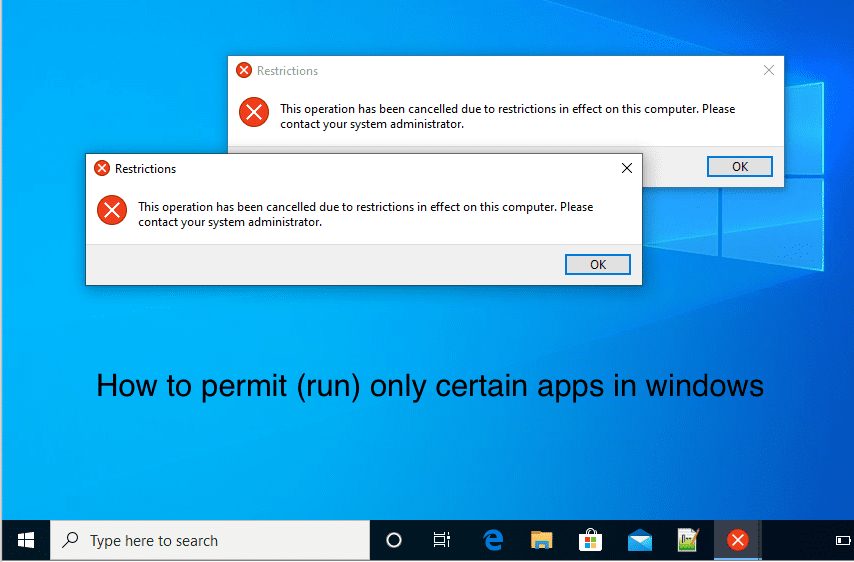
How to permit and run only certain apps in windows

In this guide, I will be demonstrating How to permit and run only certain apps in Windows for selected uses to be able to run only a list of allowed programs. This can be achieved via the group policy and by tweaking the registry settings. Here is a guide on how to block apps from…

Read More “How to permit and run only certain apps in windows” »

Windows

How to block apps from running in Windows

Posted on 14/03/202017/08/2026 Christian By Christian No Comments on How to block apps from running in Windows
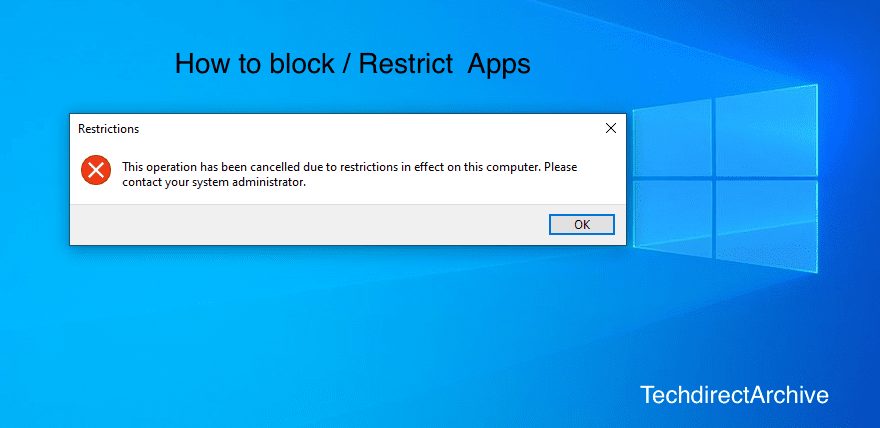
How to block apps from running in Windows

Blocking apps from running in Windows can be a security and performance measure. In this guide, I will be demonstrating how to block certain apps from running on this computer. This can be achieved via the group policy and by tweaking the registry settings. Please see how to Block Upgrade to Windows 11 via Group…

Read More “How to block apps from running in Windows” »

Windows

How to upgrade and downgrade PIP on Windows

Posted on 14/03/202017/08/2026 Christian By Christian No Comments on How to upgrade and downgrade PIP on Windows
How to upgrade and downgrade PIP on Windows

Pip is a module or package management system used to install and manage software packages found in the Python Package Index. PIP is written in Python and it allows you to install and manage additional packages that are not part of the Python standard library. Furthermore, PIP connects to an online repository of public and paid-for private packages, called…

Read More “How to upgrade and downgrade PIP on Windows” »

Windows

Fast user switching: How to create a desktop shortcut in Windows 10 to switch User Accounts

Posted on 14/03/202017/08/2026 Christian By Christian No Comments on Fast user switching: How to create a desktop shortcut in Windows 10 to switch User Accounts
Fast user switching: How to create a desktop shortcut in Windows 10 to switch User Accounts

When a user logs onto a computer, the system loads the profile. Because each user has a unique user account, this allows multiple users to share a computer. When a user logs on, the desktop settings, files, favourites, and history they see are theirs; they cannot be accessed by other users. When that user logs…

Read More “Fast user switching: How to create a desktop shortcut in Windows 10 to switch User Accounts” »

Windows

Change Windows Desktop icon shortcut for fast user switching

Posted on 14/03/202017/08/2026 Christian By Christian No Comments on Change Windows Desktop icon shortcut for fast user switching
Change Windows Desktop icon shortcut for fast user switching

Windows 10 is a major release of Microsoft’s Windows NT operating system. It is the direct successor to Windows 8.1, which was released nearly two years earlier. In this article, we shall discuss how to Change Windows Desktop icon shortcut for fast user switching. Please see how to create a desktop shortcut and how to…

Read More “Change Windows Desktop icon shortcut for fast user switching” »

Windows

How to Activate Full-Screen (Kiosk Mode) in Internet Explorer

Posted on 14/03/202017/08/2026 Christian By Christian No Comments on How to Activate Full-Screen (Kiosk Mode) in Internet Explorer

Kiosk mode is a software feature that locks a device into a single application or a highly restricted user interface. It prevents users from accessing the underlying operating system, desktop, file system, or unauthorized websites and applications. Please see how to install DHCP on Windows Server 2019, perform Post-deployment of DHCP Server, and how to configure DHCP Server option…

Read More “How to Activate Full-Screen (Kiosk Mode) in Internet Explorer” »

Windows

Posts pagination

Previous 1 … 51 52 53 … 60 Next

Microsoft MVP

vexpert-badge-stars-5

Virtual Background

VEEAMLEGEND

Categories

veeaam100

Veeam Vanguard

  • screenshot 2020 02 07 at 20.59.01
    How to use the PsInfo utility from SysInternals Windows Server
  • NFS Storage and Present it to XCP ng
    Create an NFS Storage on Synology NAS and Present it to XCP-ng Virtualization
  • TPM
    Clear TPM: How to enable or disable TPM in Windows Windows
  • asfasf e1784558823939
    Veeam Agent for Windows deployment failing with Access Denied Backup
  • How to Disable TLS 1.0, TLS 1.1 and TLS 1 banner
    How to Disable TLS 1.0, TLS 1.1 and TLS 1.2 in Windows Using GPO Security | Vulnerability Scans and Assessment
  • Norton backup
    How to set up Norton Cloud Backup on Windows Anti-Virus Solution
  • Rules of Delegation
    Assign users with rights to reset password in Active Directory Windows Server
  • We cannot fine camera
    Fix we could not find a camera compatible with Windows Hello Face Windows

Subscribe to Blog via Email

Enter your email address to subscribe to this blog and receive notifications of new posts by email.

Join 1,757 other subscribers
  • RSS - Posts
  • RSS - Comments
  • About
  • Authors
  • Write for us
  • Contact
  • Advertise with us
  • General Terms and Conditions
  • Privacy policy
  • Feedly
  • Telegram
  • Youtube
  • Facebook
  • Instagram
  • LinkedIn
  • Tumblr
  • Pinterest
  • Twitter
  • mastodon
  • Bsky

Tags

Active Directory Azure Bitlocker Microsoft Windows PowerShell WDS Windows 10 Windows 11 Windows Deployment Services Windows Server 2016

Copyright © 2026 TechDirectArchive