Skip to content

TechDirectArchive

Hands-on IT, Cloud, Security & DevOps Insights

  • Home
  • About
  • Advertise With US
  • Reviews
  • Contact
  • Toggle search form
Home » Windows » System check found some issues during MBAM encryption: Fail, the Power cable must be connected
  • Screenshot 2020 06 22 at 11.33.46
    How to fix Bluetooth not available on MacBook Mac
  • Uninstall MicrosoftDefenderUpdate
    What you need to know about Microsoft Defender Antivirus Security | Vulnerability Scans and Assessment
  • image 11
    Setting Up your Amazon S3 Glacier and FastGlacier for Your Online Vault AWS/Azure/OpenShift
  • adac
    Enable Active Directory Recycle Bin: How to delete and restore objects using Active Directory Administrative Center Windows Server
  • GitLabrunner 1 1
    There has been a runner system failure: failed to start the process exec “pwsh” Containers
  • Screenshot 2024 02 28 at 11.17.41 PM
    GitHub Pages Deployment Guide Linux
  • plain blue background
    Request a certificate signing request in Windows using Microsoft Management Console Windows Server
  • Featured Image 1
    System Drive Conversion: MBR to GPT on Windows 10 Storage

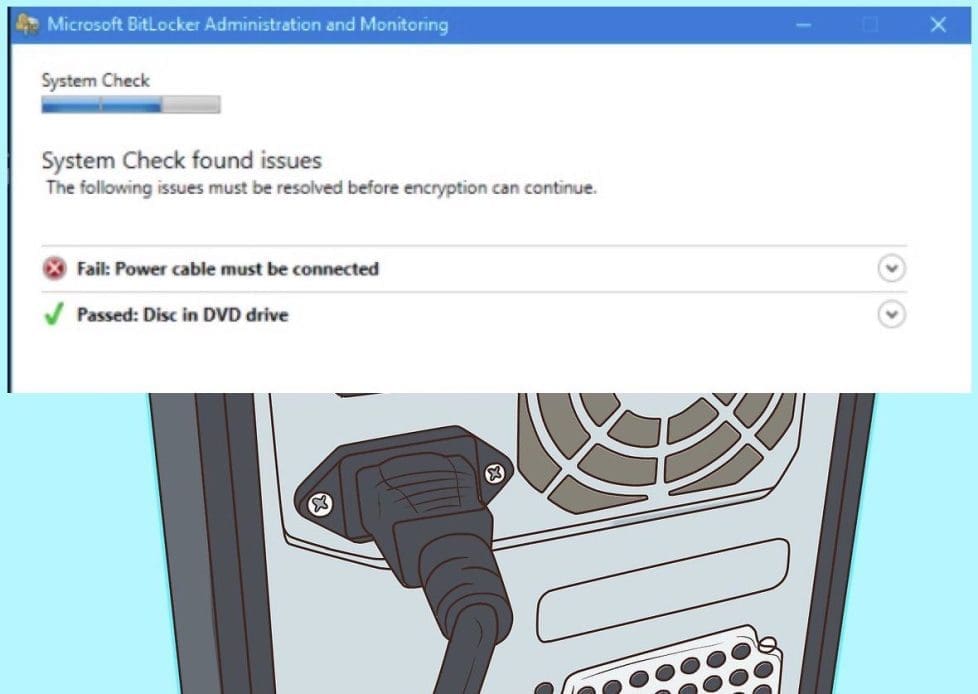
System check found some issues during MBAM encryption: Fail, the Power cable must be connected

Posted on 03/02/202230/09/2023 Christian By Christian No Comments on System check found some issues during MBAM encryption: Fail, the Power cable must be connected
System check found some issues during MBAM encryption: Fail, the Power cable must be connected

Microsoft Desktop Optimization Pack (MDOP) is a suite (portfolio) of technologies available to Software Assurance customers through an additional subscription. The following components are included in the MDOP suite: Microsoft Application Virtualization (App-V), Microsoft User Experience Virtualization (UE-V), Microsoft Advanced Group Policy Management (AGPM), Microsoft Diagnostics & Recovery Toolset (DaRT), and Microsoft BitLocker Administration and Monitoring (MBAM). MBAM is an administrator interface used to manage BitLocker drive encryption. It allows you to configure your enterprise with the correct BitLocker encryption policy options. Also, it as well allows you monitor compliance with these policies.

In this article we are exploring some of the issues during MBAM encryption and how to resolve it. Kindly refer to these related guides: How to create and deliver a report on System Utilization on a Linux-based OS, how to determine why an MBAM protected device is non-compliant, how to deploy Microsoft BitLocker Administration and Monitoring Tool, and How to perform vulnerability scan on Microsoft SQL Server.

During the System check as shown below, MBAM could fail due to the following issues identified below: Fail, the Power cable must be connected as shown in the image below.
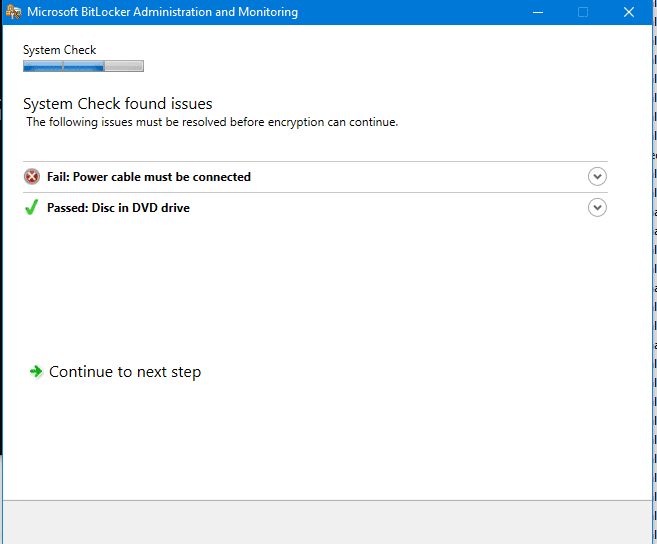
MBAM failing due to no Power Cable

How to Resolve the Encryption Issue

To resolve this issue, simply connected the power cable to the device and ensure the device is correctly charging. When this is done, MBAM will continue with the encryption of the device. You may also want to see how to resolve the following issue “waiting for auto-provisioning“.
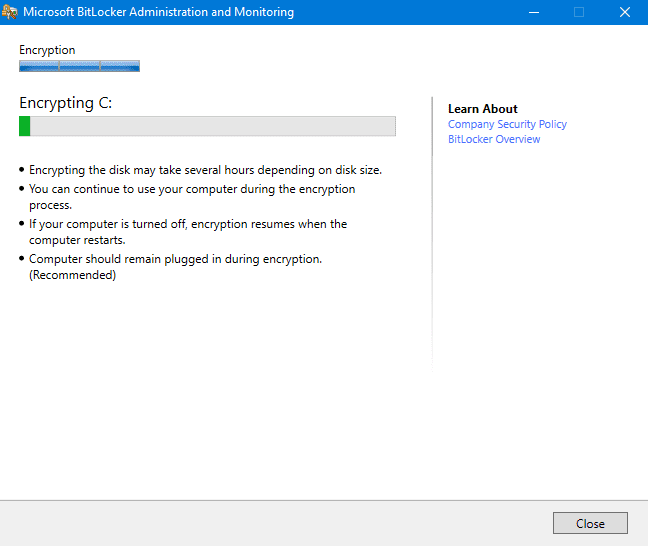
Encryption ongoing

As you can see below, the encryption has succeeded. As such the keys are escrowed to the database with a compliant status on the reporting services. Kindly refer to these guides for more information on MBAM reports. How to create MBAM Enterprise and Compliance, and Recovery Audit reports, and MBAM reports cannot be accessed because it could not load folder contents.
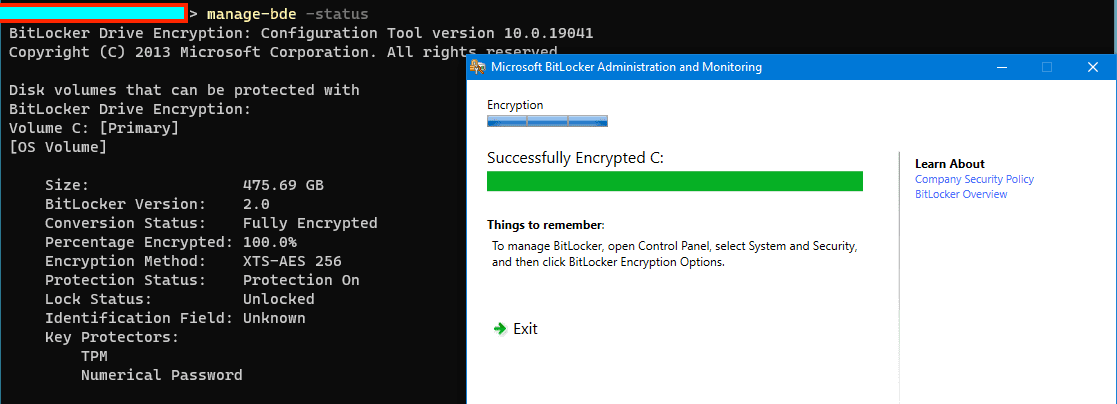
Encryption successful

Kindly refer to the following similar guides on BitLocker. How to view BitLocker disk encryption status in Windows, how to backup existing and new BitLocker recovery keys to Active Directory, BitLocker Drive Encryption architecture and implementation types on Windows, how to fix missing BitLocker Recovery Tab in Active Directory Users and Computers how to enable or disable BitLocker Drive Encryption on Windows 10 and Virtual Machines and How does Bitlocker Network Unlock work?

I hope you found this blog post on how to resolve issues during MBAM encryption helpful. If you have any questions, please let me know in the comment session.

Rate this post

Thank you for reading this post. Kindly share it with others.

  • Click to share on X (Opens in new window) X
  • Click to share on Reddit (Opens in new window) Reddit
  • Click to share on LinkedIn (Opens in new window) LinkedIn
  • Click to share on Facebook (Opens in new window) Facebook
  • Click to share on Pinterest (Opens in new window) Pinterest
  • Click to share on Tumblr (Opens in new window) Tumblr
  • Click to share on Telegram (Opens in new window) Telegram
  • Click to share on WhatsApp (Opens in new window) WhatsApp
  • Click to share on Pocket (Opens in new window) Pocket
  • Click to share on Mastodon (Opens in new window) Mastodon
  • Click to share on Bluesky (Opens in new window) Bluesky
  • Click to share on Threads (Opens in new window) Threads
  • Click to share on Nextdoor (Opens in new window) Nextdoor
Windows Tags:Bitlocker, BitLocker Status, Encryption, encrytp, Full Disk Encryption, MBAM, MBAM Errors, Microsoft BitLocker Administration and Monitoring, Windows 10, Windows 11

Post navigation

Previous Post: vCenter Converter removed from available downloads on VMware – Use Veeam instead
Next Post: How to fix unable to find compatible TPM

Related Posts

  • maxresdefault 12
    How to check Windows activation status and change your product key Windows
  • Ping 4
    Perform continuous ping on OSes and network Appliances Mac
  • WindowsCoreSecurity
    How to enable Smart App Control on Windows 11 Security | Vulnerability Scans and Assessment
  • Test your webcam and microphone before meeting
    How to Test Your Webcam And Microphone Before Meeting Windows
  • Disable and Enable USB in Windows
    Disable and Enable USB Usage for Certain Users in Windows Windows
  • Featured image RAM requirement for PC
    How much RAM does your Windows PC really need? Windows

More Related Articles

maxresdefault 12 How to check Windows activation status and change your product key Windows
Ping 4 Perform continuous ping on OSes and network Appliances Mac
WindowsCoreSecurity How to enable Smart App Control on Windows 11 Security | Vulnerability Scans and Assessment
Test your webcam and microphone before meeting How to Test Your Webcam And Microphone Before Meeting Windows
Disable and Enable USB in Windows Disable and Enable USB Usage for Certain Users in Windows Windows
Featured image RAM requirement for PC How much RAM does your Windows PC really need? Windows

Leave a Reply Cancel reply

You must be logged in to post a comment.

Microsoft MVP

VEEAMLEGEND

vexpert-badge-stars-5

Virtual Background

GoogleNews

Categories

veeaam100

sysadmin top30a
 
  • Screenshot 2020 06 22 at 11.33.46
    How to fix Bluetooth not available on MacBook Mac
  • Uninstall MicrosoftDefenderUpdate
    What you need to know about Microsoft Defender Antivirus Security | Vulnerability Scans and Assessment
  • image 11
    Setting Up your Amazon S3 Glacier and FastGlacier for Your Online Vault AWS/Azure/OpenShift
  • adac
    Enable Active Directory Recycle Bin: How to delete and restore objects using Active Directory Administrative Center Windows Server
  • GitLabrunner 1 1
    There has been a runner system failure: failed to start the process exec “pwsh” Containers
  • Screenshot 2024 02 28 at 11.17.41 PM
    GitHub Pages Deployment Guide Linux
  • plain blue background
    Request a certificate signing request in Windows using Microsoft Management Console Windows Server
  • Featured Image 1
    System Drive Conversion: MBR to GPT on Windows 10 Storage

Subscribe to Blog via Email

Enter your email address to subscribe to this blog and receive notifications of new posts by email.

Join 1,841 other subscribers
  • RSS - Posts
  • RSS - Comments
  • About
  • Authors
  • Write for us
  • Advertise with us
  • General Terms and Conditions
  • Privacy policy
  • Feedly
  • Telegram
  • Youtube
  • Facebook
  • Instagram
  • LinkedIn
  • Tumblr
  • Pinterest
  • Twitter
  • mastodon

Tags

AWS Azure Bitlocker Microsoft Windows PowerShell WDS Windows 10 Windows 11 Windows Deployment Services Windows Server 2016

Copyright © 2025 TechDirectArchive


Loading Comments...
 

You must be logged in to post a comment.