Create an NFS Storage on Synology NAS and Present it to XCP-ng


In this guide, we shall discuss how to Create an NFS Storage on Synology NAS and Present it to XCP-ng. Synology DSM makes NFS shares very simple for XCP-ng shared storage, enabling VM live migration, High Availability (HA), and Xen Orchestra backups on your existing NAS hardware. Please, see ho to setup DS923+ Synology NAS as a Backup Repository for VBR, and DSM Security: How to Protect Synology DS923+ NAS.
As mentioned above, XCP-ng hypervisors demand shared storage for VM live migration, high availability, and Xen Orchestra efficiency. NFS delivers this simply without proprietary lock-in. You can use TrueNAS, Synology NAS, or Linux NAS to create these Shares which XCP-ng mounts as a shared SR for VMs, ISOs, or backups.
Also, see A-Z of XCP-ng and Xen Orchestra setup and VM Creation, Step-by-step guide on how to set up the Synology DS923+ NAS, and Download and update Synology DiskStation NAS to DSM 7.3.
Storage in XCP-ng (Option 1 without XOA)
In a virtualized environment, the storage stack provides an intermediate layer between physical storage and virtual machines. This layer splits physical storage into smaller virtual disks. Inside the virtual machine, these appear as real block devices. The storage stack then transforms the data often storing it in VMDK or VHD file formats before it reaches physical storage.
Vates encourages people to use file based SR (local ext, NFS, XOSTOR…), because it’s easier to deal with. Also, you do need at least one Storage Repository (SR) before you can create a functioning VMs in XCP‑ng. To workaround this, you can use the /media as it already exists.
Below are the storage types that are officially supported. Others are provided as-is, in the hope that they are useful to you but not maintained by XCP-ng. And they receive less testing than the officially supported ones.
| Type of Storage Repository | Name | Thin Provisioned | Shared Storage | Officially Supported |
|---|---|---|---|---|
| file based | Local EXT | X | X | |
| Software RAID | X | No. Provided as-is | ||
| NFS | X | X | X | |
| File | X | X (use with caution) | ||
| XOSTOR | X | X | X | |
| ZFS | X | No. Provided as-is | ||
| XFS | X | No. Provided as-is | ||
| GlusterFS | X | X | No. Provided as-is | |
| CephFS | X | X | No. Provided as-is | |
| MooseFS | X | X | No. Provided as-is | |
| block based | Local LVM | X | ||
| iSCSI | X | X | ||
| HBA | X | X | ||
| Ceph iSCSI gateway | X | No. Provided as-is | ||
| CephRBD | X | No. Provided as-is |
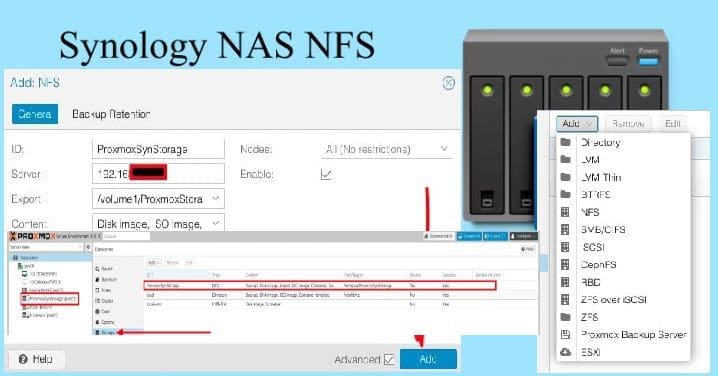
How to Add Synology NFS Storage to Proxmox VE for VMs and Backups, and Setup DS923+ Synology NAS as a Backup Repository for VBR.
Create a Shared Folder on Synology and Set Permission
Shared, thin-provisioned storage. Efficient, recommended for ease of maintenance and space savings.
Synology shared folders organize storage and control access for NFS, SMB, or iSCSI shares like XCP-ng storage. To do this, launch the Control Panel as shown below and click on Shared Folder. Click Create and create a shared folder and employ the below settings according to your need:
- Name:
xcp-ng-storage(or your choice) - Description: Optional (e.g., “XCP-ng NFS VMs/ISOs”)
- Location:
volume1(select your volume) - Hide folder: (uncheck for visibility)
- Enable Recycle Bin: (recommended)

On the NFS Permission Tab, you can create a new NFS Rule and add the hostname of the the XCP-ng Server, and assign the privilege and Squash settings as shown below and click on Save.:
- Hostname/IP or Network: Enter your XCP-ng server’s IP or subnet (
192.168.10.0/24) - Privilege: Read/Write
- Squash: No mapping
- Asynchronous: Enable
- Click Save.
This gives XCP-ng full root access to create subdirectories (VM UUID folders) that Xen Orchestra needs.

As you can see, we have created our NFS permission, and we will click on Save again.

To create a new storage on Synology, please follow the steps discussed here “Add Synology NFS Storage to Proxmox VE for VMs and Backups, and A-Z of XCP-ng and Xen Orchestra setup and VM Creation“.
I hope you found this article on how to create an NFS Storage on Synology NAS and Present it to XCP-ng very useful. Please, feel free to leave a comment below.