How to replace Veeam Recovery Orchestrator License


During the installation of Veeam Recovery Orchestrator (VRO), I initially applied an evaluation license, which expires after 30 days. Since this is not sustainable for my lab environment, I requested an NFR (Not‑For‑Resale) license, as discussed here “how to apply and install Veeam NFR License“. Therefore, in this article, I will discuss How to replace Veeam Recovery Orchestrator License. Please, see Process Explorer: Replace built-in Task Manager, and Fix failed to connect to the backup server: Make sure it is online.
All machines added to the plan consume license instances, even if they have no replica or backup. All machines used in DataLab groups to support plan testing environments also consume license instances.
Please, see Fix the following error occurred when DNS was queried for the service location, how to fix “Unable to Sign In: Domain Not Available”, and How to setup a cache-only DNS server.
Veeam Recovery Orchestrator Paid License Types
With the enhanced integrations and architectural updates across the Veeam Data Platform. Veeam Recovery Orchestrator (VRO) now requires additional licensing, particularly for Veeam ONE. In previous versions. VRO included a lightweight, embedded version of Veeam ONE for data collection at no extra cost. With new features such as the Veeam Threats dashboard requires fully licensed versions of Veeam Recovery Orchestrator, Veeam ONE, and Veeam Backup & Replication.
As already mentioned above, VRO requires a Veeam Data Platform (VDP) Premium or Advanced license, as VDP Foundation does not support it due to lacking Veeam ONE licensing. Licenses cover orchestrated objects such as VMs in recovery plans and the underlying Veeam Backup & Replication (VB&R) and Veeam ONE environments. VRO supports paid and free licenses, each suited for specific use cases.
- Paid Licenses:
- Rental: Full license intended for service providers. The expiration date of the Rental license is set to the contract end date, which is the last day of the month and normally one month from the contract start date.
- Subscription: Full enterprise license, ranging from 1-5 years from issue date (subscription).
- Perpetual: Permanent enterprise license, usable until support ends, no expiration.
Please see how to Deploy Veeam Recovery Orchestrator and Agents to VBR and VEM, how to Integrate Hyper-V [SCVMM] with Veeam Recovery Orchestrator, and Why you should not Upgrade Windows on an ePO Server.
VRO Free License Types
There are 2 types of free licenses available for the Veeam Data Platform Premium edition:
- Evaluation: 30-day trial for testing.
- NFR (Not For Resale): For demos, training; no commercial use.
Please see Integrate Hyper-V [SCVMM] with Veeam Recovery Orchestrator, how to upgrade Trellix ePolicy Orchestrator, and how to Find the Pathname of a Mapped Network Drive.
Install or Replace a Veeam Recovery Orchestrator License
To work with Orchestrator, you must obtain licenses for the objects that the solution orchestrates (backups or replicas of virtual or physical machines). And for the Veeam environment that you manage (Veeam Backup & Replication and Veeam ONE).
To install or replace a VRO license post-installation, please follow the steps below. Obtain a new .lic file from your Veeam license portal or support or an NFR as referenced above.
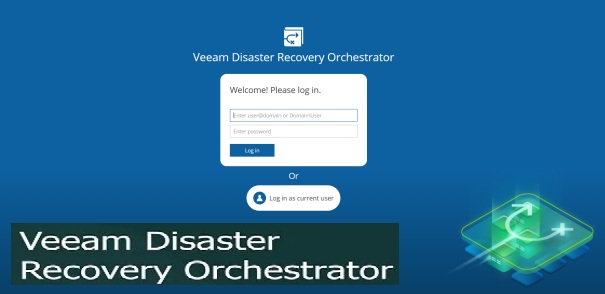
Log in to the VRO web console, and navigate to Administration > License. Click Install License Key, and browse to the new license file

Upon selecting the license file, click on Install.

Please see Domain Name System: How to create a DNS record, and and DNS Bad key 9017: The Cluster Name registration failed of one or more associated DNS names.
Orchestrator License Status
A license here is a unit (or token) that is assigned to a machine to make it manageable in Orchestrator. In version 13, each machine consumes one license instance regardless of the number of plans and DataLabs that include the machine. As you can see below, we have successfully installed our NFR license.
Note: Applying the NFR license does not extend the evaluation by 30 days. Rather, it replaces it and switches to the NFR’s one-year expiration. That is, it overrides the previous one (Evaluation) without additive effects.

All machines used in DataLab groups to support plan testing environments also consume license instances.
To transition to production, upgrade to paid VDP Premium/Advanced subscriptions or perpetuals for commercial use. The NFR free licenses prohibit protecting customer data with it. Please see AZURE Kubernetes Service (AKS) upgrade minor version from 1.32.3 to 1.33.7.
Note: Also, an existing deployments of Veeam Recovery Orchestrator (VRO) using a Veeam Data Platform Foundation license cannot be upgraded to Veeam Recovery Orchestrator 7 until a new license is installed/
I hope you found this article on how to replace Veeam Recovery Orchestrator License very useful. Please, feel free to leave a comment below.