As a security practitioner, or someone that is studying or has studied the Certified information systems security professional (CISSP). You will be familiar with the terms “due care” and “due diligence”. Everyone assumes to know what they mean in literal terms. But there are important distinctions between them and can be challenging to comprehend when faced with some practical scenarios. In this article, I will work you through the topic of relating Due Diligence and Due Care to Veeam Backup and Replication. Here are some related articles: Set up Veeam Backup for Microsoft Azure, how to install Veeam Backup and Replication 11 Community Edition with a dedicated SQL Server, how to uninstall Veeam Backup and Replication from your server, and how to fix Windows cannot find the Microsoft software license terms.
In a nutshell, before diving into the topic further, Due care is an organization’s reasonable effort to protect system assets and/or people. A good way to think of this is “Do Correct” while Due diligence is an organization’s ongoing effort to ensure assets and/or personnel remain protected which involves prior planning. A good way to think of this is “Do Maintain”. Please see Failure Reasons for Windows Event Viewer.
Why should these terms be taken seriously?
As mentioned above, Due diligence and Due care are often used interchangeably. In the cybersecurity context, both aim in protecting the organization’s critical IT systems and data. But, these terms are different from each other. With an emphasis on various studies online, 82% of breaches are attributed to humans and this composes of various attack techniques such as social engineering etc. This is not an exhaustive list and there are other threats that you need to be aware of. Here is a link to an article from Crowstrike.
Also, due to the cost associated with cybercrime damages, organizations cannot afford to misconstrue these terms thereby leading to ineffective cybersecurity programs.
Here are some interesting articles relating to cyber security: How to protect your Windows PC from potentially unwanted applications, How to Scan your Code by Integrating SonarCloud into Your GitHub Repository, How to scan WordPress Websites With WPScan For Security Vulnerabilities, how to enable or disable Windows Defender Credential Guard, and how to Protect Microsoft Defender Settings with Tamper Protection.
What is Due Diligence (DD)?
Due Diligence involves the practice of identifying and mitigating cybersecurity risks. This involves the governance structures, processes, and frameworks put in place to meet the organization’s obligation. Here you define backup strategy, define Recovery point objective (RPO), and Recovery Time Objective (RTO) as part of the due diligence efforts. I found a CISSP practice question that will enable you to understand the term “DD” correctly.
With the increased frequency of breaches and outages, it’s more important than ever to have a solid data backup strategy. Since a lot of organizations have embraced the hybrid work model, it is critical to be able to protect remote data in many different locations. The 3-2-1 rule of backup is an ideal strategy to adhere to.
What is Due care (DC)?
As mentioned above, This is a legal term that pertains to the legal duty of an organization. Due Care is more tactical and happens at the moment, and it involves the steps taken to ensure that assets and employees of an organization have been secured and protected and that upper management has properly evaluated and assumed all unmitigated or transferred risks. In a nutshell, this involves taking all reasonable steps from preventing issues from metamorphosing into larger concerns.
That is, DC focuses on exercising the best effort and reasonable care to conduct activities and take preventive, detective, corrective, or recovery actions
Lack of due care is often considered negligence. An example of Due Care is training your employees in security awareness programs. DC means you are doing what you are supposed to do to safeguard the IT systems. In other words, it means acting reasonably as any just person would do. This is sometimes referred to as a prudent man rule.
Prudent man rule: Senior executives must take personal responsibility for ensuring due care such that ordinary, prudent individuals would exercise in the same situation
Apply Due Diligence and Due Care to Veeam Backup and Replication Usage?
By the way, if you have not taken the Veeam Certified Architect: A Review of the VMCA Training & Certification course, kindly do so as this will help you in performing the due diligence effort needed to protect your organization’s critical data/information. I also highly recommend the following course “Veeam Certified Engineer“. Here is a review of the VMCE training and certification in order to keep up with the due Care Effort. Without this knowledge, how do you perform “Due care” which is the organization’s reasonable effort to protect system assets that are critical to the functioning of your organization?
Due diligence in the context of Veeam backup and replication
1: Create a Backup Strategy
This refers to the process of taking reasonable steps to ensure that the data being backed up and replicated is protected and accessible when needed. An example of how to achieve this is the 3-2-1-1-0 Golden Backup Rule or the famous 3-2-1 rule which is highly advocated by Veeam to help organizations ensure recoverability when it is needed most.
This includes performing regular backups of your critical IT infrastructure and data. You can achieve this with any of the solutions from Veeam depending on your business need. Kindly take a look at the All Product page and decide on the tool that fits your need. You can choose from individual feature downloads for small businesses, service providers, and FREE Community Edition product offerings.
After deciding on your product of choice, install and develop a backup strategy. With this, you shall determine the data that are critical to your organization and also determine how often to back up (backup schedule and retention policy) that meets your recovery objectives.
2: Backup Test
Testing backups to ensure they are working properly. Veeam Backup and Replication offers the SureBackup technology to test backups and check if you can recover data from them. Kindly take a look at this link for more information.
Testing your backups regularly ensures that they are working as expected and that you can recover data when needed.
3: Implement Security Measures
Implementing security measures such as encryption. Veeam Backup & Replication and Veeam Agent use encryption technology to protect data both in transfer and at rest. Backup and backup copy job encryption is designed to protect data at rest in case of unauthorized access to backup files.
4: Implement Secure Access Control
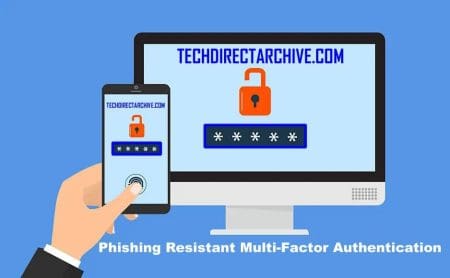
Implement authentication and access controls to limit access to backup and replication resources to authorized personnel only. You can configure multi-factor authentication (MFA) for additional security of user accounts. Combined with login and password credentials, it creates a more secure environment and protects user accounts from being compromised.
By applying due diligence to Veeam backup and replication. Organizations can ensure that critical data is protected and available in the event of a disaster or other disruption.
Due care in the context of Veeam backup and replication
This refers to the ongoing effort to maintain the security and reliability of the backup and replication infrastructure.
1: This includes regularly assessing and addressing any vulnerabilities or risks that may arise. To achieve this, you must keep Veeam backup and replication up to date with the latest patches to ensure security vulnerabilities are addressed. Please see how to fix critical Veeam Backup and Replication 9.5, 10, and 11 vulnerabilities.
2: Implementing appropriate security controls, employee training on secure backup and replication practices, and steps to reporting security incident when the VBR is compromised.
3: Performing continuous monitoring of the backup and replication environment to ensure that it remains secure and operational. Veeam also provides your business with powerful IT monitoring and analytics solutions. This will notify you in advance in the event of a potential threat to ensure the protection of your critical data. This includes automated remediation of unexpected issues and capacity planning for your critical backup and disaster recovery processes.
By applying due care to Veeam backup and replication, organizations will minimize the risk of data loss or breach. And ensure that critical data is always available when needed.
The VMCE certification is a testament that an administrator or engineer has gained the necessary level of expertise to protect an organization’s data with Veeam Availability Suite. It vouches that an engineer possesses the required level of expertise to deploy, configure, and administer the Veeam Availability Suite. This is a paramount and crucial function required by an organization to actively have its data protected. Enrol Today!!!
I hope you found this article on Relating Due Diligence and Due Care to Veeam Backup and Replication useful. Please let me know in the comment section if you have any questions.