Skip to content

TechDirectArchive

Hands-on IT, Cloud, Security, Veeam & DevOps

  • Home
  • About
  • Advertise With US
  • Reviews
  • Contact
  • Toggle search form

Author: Temitope Odemo

I am a writer, tutor, OWASP Leader, and experienced Leader in IT Infrastructure with a strong background in Software Quality Assurance, Software Testing, Web Application Security, IT cybersecurity, Cloud Technology, System admin, Network management, Installation, and Maintenance of software and hardware. A business developer and Trained to deliver an exceptional level of customer service in IT support. Ready to take up challenging situations in the field to repair modify install and advice in the management of software and hardware.

How to Enable or Disable Screen Saver on Windows

Posted on 19/04/202216/08/2026 Temitope Odemo By Temitope Odemo No Comments on How to Enable or Disable Screen Saver on Windows
How to Enable or Disable Screen Saver on Windows

In this guide, I will be showing you how to enable or disable the screen saver on Windows computers via the Windows settings and Group Policy. This sometimes is very necessary for some corporate environments where employees are restricted from setting some inappropriate images as their screen savers. Please see How to disable Lock Screen…

Read More “How to Enable or Disable Screen Saver on Windows” »

Windows

Prevent Windows Users from Changing the Screen Saver via the Registry Settings

Posted on 13/04/202216/08/2026 Temitope Odemo By Temitope Odemo No Comments on Prevent Windows Users from Changing the Screen Saver via the Registry Settings
Prevent Windows Users from Changing the Screen Saver via the Registry Settings

A Screensaver is a computer software program that blanks the screen with moving images or patterns when the computer is not in use. In this article, we will learn how to Prevent Windows Users from changing the Screen Saver via the Registry Settings. The original purpose of screensavers was to prevent phosphor burn-in on CRT. Though…

Read More “Prevent Windows Users from Changing the Screen Saver via the Registry Settings” »

Windows

Enable HyperV on Windows: How to install Windows 11 on HyperV

Posted on 28/03/202216/08/2026 Temitope Odemo By Temitope Odemo No Comments on Enable HyperV on Windows: How to install Windows 11 on HyperV
Enable HyperV on Windows: How to install Windows 11 on HyperV

On June 24, 2021, Microsoft released Windows 11 which is a major release of Microsoft’s Windows NT OS and this is now going to succeed Windows 10 which was released over 5 years ago. Please see How to install and uninstall Docker Desktop on Windows 10 and Windows Server, and How to upgrade Windows 10…

Read More “Enable HyperV on Windows: How to install Windows 11 on HyperV” »

Windows, Windows Server

How to integrate AWS CodeBuild and AWS CodeCommit to SonarCloud

Posted on 19/03/202216/08/2026 Temitope Odemo By Temitope Odemo No Comments on How to integrate AWS CodeBuild and AWS CodeCommit to SonarCloud
How to integrate AWS CodeBuild and AWS CodeCommit to SonarCloud

It is always a challenge to have your code released without bugs or vulnerabilities. There is a need to have a quality code and a very efficient code review process. We have several tools in the marketplace that can be integrated into your DevOps to provide you insights into your code and one of the…

Read More “How to integrate AWS CodeBuild and AWS CodeCommit to SonarCloud” »

AWS/Azure/OpenShift, Version Control System

Setup HTTPS users using Git credentials and Pushing Code to AWS CodeCommit

Posted on 19/03/202216/08/2026 Temitope Odemo By Temitope Odemo 2 Comments on Setup HTTPS users using Git credentials and Pushing Code to AWS CodeCommit
Setup HTTPS users using Git credentials and Pushing Code to AWS CodeCommit

If you want to create a connection to AWS CodeCommit repositories is by configuring Git credentials for CodeCommit in the IAM console. In this article, you shall learn how to setup HTTPS users using Git credentials and Pushing Code to AWS CodeCommit. Kindly check these pages to read more on AWS: How to Deploy Dynamic…

Read More “Setup HTTPS users using Git credentials and Pushing Code to AWS CodeCommit” »

AWS/Azure/OpenShift, Version Control System

How to monitor your website uptime and status using Uptime

Posted on 19/03/202216/08/2026 Temitope Odemo By Temitope Odemo No Comments on How to monitor your website uptime and status using Uptime
How to monitor your website uptime and status using Uptime

There is a need to monitor your website uptime and status and the best online tool out there is Uptime.com which does more than check for your website availability. It monitors for any critical performance issues existing on the website. Furthermore, It has a reporting feature where you can share status reports with management or…

Read More “How to monitor your website uptime and status using Uptime” »

Configuration Management Tool

How to use Command-Line on Git Bash and GitHub Desktop to PUSH local code to GitHub

Posted on 06/03/202216/08/2026 Temitope Odemo By Temitope Odemo No Comments on How to use Command-Line on Git Bash and GitHub Desktop to PUSH local code to GitHub
How to use Command-Line on Git Bash and GitHub Desktop to PUSH local code to GitHub

GitHub is a code repository and hosting platform for version control and collaboration. The software GitHub is a Microsoft platform that helps the development team to collaborate on different projects from anywhere in the world. GitHub Desktop is an application that allows you to interact with GitHub using a Graphical User Interface (GUI) instead of using the…

Read More “How to use Command-Line on Git Bash and GitHub Desktop to PUSH local code to GitHub” »

Version Control System

What to do when your Remote Desktop Licensing Manager Server Crashes

Posted on 26/02/202216/08/2026 Temitope Odemo By Temitope Odemo No Comments on What to do when your Remote Desktop Licensing Manager Server Crashes
What to do when your Remote Desktop Licensing Manager Server Crashes

There is no cause for alarm whenever your designated Remote Desktop Licensing Manager Server crashes, and people are finding it hard to connect remotely to servers due to the crash because the server to assign the RDS license has crashed. In this article, we shall demonstrate what to do when your Remote Desktop Licensing Manager…

Read More “What to do when your Remote Desktop Licensing Manager Server Crashes” »

Windows, Windows Server

Configure GPS location “Google Map” on your Android Studio Emulator

Posted on 22/02/202216/08/2026 Temitope Odemo By Temitope Odemo 1 Comment on Configure GPS location “Google Map” on your Android Studio Emulator
Configure GPS location “Google Map” on your Android Studio Emulator

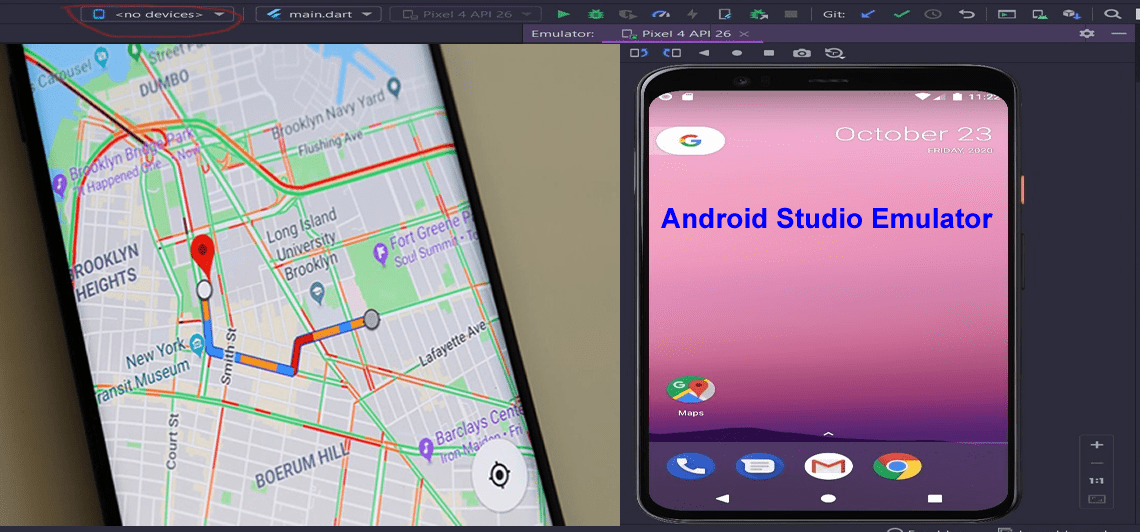
What is a GPS? Stands for “Global Positioning System.” GPS is a satellite navigation system used to determine the ground position of an object.  In this article, we shall discuss how to configure GPS location “Google Map” on your Android Studio Emulator. Please see how to Map a Network Drive: How to mount a Network…

Read More “Configure GPS location “Google Map” on your Android Studio Emulator” »

Windows

INACCESSIBLE BOOT DEVICE: Fix Your PC ran into a problem and needs to restart

Posted on 21/02/202216/08/2026 Temitope Odemo By Temitope Odemo 4 Comments on INACCESSIBLE BOOT DEVICE: Fix Your PC ran into a problem and needs to restart
INACCESSIBLE BOOT DEVICE: Fix Your PC ran into a problem and needs to restart

In this article, you will learn about the following error ” INACCESSIBLE BOOT DEVICE: Fix Your PC ran into a problem and needs to restart”. This is one hard nut to crack of an issue as it involves the booting system of your computer and prevents you from login into your system. Please see Cyclic…

Read More “INACCESSIBLE BOOT DEVICE: Fix Your PC ran into a problem and needs to restart” »

Windows, Windows Server

How to use Postman for your POST Request

Posted on 20/02/202216/08/2026 Temitope Odemo By Temitope Odemo No Comments on How to use Postman for your POST Request
How to use Postman for your POST Request

What is a Postman? It is another popular tool for testing APIs. Postman can be used to send API requests to any REST API, and also can be used to receive responses to your requests. What is a POST Request? This happens when a client is posting data on a specific endpoint and this method…

Read More “How to use Postman for your POST Request” »

Web Server, Windows, Windows Server

How to Fix Windows Error 0x80070057

Posted on 13/02/202217/08/2026 Temitope Odemo By Temitope Odemo No Comments on How to Fix Windows Error 0x80070057
How to Fix Windows Error 0x80070057

This error 0x80070057 is another Windows error that is no longer strange to every Windows user. From the reigning days of Windows XP till now this issue has persisted and is never an error that cannot be fixed. In this guide we will be showing you a few steps that you can take to bring…

Read More “How to Fix Windows Error 0x80070057” »

Windows, Windows Server

Fix Error 853: The remote access connection completed, but authentication failed because the certificate that authenticates the client to the server is not valid

Posted on 02/02/202217/08/2026 Temitope Odemo By Temitope Odemo No Comments on Fix Error 853: The remote access connection completed, but authentication failed because the certificate that authenticates the client to the server is not valid
Fix Error 853: The remote access connection completed, but authentication failed because the certificate that authenticates the client to the server is not valid

Every computer that you connect to a Virtual Network with a Point-to-Site connection must have a client certificate installed. lease see how to create, configure and apply Group Policy Objects on Windows Servers , and how to Install Windows Admin Center on Windows 10 & 11. All what is required is just to generate it…

Read More “Fix Error 853: The remote access connection completed, but authentication failed because the certificate that authenticates the client to the server is not valid” »

Network | Monitoring, Windows, Windows Server

Posts pagination

Previous 1 … 12 13 14 … 16 Next

Microsoft MVP

vexpert-badge-stars-5

Virtual Background

VEEAMLEGEND

Categories

Top 30 Sysadmin blog

veeaam100

Veeam Vanguard

  • screensaver1
    Prevent Windows Users from Changing the Screen Saver via the Registry Settings Windows
  • RUST FEATURE
    How to install Rust in a Linux System Linux
  • How to Disable UAC with Group Policy and enable PIN in Windows Hello
    How to Disable UAC with Group Policy and enable PIN in Windows Hello Windows
  • VeeamOn 2023 Miami
    Why you should attend VeeamOn 2023 Backup
  • images 3
    Install Minimal Container Templates on Proxmox Server Virtualization
  • telnet
    Could not open a connection to the host, on the port, connect failed Windows Server
  • nested virtualization
    Enable the Virtual Machine Platform Windows Feature and ensure Virtualization is enabled in the BIOS Virtualization
  • xxxxxx 1
    Display Windows system information via the Windows registry Windows

Subscribe to Blog via Email

Enter your email address to subscribe to this blog and receive notifications of new posts by email.

Join 1,746 other subscribers
  • RSS - Posts
  • RSS - Comments
  • About
  • Authors
  • Write for us
  • Contact
  • Advertise with us
  • General Terms and Conditions
  • Privacy policy
  • Feedly
  • Telegram
  • Youtube
  • Facebook
  • Instagram
  • LinkedIn
  • Tumblr
  • Pinterest
  • Twitter
  • mastodon
  • Bsky

Tags

Active Directory Azure Bitlocker Microsoft Windows PowerShell WDS Windows 10 Windows 11 Windows Deployment Services Windows Server 2016

Copyright © 2026 TechDirectArchive