Enable the Virtual Machine Platform Windows Feature and ensure Virtualization is enabled in the BIOS

In this article, we will discuss how to fix “Virtual Machine Platform Windows Feature and enable virtualization”. Azure DevOps and GitHub integration for Docker and Kubernetes deployment, how to create a static pod in Kubernetes, and how to install, register and start GitLab Runner on Windows. Docker is an open-source containerization platform that enables developers to package apps into containers and standardized executable components combining application source code with the operating system (OS) libraries and dependencies required to run that code in any environment.
You need Docker in order to work with Windows Containers. Docker consists of the Docker Engine (dockerd.exe), and the Docker client (docker.exe).
Kindly refer to these related guides: How to create and deploy a local Registry Server with Docker Image, and how to Pull your first Nginx Container Image from Docker Hub and deploy it to your local machine.
Why was the error “Virtual Machine Platform Windows Feature and enable virtualization in the BIOS” prompted?
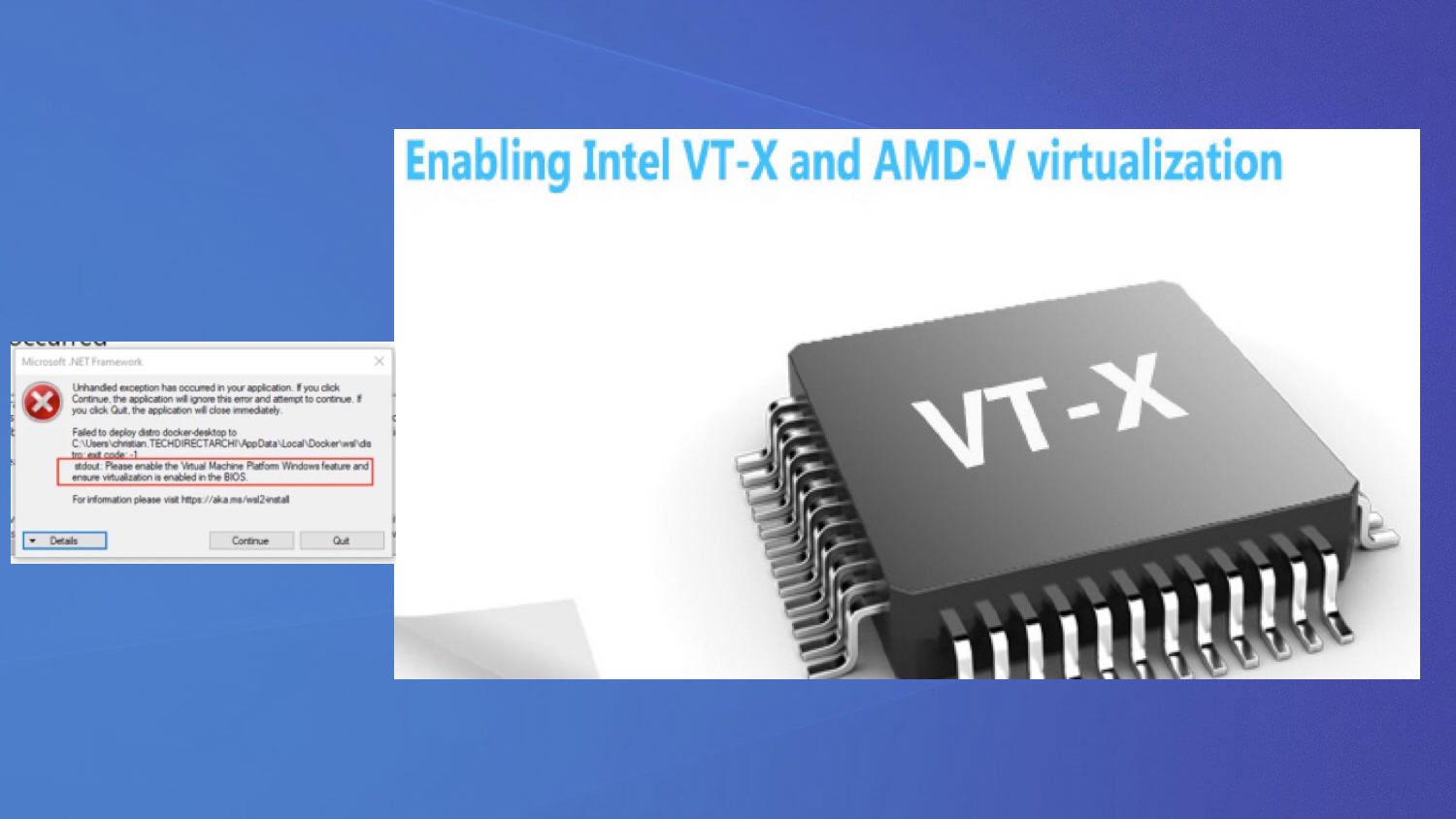
The following errors below will be prompted because the prerequisite for installing Docker Desktop on a VM wasn’t met.
One of the requirements is to enable “BIOS-level hardware virtualization support must be enabled in the BIOS settings“. This was omitted and therefore the below error was prompted.
Please see the how to install and uninstall Docker Desktop on Windows 10 and Windows Server.


Note: Even when you reset the factory default, this has its implications and will not resolve the issue.
Restoring to factory defaults reset and destroys all Docker containers and images local to the machine, and restores the application to its original state, as when it was first installed.
Here is a similar error “ESXi VMB 411 Halting: Virtualbox Nested VT-X/AMD-V greyed out“.
Solution: Enable the Virtualization Engine (VT-x/EPT or V/RVI)
In order to have the same physical CPU prerequisites as you did in the past to run “Nested Virtualization“. We will be enabling the following features below.
- Intel VT-x or AMD-V is required for running “Nested Virtualization” which supports nested 32-bit VMs
- Intel EPT or AMD RVI is required for running nested 64-bit VMs.
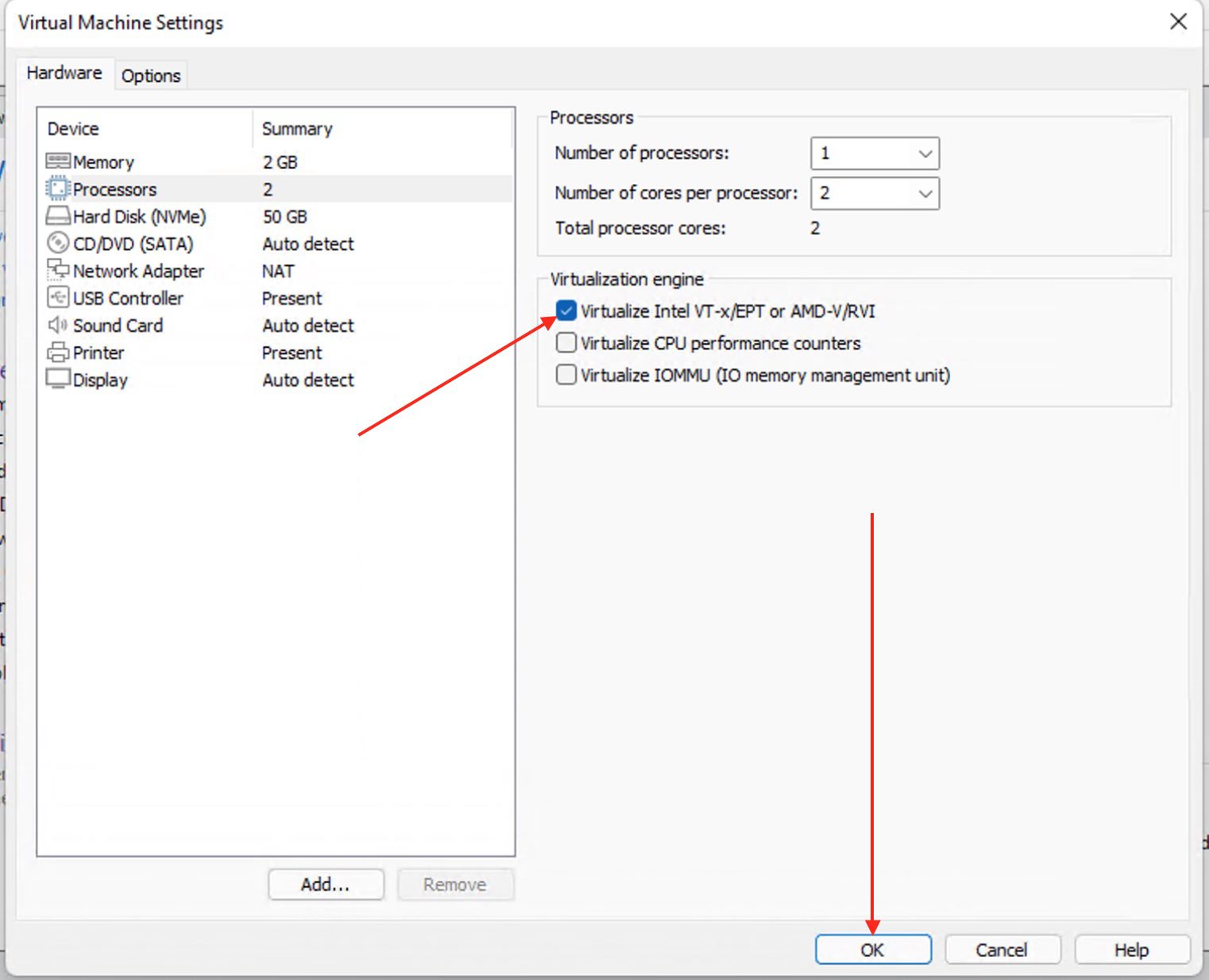
To enable Virtualization on a VM, you will need to shut down the Virtual machine (VM). Right-click on the VM and select “Settings”.
Alternatively, if you’re working with the Virtual Machine Platform Windows Feature, you can click on the VM, and the VM details will be displayed. Simply select “Edit virtual machine settings” to proceed with necessary adjustments.

Enable Virtualise intel and AMD
Accessing the Virtual Machine Settings window is crucial regardless of your chosen steps.
This window encompasses vital configurations, including the Virtual Machine Platform Windows Feature, enhancing your virtualization experience.
Check (tick) the option to enable VT-x/EPT or V/RVI to have it enabled and click on OK to complete the process.
You do not need to edit the machines .vmx file after performing the opertions above. This is sufficient!Feel free to start utilizing your Virtual Machine Platform Windows Feature by powering it on. Simply double-click the Docker Desktop to initiate the launch.
After a brief moment, you’ll be greeted with the window displayed below. Click on Start to continue using Docker Desktop.

Upon clicking the Start button, you’ll encounter an instructional window. In my case, tasks like repository cloning aren’t of interest.
Consequently, I’ll proceed to bypass the tutorial, as illustrated below. If you encounter any issues during this process, consider enabling the Virtual Machine Platform Windows Feature to enhance functionality.

From now henceforth, you should be able to perform any docker-related operation without issues. Here is a guide on how to update Fujitsu server BIOS

I hope you’ve benefited from this blog post on how to “Virtual Machine Platform Windows Feature and enable virtualization”. For queries or guidance regarding the Virtual Machine Platform Windows Feature, please ask in the comments.