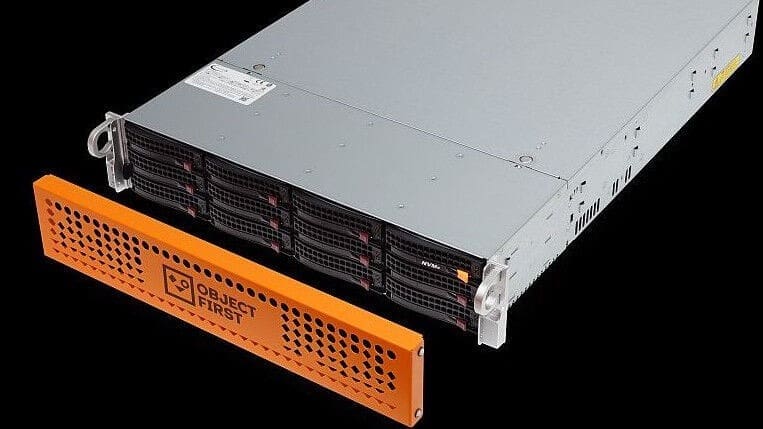
In this guide, we shall discuss the “Unveiling OOTBI Mini and New Features for v1.7 from Object First”. According to Sophia Barnett argument, a technical Marketing Writer for Object First. Not every IT environment has the infrastructure to support traditional rack-mounted systems. Please, see OOTBI Security Best Practices: Enable Honeypot on Object First, and How to install Windows Server unto ACEMAGICIAN Mini PC.
Note that, offices with limited space, remote branches, and edge locations often lack the cooling capacity or dedicated server rooms required for large backup appliances can leverage OOTBI Mini. However, these constraints shouldn’t prevent organisations from achieving secure, immutable backups.
OOTBI is not met for consumers but for enterprises. Unlike Synology which for years has successfully addressed this challenge by delivering compact, efficient storage solutions that fit seamlessly into smaller environments. A model that has proven both practical and reliable.
Despite that, I am excited about the Object First OOTBI Mini. It extends this concept to immutable, ransomware-proof backup storage out of the box. And, specifically built for Veeam users and SMBs without traditional rack-mounted infrastructure.
While platforms like ZimaNAS and other open-source NAS solutions have also entered the space. They typically lack the immutability, zero-trust design, and advanced security hardening that OOTBI brings out of the box. Object First bridges this critical gap. By combining simplicity, security, and scalability in a compact form factor that empowers smaller environments to achieve enterprise-grade data protection
Also, see how to Configure Object First OOTBI Appliance, “Cybersecurity Tips to Secure Synology NAS against Ransomware“, and how to update Object First OOTBI Cluster.
OOTBI Mini
The OOTBI Mini comes in capacities of 8 TB, 16 TB, and 24 TB, enabling smaller organisations or remote/edge sites to deploy enterprise‑grade protection in a modest footprint. Configuration takes minutes, and it supports both CAPEX investment and subscription‑based OpEx models. Pre‑orders are open now, with first shipments targeted for January 2026.
From what I saw during the product launch, OOTBI Mini is based on the SC721TQ-350B compact mini-tower chassis etc. With a Dimensions of approximately 9.45″ high × 8.27″ wide × 11″ deep. It supports Mini-ITX motherboards and features a hot-swap drive bay design consisting of four 3.5″ SAS/SATA trays plus two internal 2.5″ bays.


OOTBI Mini has a small footprint, enterprise-class security, easy use and capacities from 8 TB, 16 TB, and 24 TB. Its power supply is a 350W, 80 PLUS Gold certified unit. Thereby, reinforcing energy efficiency and reliability in a small form factor. Below are some features available in the Mini.
- SMB‑friendly appliance: The Ootbi Mini delivers hardened immutability and ransomware‑proofing at lower capacity and cost. This enables smaller organisations to afford what was previously enterprise only. It can be deployed in constrained environments such as under desks, closets, small telecom rooms, or remote-site shelves become viable. No large dedicated server room or full rack is required.
- Pre‑emptive defence: The Honeypot feature turns the backup infrastructure into an active part of the detection strategy. And not just passive storage.
- Operational simplicity at scale: The Fleet Manager simplifies management of distributed backup appliances. This makes it viable for both MSPs and enterprises with multiple locations.
- Energy-efficient, low noise, reduced infrastructure demands: the 350W PSU and overall compact nature imply lower cooling/power overhead than rack-mounted systems.
Because the OOTBI Mini appliance is built on a platform like the SC721TQ-350B compact chassis etc., the following advantages emerges
- Future growth path: The same chassis architecture allows for clustering of nodes or expansion. This aligns with what Object First describes as scaling capabilities for the OOTBI Mini.
- With hot-swappable bays, drive servicing or replacement is simpler, lowering operational downtime and maintenance complexity.
Features available in Object First OOTBI 1.7
Ootbi Honeypot serves as an early detection of cyber threats targeting Veeam Backup & Replication (VBR). With just a few clicks, you can deploy “Honeypot” lets you set up a VBR environment (Acting as a Decoy) in a securely isolated area of OOTBI
This feature is included with Object First 1.7. Please, see “Offline and Online Update for Object First Out-of-the-Box Cluster“. Also, see “Understanding User Roles & Access Control in Object First OOTBI“.
Honeypot Feature
Some users already have it and others will have it in their upcoming 1.7 software release. Object First enable a built‑in Honeypot Decoy of the VBR on OOTBI appliance.
By activating the honeypot mode and assigning a static or DHCP IP address as shown below. The appliance will masquerade as a live Veeam Backup & Replication server. When malicious actors scan or interact with that decoy, the appliance triggers alerts. This therefore gives the IT teams early warning of ransomware reconnaissance or intrusion attempts.
By this way, this has been discussed here. Please, see OOTBI Security Best Practices: Enable Honeypot on Object First.

This addition reflects the growing reality: backup systems themselves are now prime targets for attack, so proactive deception and detection become part of the resilience strategy.
Please, see What is taking up by Synology NAS Volume Space, and how to Patch Veeam Backup and replication 12.3.2.3617 to 12.3.2.4165.
Fleet Manager: Centralised Control for Multiple Deployments
The Ootbi Fleet Manager is a new, cloud-based management console from Object First that provides centralized monitoring and visibility over all of an organization’s Ootbi (Out-of-the-Box Immutability) backup storage appliances (currently in beta).

This hosted dashboard enables oversight of many OOTBI devices across customers, sites or data centres from a single pane of glass.
The Fleet Manager offers unified monitoring, health‑alerts and reporting across the entire fleet of appliances. For MSPs/ SPs, that means easier multi‑tenant management; for enterprises, that means reduced operational overhead for remote/edge or distributed backup storage infrastructure.
Please, see “What are the different types of DNS Records“, Linux System Update: Upgrade vs. Dist-upgrade Differences, and how to Find the Pathname of a Mapped Network Drive.
Conclusion
With cyber‑threats targeting backups more aggressively, organisations need more than just storage. They need hardened, resilient, manageable solutions. The Ootbi Mini and its companion features from Object First respond directly to this need by offering turnkey deployment, built‑in deception, and centralised management.
If you’re evaluating backup infrastructure for edge sites, SMBs or distributed deployments, this new offering warrants close attention.
Please, see How to Import PST file into Exchange Server 2016, Outlook Data File: Fix PST Error – Exceeded Maximum Large Items, and The trust relationship between this workstation and the primary domain failed.
FAQs
The OOTBI Mini is built for SMBs, branch offices, and edge locations that lack the space, cooling, or infrastructure for traditional rack-mounted backup appliances. It fills the gap for organizations that need turnkey, secure, and scalable backup storage without the complexity or cost of enterprise hardware.
The OOTBI Mini comes in 8 TB, 16 TB, and 24 TB capacities. Despite its compact size, it supports clustering with other OOTBI Minis for scalability, allowing organizations to grow their backup environment as needed.
The OOTBI Mini is pre-hardened for immutability, meaning backup data cannot be altered or deleted, even by administrators. It incorporates zero-trust principles, hardened OS, and secure storage layers to protect against ransomware attacks. Additional features such as the upcoming Honeypot and Fleet Manager further enhance monitoring and threat detection for distributed deployments.
The OOTBI Mini is a compact, desktop‑tower backup appliance from Object First, designed to bring enterprise-grade immutability and ransomware-proof protection to small and medium businesses (SMBs), remote offices, and edge locations. It delivers the same hardened security features as larger OOTBI appliances but in a small form factor suitable for constrained environments.
I hope you found this article on “Unveiling OOTBI Mini and New Features for v1.7 from Object First” very useful. Please, feel free to leave a comment below.