Skip to content

TechDirectArchive

Hands-on IT, Cloud, Security & DevOps Insights

  • Home
  • About
  • Advertise With US
  • Reviews
  • Contact
  • Toggle search form
Home » Mac » Enable or disable automatic Google Chrome Live Caption on macOS

Enable or disable automatic Google Chrome Live Caption on macOS

Posted on 27/08/202108/11/2024 Christian By Christian 15 Comments on Enable or disable automatic Google Chrome Live Caption on macOS
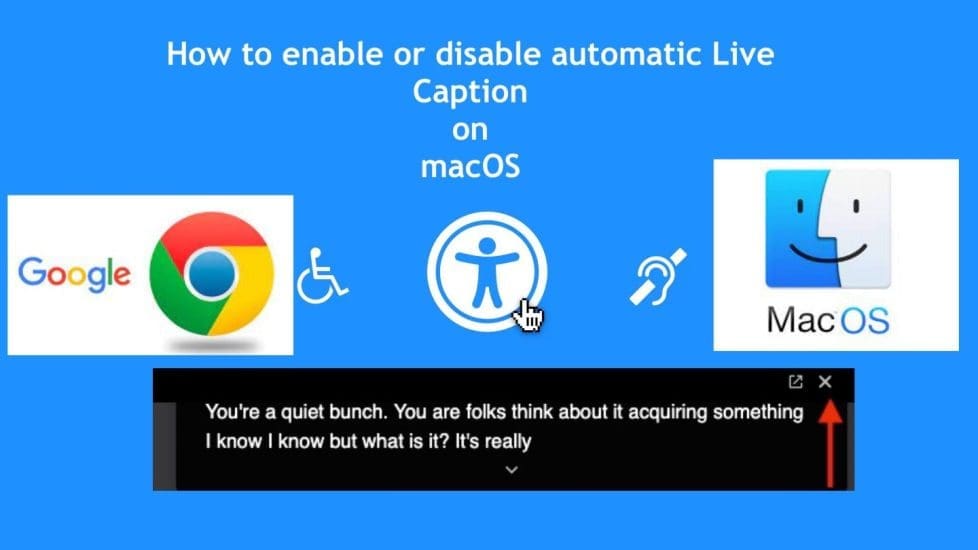
LiveCaption

Google has included the Live Caption transcription feature in version 89 of its Chrome browser for desktops. In this article, you will learn how to enable or disable automatic Google Chrome Live Caption on Mac. Please see How to use SysInternals Live Tools, how to set a browser as default in Windows, and learn about the Feature of Home Design in the Modern World. Also, see Fix missing path and delete a Veeam Backup Repository, and how to Install OpenSSL on Windows Computers.

Live Captions uses machine learning to create a real-time transcription for videos or audio played through the browser, which can make online media more accessible for members of the Deaf community and other people with hearing loss.

Kindly refer to some of my content around Microsoft Edge “How to block automatic delivery of Microsoft Edge Chromium-based. How to configure static page in Microsoft Edge browser via Local Group Policy, and how to configure favorites on Microsoft Edge via Group Policy.

Live Captions in Chrome

Live captions of videos and podcasts first made headlines feature on Google’s Pixel smartphones sometime last year. In the latest update of Chrome, this feature “accessibility option” is now available on macOS.

Once enabled, Live Captions appear in a box at the bottom of the browser. Whenever you play audio or video that includes people talking. It works on every video played on your devices such as YouTube, podcasts, and Spotify’s web player.

Computer accessibility refers to the accessibility of a computer system to all people, regardless of disability type or severity of impairment. If you love to have this feature, simply update your Chrome to the latest version.

As you can see below, this can be very annoying. In this guide, I will be discussing how to turn (disable or enable) this feature.

Screenshot-2021-08-27-at-21.39.38

Note: You can “turn off Live Caption for now” but this is only temporary. Because when a new video is played, it will reappear. This can be done by clicking on the close (x) button as shown in the image below.

Screenshot-2021-08-27-at-21.34.21

How to Disable Automative Live Caption

To disable the Live Caption, please follow the steps below.
– Launch Google Chrome on your desktop and click the customize button in the top-right corner of the browser window. I.e., the vertical column with three dots as shown below.
– Click on Settings

Screenshot-2021-08-27-at-21.35.38

This will open the Settings menu as shown below.

Expand the Advanced heading and click on Accessibility. All you need to do is to toggle off the feature, which turns off the speech into text.

Screenshot-2021-08-27-at-21.41.07

As you can see, this feature has been disabled and you will the Live Caption will no longer appear on your macOS when playing videos.

Screenshot-2021-08-27-at-21.41.48

Note: This feature in part relies on Apple’s built-in Accessibility features, so if you click the preferences it will open up the Accessibility tab in your Mac’s System Preferences.

Please see how to forcefully remove Microsoft Edge Browser the hard way from your device, how to stop Microsoft Edge from remembering your email, and all Group Policies (GPO) available for configuring Microsoft Edge settings.

Enable automatic Live Caption

To enable this feature (Live Caption), you will have to toggle on this accessibility feature

Screenshot-2021-08-27-at-21.41.07

If you cannot see the option, make sure you’ve updated Chrome to the latest version. You can tell the version of Chrome you are running and it should be at least Chrome 89. (Settings -> About Chrome).

  • If the browser’s already up-to-date, quit the app and then relaunch it, and you should see the new Live Captions setting appear.
  • As you can see, I am running the latest version of Chrome as of the time of writing this piece.
Screenshot-2021-08-27-at-22.17.08

I hope you found this blog post helpful on how to enable or disable automatic Google Chrome Live Caption on Mac. If you have any questions, please let me know in the comment session.

5/5 - (1 vote)

Thank you for reading this post. Kindly share it with others.

  • Share on X (Opens in new window) X
  • Share on Reddit (Opens in new window) Reddit
  • Share on LinkedIn (Opens in new window) LinkedIn
  • Share on Facebook (Opens in new window) Facebook
  • Share on Pinterest (Opens in new window) Pinterest
  • Share on Tumblr (Opens in new window) Tumblr
  • Share on Telegram (Opens in new window) Telegram
  • Share on WhatsApp (Opens in new window) WhatsApp
  • Share on Mastodon (Opens in new window) Mastodon
  • Share on Bluesky (Opens in new window) Bluesky
  • Share on Threads (Opens in new window) Threads
  • Share on Nextdoor (Opens in new window) Nextdoor
Mac Tags:Google, Google Chrome

Post navigation

Previous Post: Monitoring services using Zabbix
Next Post: How to Integrate SonarCloud with Azure DevOps Pipeline

Related Posts

  • annoying startup apps
    Stop an application from starting up automatically on macOS Mac
  • office365family
    How to Cancel Office 365 Family Subscription JIRA|Confluence|Apps
  • Install FileZilla Client
    FileZilla Client on Mac: How to Transfer Files to WordPress via SFTP Mac
  • fba7f screenshot 2019 04 15 at 18.33.30
    File System Overview: How to decide on the right File System to use for your USB Linux
  • officelicensedeactivation
    Remove Office license file: How do you change the account that Office says it belongs to on a Mac JIRA|Confluence|Apps
  • Bluetooth
    Cannot open Bluetooth preference pane because it is not available Mac

More Related Articles

annoying startup apps Stop an application from starting up automatically on macOS Mac
office365family How to Cancel Office 365 Family Subscription JIRA|Confluence|Apps
Install FileZilla Client FileZilla Client on Mac: How to Transfer Files to WordPress via SFTP Mac
fba7f screenshot 2019 04 15 at 18.33.30 File System Overview: How to decide on the right File System to use for your USB Linux
officelicensedeactivation Remove Office license file: How do you change the account that Office says it belongs to on a Mac JIRA|Confluence|Apps
Bluetooth Cannot open Bluetooth preference pane because it is not available Mac

Comments (15) on “Enable or disable automatic Google Chrome Live Caption on macOS”

  1. Avatar photo Sumit says:
    03/01/2022 at 11:45 AM

    Thanks so much, you are a life saver!

    Log in to Reply
    1. chris Christian says:
      25/04/2022 at 2:27 PM

      You are welcome. I am glad you found this guide useful

      Log in to Reply
  2. Avatar photo Gabriela Dinu says:
    08/01/2022 at 8:03 AM

    thank you!

    Log in to Reply
    1. chris Christian says:
      25/04/2022 at 2:27 PM

      You are welcome!

      Log in to Reply
  3. Avatar photo McG4thGen says:
    23/04/2022 at 11:48 PM

    Thank you so much, I literally searched through everything on my imac trying to figure out what the issue was, realized it wasn’t my imac at all but chrome after it appeared again on YouTube.

    Log in to Reply
    1. chris Christian says:
      25/04/2022 at 2:30 PM

      You are very welcome @McG4thGen. On this specific topic, there are a lot of misleading guides out there. I am glad Chrome provided a way to disable it.

      Log in to Reply
  4. Avatar photo Dany says:
    18/05/2022 at 7:12 AM

    Thanks a million

    Log in to Reply
    1. chris Christian says:
      18/05/2022 at 7:59 PM

      You are very welcome

      Log in to Reply
  5. Avatar photo niteskolar says:
    25/05/2022 at 5:50 PM

    Thank you. Thank you.

    Log in to Reply
    1. chris Christian says:
      27/05/2022 at 11:12 AM

      You are welcome!

      Log in to Reply
  6. Avatar photo Arjun says:
    14/08/2023 at 12:05 AM

    Thank you so much.

    Log in to Reply
    1. chris Christian says:
      14/08/2023 at 10:54 AM

      You are welcome, Arjun!

      Log in to Reply
  7. Avatar photo Roro says:
    03/02/2024 at 9:04 PM

    Thank you. This was driving me batty!

    Log in to Reply
  8. Avatar photo Ana says:
    08/11/2024 at 3:15 PM

    Hi,

    I want to save the Live Caption transcript. How can I do that?

    Log in to Reply
    1. chris Christian says:
      08/11/2024 at 3:54 PM

      Checked, but not extensively, I am not sure Chrome has a built-in option to save Live Caption transcripts at the time of writing this comment. You could use other 3rd party tools for screen Recording with transcription.

      Log in to Reply

Leave a Reply Cancel reply

You must be logged in to post a comment.

Microsoft MVP

VEEAMLEGEND

vexpert-badge-stars-5

Virtual Background

GoogleNews

Categories

veeaam100

Veeam Vanguard

  • change keyboard layout windows 10 thumb800
    How to use the On-Screen Keyboard Windows
  • images 5
    How to Set Up a WatchGuard XTM and Access WSM Network | Monitoring
  • WinServer
    Log Off: How to sign out of Windows Server 2012 Windows Server
  • main
    How to Move OneDrive Folder to a different location in Windows Windows
  • Windows 11 Taskmanager 1
    How to end a program via the Task Manager in Windows 11 Windows
  • Screenshot 2020 07 28 at 15.34.51
    Nslookup unknown: Fix cannot find non-existent domain Windows Server
  • How to Install Winget on Windows Server
    How to Install Winget on Windows Server Windows Server
  • Azure App Service
    How to Restore Deleted Azure App Service Using PowerShell Automation

Subscribe to Blog via Email

Enter your email address to subscribe to this blog and receive notifications of new posts by email.

Join 1,819 other subscribers
  • RSS - Posts
  • RSS - Comments
  • About
  • Authors
  • Write for us
  • Advertise with us
  • General Terms and Conditions
  • Privacy policy
  • Feedly
  • Telegram
  • Youtube
  • Facebook
  • Instagram
  • LinkedIn
  • Tumblr
  • Pinterest
  • Twitter
  • mastodon

Tags

Active Directory Azure Bitlocker Microsoft Windows PowerShell WDS Windows 10 Windows 11 Windows Deployment Services Windows Server 2016

Copyright © 2025 TechDirectArchive


Loading Comments...
 

You must be logged in to post a comment.