Skip to content

TechDirectArchive

Hands-on IT, Cloud, Security, Veeam & DevOps

  • Home
  • About
  • Advertise With US
  • Reviews
  • Contact
  • Toggle search form

Category: Backup

Backups serve is an insurance for digital assets. It ensures that when original data is compromised or lost, it can be restored from the backup copies.

Veeam Replication – Error 700: How to Handle Failures After Reducing or Modifying VM Disks

Posted on 25/11/202626/11/2026 Lucas Magnum By Lucas Magnum No Comments on Veeam Replication – Error 700: How to Handle Failures After Reducing or Modifying VM Disks
Veeam Replication – Error 700: How to Handle Failures After Reducing or Modifying VM Disks

In this article, we shall discuss the ressolution ot this issue “Veeam Replication – Error 700: How to Handle Failures After Reducing or Modifying VM Disks”. During an infrastructure administration activity using Veeam Backup & Replication (VBR), we identified a replication job failure after changes were made to the virtual machine’s source disks. Please see…
Read More “Veeam Replication – Error 700: How to Handle Failures After Reducing or Modifying VM Disks” »

Backup

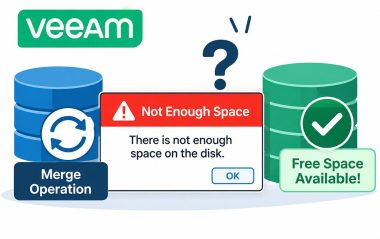
Veeam Backup: Not Enough Space Error During Merge Operation Even When Free Space Is Available on the Repository

Posted on 19/11/202619/11/2026 Lucas Magnum By Lucas Magnum No Comments on Veeam Backup: Not Enough Space Error During Merge Operation Even When Free Space Is Available on the Repository
Veeam Backup: Not Enough Space Error During Merge Operation Even When Free Space Is Available on the Repository

Recently, during a backup routine using VBR in a VMware vSphere environment, we identified failures across several backup jobs. Veeam reported that there was not enough disk space to complete the backup file Merge operation. In this blogpost, we shall discuss “Veeam Backup: Not Enough Space Error During Merge Operation, Even When Free Space Is Available…

Read More “Veeam Backup: Not Enough Space Error During Merge Operation Even When Free Space Is Available on the Repository” »

Backup

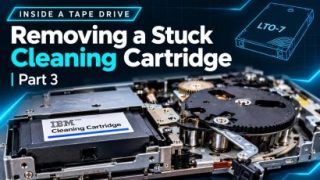
Inside a Tape Drive: Removing a Stuck Cleaning Cartridge – Part 3

Posted on 18/11/202621/11/2026 matheusgiovanini By matheusgiovanini No Comments on Inside a Tape Drive: Removing a Stuck Cleaning Cartridge – Part 3
Inside a Tape Drive: Removing a Stuck Cleaning Cartridge – Part 3

In Part 2, I explored the gears, motors, threading mechanism, and tape path inside an IBM LTO-6 drive. I also mentioned that the next step would be to see the mechanism in action. That opportunity came through a field intervention involving a cleaning cartridge stuck inside an LTO-7 drive. I went onsite, removed the drive…

Read More “Inside a Tape Drive: Removing a Stuck Cleaning Cartridge – Part 3” »

Backup

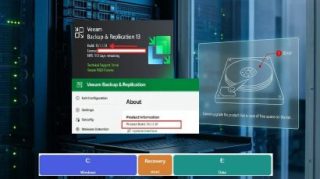
Upgrade Veeam Backup & Replication to v13.1.2.57: Fix VBR Update Failures Due to Low Disk Space on Windows Server

Posted on 08/11/202621/11/2026 Christian By Christian No Comments on Upgrade Veeam Backup & Replication to v13.1.2.57: Fix VBR Update Failures Due to Low Disk Space on Windows Server
Upgrade Veeam Backup & Replication to v13.1.2.57: Fix VBR Update Failures Due to Low Disk Space on Windows Server

Starting with the Veeam Data Platform v13.1 release cycle, the automated Veeam Updater module was introduced specifically to streamline rolling out cumulative patches and security updates (such as version 13.1.1.18) directly from the management interface (web console) without requiring manual ISO mounting for every minor patch. Pleaase see 500+ VeeamAUX Clones on IBM FlashSystem: What…

Read More “Upgrade Veeam Backup & Replication to v13.1.2.57: Fix VBR Update Failures Due to Low Disk Space on Windows Server” »

Backup

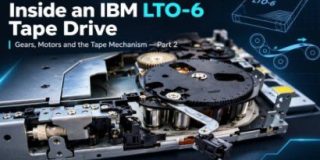
Inside an IBM LTO-6 Tape Drive: Gears, Motors and the Tape Mechanism — Part 2

Posted on 02/11/202621/11/2026 matheusgiovanini By matheusgiovanini No Comments on Inside an IBM LTO-6 Tape Drive: Gears, Motors and the Tape Mechanism — Part 2
Inside an IBM LTO-6 Tape Drive: Gears, Motors and the Tape Mechanism — Part 2

In the first part of this series, we explored the hardware and electronics of an IBM LTO-6 tape drive, including its SAS connectivity, cooling system, circuit boards, and internal motor structures. But there is another side of tape technology that I find even more interesting: the mechanical system. Please see Inside an IBM LTO-6 Tape…

Read More “Inside an IBM LTO-6 Tape Drive: Gears, Motors and the Tape Mechanism — Part 2” »

Backup

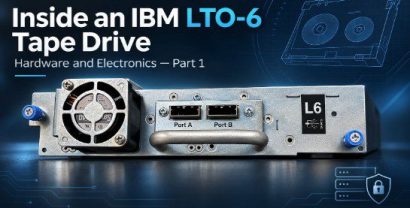
Inside an IBM LTO-6 Tape Drive: Exploring Its Hardware and Electronics [Part 1]

Posted on 01/11/202602/11/2026 matheusgiovanini By matheusgiovanini No Comments on Inside an IBM LTO-6 Tape Drive: Exploring Its Hardware and Electronics [Part 1]
Inside an IBM LTO-6 Tape Drive: Exploring Its Hardware and Electronics [Part 1]

When we talk about tape backup, we usually focus on storage capacity, transfer speeds, retention policies, media compatibility, and the importance of keeping offline copies of our data. But have you ever wondered what an LTO tape drive actually looks like on the inside? Please see Hardening Veeam Backup & Replication on Windows 2025: A…

Read More “Inside an IBM LTO-6 Tape Drive: Exploring Its Hardware and Electronics [Part 1]” »

Backup

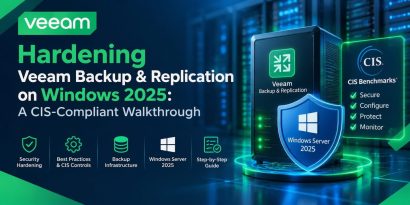
Hardening Veeam Backup & Replication on Windows 2025: A CIS-Compliant Walkthrough

Posted on 25/10/202630/10/2026 Link State By Link State No Comments on Hardening Veeam Backup & Replication on Windows 2025: A CIS-Compliant Walkthrough
Hardening Veeam Backup & Replication on Windows 2025: A CIS-Compliant Walkthrough

Acknowledgments & Project Inspiration: This guide and implementation walkthrough are inspired by the open-source hardening framework developed by Lukas Klostermann. A special thanks goes to Lukas for creating and sharing the excellent veeam-win-hardening-script on GitHub (https://github.com/lukas-kl/veeam-win-hardening-script). His work provides an invaluable foundation for automating CIS-compliant security baselines tailored specifically for Veeam infrastructure on Windows. Backup…

Read More “Hardening Veeam Backup & Replication on Windows 2025: A CIS-Compliant Walkthrough” »

Backup, Windows, Windows Server

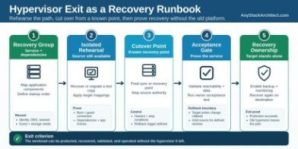
Your Hypervisor Exit Plan Should Be a Recovery Runbook

Posted on 21/09/202621/09/2026 Eric Black By Eric Black 2 Comments on Your Hypervisor Exit Plan Should Be a Recovery Runbook
Your Hypervisor Exit Plan Should Be a Recovery Runbook

A hypervisor exit should be planned like recovery: group workloads by application, test them on the target, define cutover and rollback gates, and prove the new platform can protect and recover them before the old one disappears.

Backup

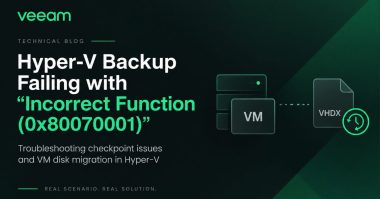
Veeam Hyper-V Backup Failing with “Incorrect Function” During Checkpoint Creation

Posted on 15/09/202616/09/2026 matheusgiovanini By matheusgiovanini No Comments on Veeam Hyper-V Backup Failing with “Incorrect Function” During Checkpoint Creation
Veeam Hyper-V Backup Failing with “Incorrect Function” During Checkpoint Creation

Recently I faced an interesting issue with a Hyper-V VM backup in Veeam. One specific VM suddenly started failing during checkpoint creation, while all the other VMs in the environment continued to be protected normally. Please see Synology Surveillance365: Cloud-Based Camera Management Without an On-Premises Surveillance Server, and Linux System Update: Upgrade vs. Dist-upgrade Differences….

Read More “Veeam Hyper-V Backup Failing with “Incorrect Function” During Checkpoint Creation” »

Backup

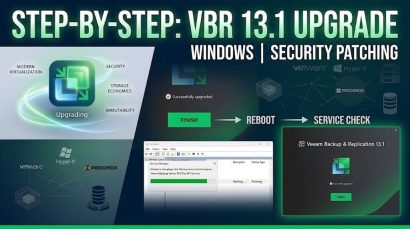
Strategic breakdown and step by step guide to upgrading to VBR 13.1

Posted on 27/08/202601/09/2026 Christian By Christian No Comments on Strategic breakdown and step by step guide to upgrading to VBR 13.1
Strategic breakdown and step by step guide to upgrading to VBR 13.1

With the General Availability (GA) of Veeam Data Platform 13.1, Veeam delivers one of its most critical releases to date. In this guide, we shall discuss the “Strategic breakdown and step by step guide to upgrading to VBR 13.1 on a Windows-based deployment”, and explore why upgrading to version 13.1 is essential for your infrastructure”….

Read More “Strategic breakdown and step by step guide to upgrading to VBR 13.1” »

Backup

Veeam Oracle RMAN Troubleshooting: Connection Timeout, Broken Pipe and a Stuck RMANPluginManager

Posted on 27/08/202627/08/2026 matheusgiovanini By matheusgiovanini No Comments on Veeam Oracle RMAN Troubleshooting: Connection Timeout, Broken Pipe and a Stuck RMANPluginManager
Veeam Oracle RMAN Troubleshooting: Connection Timeout, Broken Pipe and a Stuck RMANPluginManager

Oracle RMAN backups using the Veeam Plug-in for Oracle RMAN involve multiple components working together. When something goes wrong, the problem is not always immediately visible from the Veeam console. In this article, I want to share a real troubleshooting case where Veeam Backup & Replication reported the backup session as Success, while RMAN was…

Read More “Veeam Oracle RMAN Troubleshooting: Connection Timeout, Broken Pipe and a Stuck RMANPluginManager” »

Backup

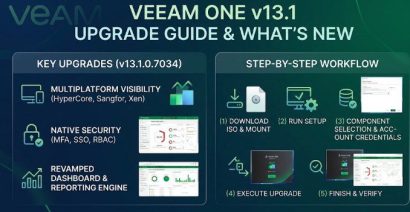
Veeam ONE 13.1.0.7034 Upgrade: Complete Pre-flight and Step-by-Step Guide

Posted on 26/08/202627/08/2026 Christian By Christian No Comments on Veeam ONE 13.1.0.7034 Upgrade: Complete Pre-flight and Step-by-Step Guide
Veeam ONE 13.1.0.7034 Upgrade: Complete Pre-flight and Step-by-Step Guide

In this article, we shall discuss the steps to upgrade Veeam ONE to build 13.1.0.7034. Veeam ONE 13.1 expands monitoring coverage, strengthens identity and access controls, improves threat visibility, and modernizes reporting and upgrade operations. Please see how to perform in-place upgrade of Veeam Recovery Orchestrator to version 13.1, Enhanced Proactive Monitoring with Veeam ONE,…

Read More “Veeam ONE 13.1.0.7034 Upgrade: Complete Pre-flight and Step-by-Step Guide” »

Backup

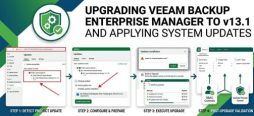
Upgrading Veeam Backup Enterprise Manager to v13.1 and Applying System Updates

Posted on 26/08/202603/09/2026 Christian By Christian No Comments on Upgrading Veeam Backup Enterprise Manager to v13.1 and Applying System Updates
Upgrading Veeam Backup Enterprise Manager to v13.1 and Applying System Updates

Veeam Backup Enterprise Manager (VBEM) provides centralized management, global data visibility, and Role-Based Access Control (RBAC) across multi-server backup environments. In this guide, we will walk through upgrading Enterprise Manager to version 13.1.1.18 via the web-based Veeam Host Management Console, aand applying underlying OS and security updates. Please see Veeam Enterprise Manager setup and User…

Read More “Upgrading Veeam Backup Enterprise Manager to v13.1 and Applying System Updates” »

Backup

Posts pagination

1 2 … 13 Next

Microsoft MVP

vexpert-badge-stars-5

Virtual Background

VEEAMLEGEND

Categories

Top 30 Sysadmin blog

veeaam100

Veeam Vanguard

  • Featured image Thumbnails issue on Windows 11
    Fix File Explorer thumbnails issue on Windows 11 Windows
  • How to Hide or Fix HP Printer Updates Windows Error 0x800f020b
    Hide Windows Updates: How to Hide or Fix HP Printer Windows Updates Error 0x800f020b Windows
  • final tomcat feature
    How to install Apache Tomcat on Ubuntu Linux
  • article 1280x720.192a2586
    Windows Deployment Services: How to setup and install WDS role Windows Server
  • Windows 11 Taskmanager
    Create Task Manager Shortcuts: How to add access, pin the Task Manager on Windows 11 Windows
  • log out due to inactivity
    Automatically Log Out After a Period of Inactivity on Mac Mac
  • print driver
    How to update Printer Drivers on your Windows device Windows
  • ADV Guide 1 e1782748488737
    Azure Virtual Desktop: Deploy host pools and session hosts in the Azure [Part 01] AWS/Azure/OpenShift

Subscribe to Blog via Email

Enter your email address to subscribe to this blog and receive notifications of new posts by email.

Join 1,735 other subscribers
  • RSS - Posts
  • RSS - Comments
  • About
  • Authors
  • Write for us
  • Contact
  • Advertise with us
  • General Terms and Conditions
  • Privacy policy
  • Feedly
  • Telegram
  • Youtube
  • Facebook
  • Instagram
  • LinkedIn
  • Tumblr
  • Pinterest
  • Twitter
  • mastodon
  • Bsky

Tags

Active Directory Azure Bitlocker Microsoft Windows PowerShell WDS Windows 10 Windows 11 Windows Deployment Services Windows Server 2016

Copyright © 2026 TechDirectArchive