Skip to content

TechDirectArchive

Hands-on IT, Cloud, Security & DevOps Insights

  • Home
  • About
  • Advertise With US
  • Reviews
  • Contact
  • Toggle search form
Home » Windows Server » How to target WSUS clients with the registry keys
  • azure file share feature image
    Deploy Legacy App to Azure Fileshare AWS/Azure/OpenShift
  • bypass windows login main img
    How to disable auto login in Windows Windows
  • 7164 1024x575 1
    How to install MDT PowerShell module on Windows Scripts
  • servicechannels3 1
    Long Term Servicing Branch vs Semi-Annual Channel Windows
  • nonexistent AD
    Fix Active Directory Domain Controller (AD DS) for this domain could not be contacted Windows Server
  • image 54
    How to enable Amazon S3 default bucket encryption using S3 Console AWS/Azure/OpenShift
  • proxmox ve 6.1 released
    Installing Proxmox VE: Fix Volume Group Creation Error Virtualization
  • maxresdefault 2 7
    How to record your screen with PowerPoint and make slide shows Mac

How to target WSUS clients with the registry keys

Posted on 10/03/201814/04/2025 Christian By Christian 8 Comments on How to target WSUS clients with the registry keys

The Windows Registry is a hierarchical database that stores low-level settings for the Microsoft Windows operating system and for applications that opt to use the registry. The kernel, device drivers, services, Security Accounts Manager, and user interface can all use the registry. In this article, you will learn how to target WSUS clients with registry keys. Please see WSUS Setup: How to configure Windows server update services, and Client Visibility Issues: Fix WSUS Clients appear then disappear in the console.

Here are some related WSUS contents. Handy WSUS Commands(Windows Server Update Services Commands, WAUACLT, PowerShell and USOClient). Also, see how to Start, Stop and Restart Windows Server Update Services (WSUS) via PowerShell and CMD.

Steps to target WSUS clients with the registry keys

The below syntax should be saved with the .reg extension and in order to create the registry keys. In this step. I will be using the registry key as this can also be used to point the server to the Upstream server.

Create the registry key and save it anywhere on your PC. Next, double-click to run the reg file created, and reboot your PC.

Here is what the registry settings would look like, you can modify this by specifying the IP address. In the previous example, I used the local group policy. For more articles written by me on the Windows registry, see the following hyperlinks. What is Registry Editor and how to access the registry hives? and how to search through the Windows registry.

Windows Registry Editor Version 5.00

[HKEY_LOCAL_MACHINE\SOFTWARE\Policies\Microsoft\Windows\WindowsUpdate]
"ElevateNonAdmins"=dword:00000001
"WUServer"="http://x.x.x.x:8530"
"WUStatusServer"="http://x.x.x.x6:8530"

[HKEY_LOCAL_MACHINE\SOFTWARE\Policies\Microsoft\Windows\WindowsUpdate\AU]
"NoAutoUpdate"=dword:00000000
"AUOptions"=dword:00000003
"ScheduledInstallDay"=dword:00000000
"ScheduledInstallTime"=dword:0000000f
"AutoInstallMinorUpdates"=dword:00000001
"UseWUServer"=dword:00000001

For more articles I have written, see the following hyperlinks: Configuring WSUS Email Notification to Work With Office365, How to setup and configure Windows server update services (WSUS), and Important Areas to Master on WSUS (Installed and not applicable, Install 1/4, and Installed / Not applicable 100)

Run the created Registry Key

After saving the file with the .reg extension and running it, these entries will be created in the registry

Note: You can also use the local group policy alongside additional options.

In order to be reported and have the WSUS server approve updates on the server, run the following commands below. These commands below force our servers to contact the WSUS server.


They both can also be run at the same time as shown below. Please see how to disable automatic Windows updates.

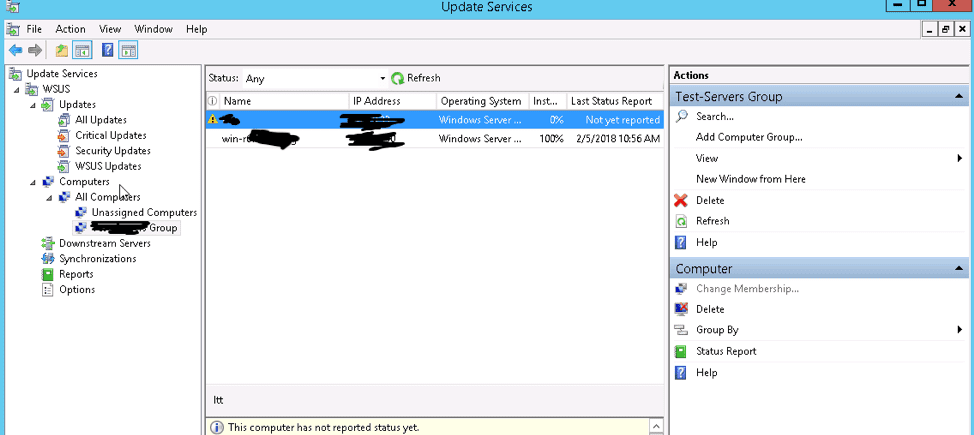
Navigate to the WSUS server and refresh the computer group, this server should appear.
Also, see How to apply Windows Updates from WSUS to the server using AWS RunCommand, and How to Configure SSL between WSUS servers (Upstream and Downstream Servers)

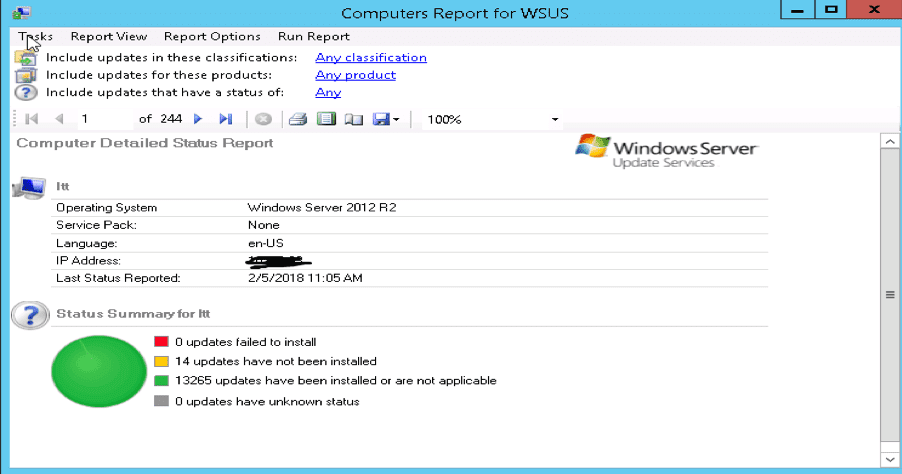
View WSUS Reports

Note: To view the report, you will have to download and install Microsoft Report Viewer.

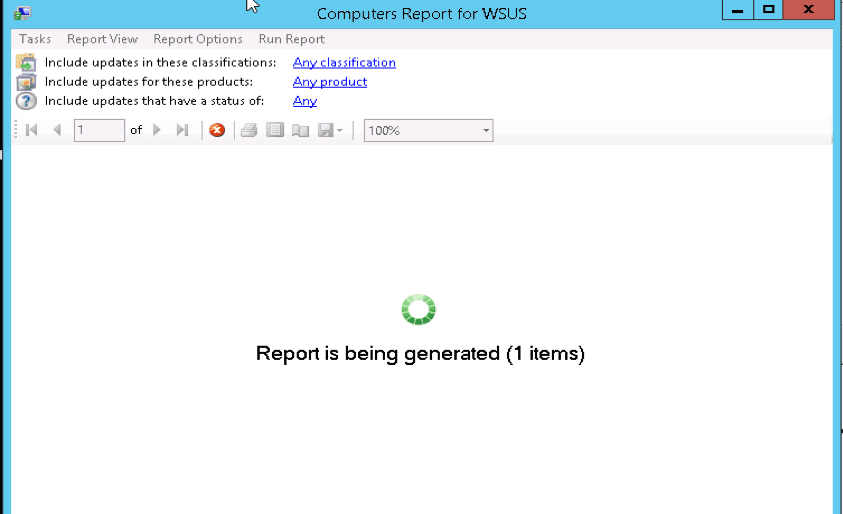
With this installed reports can be generated as shown below

Windows Server Update Services: Windows 2016 Servers does not show up on WSUS console, and WSUS clients appear and disappear from the WSUS Update Services console.

FAQs

How does the AU Client work with WSUS?

The AU client understands each client setting, communicates with the WSUS server on a scheduled basis, and keeps your client up to date. Each supported Microsoft OS includes its own version of the AU client; however, the client machine updates the AU client to the latest version when it first contacts your WSUS server to ensure compatibility.

Why does the AU client need to update when connecting to a WSUS server?

The AU client must update to the latest version to ensure compatibility with WSUS and its features. This update occurs automatically when the client machine first contacts the WSUS server, allowing the AU client to apply the correct settings and manage updates effectively.

I hope you found this blog post helpful on how to target WSUS clients with the registry keys. Please refer to this article on how to disable unused Cisco Access Ports. If you have any questions, please let me know in the comment session.

5/5 - (1 vote)

Thank you for reading this post. Kindly share it with others.

  • Share on X (Opens in new window) X
  • Share on Reddit (Opens in new window) Reddit
  • Share on LinkedIn (Opens in new window) LinkedIn
  • Share on Facebook (Opens in new window) Facebook
  • Share on Pinterest (Opens in new window) Pinterest
  • Share on Tumblr (Opens in new window) Tumblr
  • Share on Telegram (Opens in new window) Telegram
  • Share on WhatsApp (Opens in new window) WhatsApp
  • Share on Pocket (Opens in new window) Pocket
  • Share on Mastodon (Opens in new window) Mastodon
  • Share on Bluesky (Opens in new window) Bluesky
  • Share on Threads (Opens in new window) Threads
  • Share on Nextdoor (Opens in new window) Nextdoor
Windows Server Tags:Microsoft Windows, RegEdit, Registry Keys, RegistryEditor, Windows 10, Windows 11, Windows Registry, Windows Server 2016

Post navigation

Previous Post: How to configure Windows server update services
Next Post: Configure SSL connection for WSUS Upstream and Downstream Servers

Related Posts

  • image001
    Fix Certificate Error: Unable to access Windows Admin Center from the Web Windows Server
  • screenshot 2020 04 04 at 01.38.38
    Fix Failed to create scheduled task due to Windows Server Management service issue Windows Server
  • fix 0x00400d error
    Fix the request to add or remove features failed 0x00400d Windows Server
  • dasfdg
    Unable to execute: The application GUID not found in the application list Windows Server
  • FileNotFoundError Errno 2 No such file or directory
    Fix FileNotFoundError: [Errno 2] No such file or directory Scripts
  • banner 3
    How to Enable or Disable SuperFetch in Windows 11 Windows

More Related Articles

image001 Fix Certificate Error: Unable to access Windows Admin Center from the Web Windows Server
screenshot 2020 04 04 at 01.38.38 Fix Failed to create scheduled task due to Windows Server Management service issue Windows Server
fix 0x00400d error Fix the request to add or remove features failed 0x00400d Windows Server
dasfdg Unable to execute: The application GUID not found in the application list Windows Server
FileNotFoundError Errno 2 No such file or directory Fix FileNotFoundError: [Errno 2] No such file or directory Scripts
banner 3 How to Enable or Disable SuperFetch in Windows 11 Windows

Comments (8) on “How to target WSUS clients with the registry keys”

  1. Avatar photo GhostRaven says:
    02/12/2021 at 6:58 AM

    can I use DC server to apply the new WSUS ip ? I change the policy but the register table is not change。

    Log in to Reply
    1. chris Christian says:
      03/12/2021 at 12:54 AM

      YES, please!

      Log in to Reply
  2. Avatar photo GhostRaven says:
    02/12/2021 at 7:05 AM

    when I change the register table as you show above, it works well. but I have thousands of PC. So how can i apply the new WSUS server ip to all the clients.

    Log in to Reply
    1. chris Christian says:
      03/12/2021 at 12:49 AM

      Please use Group Policy Management (GPO) to target the clients in a Domain environment!

      Log in to Reply
  3. Avatar photo Raghu says:
    01/08/2023 at 9:19 AM

    I made a GPO and pushed it from the AD server. However, the majority of virtual computers display “the RPC server is unavailable”.

    Log in to Reply
    1. Avatar photo Christian says:
      01/08/2023 at 9:59 AM

      Since this affects only a subset of PCs’, there is no need to troubleshoot (verify) the policies with WSUS client agent. Could you verify if the WSUS agent service (wuauserv) is running? If yes, run (gpupdate /force) and re-run this command (wuauclt /detectnow) to fix or update the agent, run. This could also be a network-related issue (DNS-related). If all the services are running, the DNS flush and renew might fix it.

      Kindly take a look at the Windows Event Viewer (windowsupdate.log) for more information as there could be other reasons why the error is prompted.

      Log in to Reply
  4. Avatar photo Vinnny says:
    24/10/2023 at 2:48 PM

    so cool!

    Log in to Reply
    1. chris Christian says:
      25/10/2023 at 7:00 PM

      Thank you, Vinnny!

      Log in to Reply

Leave a Reply Cancel reply

You must be logged in to post a comment.

Microsoft MVP

VEEAMLEGEND

vexpert-badge-stars-5

Virtual Background

GoogleNews

Categories

veeaam100

sysadmin top30a

  • azure file share feature image
    Deploy Legacy App to Azure Fileshare AWS/Azure/OpenShift
  • bypass windows login main img
    How to disable auto login in Windows Windows
  • 7164 1024x575 1
    How to install MDT PowerShell module on Windows Scripts
  • servicechannels3 1
    Long Term Servicing Branch vs Semi-Annual Channel Windows
  • nonexistent AD
    Fix Active Directory Domain Controller (AD DS) for this domain could not be contacted Windows Server
  • image 54
    How to enable Amazon S3 default bucket encryption using S3 Console AWS/Azure/OpenShift
  • proxmox ve 6.1 released
    Installing Proxmox VE: Fix Volume Group Creation Error Virtualization
  • maxresdefault 2 7
    How to record your screen with PowerPoint and make slide shows Mac

Subscribe to Blog via Email

Enter your email address to subscribe to this blog and receive notifications of new posts by email.

Join 1,825 other subscribers
  • RSS - Posts
  • RSS - Comments
  • About
  • Authors
  • Write for us
  • Advertise with us
  • General Terms and Conditions
  • Privacy policy
  • Feedly
  • Telegram
  • Youtube
  • Facebook
  • Instagram
  • LinkedIn
  • Tumblr
  • Pinterest
  • Twitter
  • mastodon

Tags

AWS Azure Bitlocker Microsoft Windows PowerShell WDS Windows 10 Windows 11 Windows Deployment Services Windows Server 2016

Copyright © 2025 TechDirectArchive


Loading Comments...
 

You must be logged in to post a comment.