Upgrading Veeam Backup & Replication v13 host components such as Proxmox often hits a wall during the “Upgrade Veeam Host Components” phase. In this guide, we shall discuss how to upgrade Host Components: Unable to reinstall Deploy Service SSH. The root cause of this issue is a missing single-use SSH credentials configured at upgrade time. Please, see How to deploy and integrate VHR with VBR, and Harden Active Directory Using CIS Benchmark and MSCT 1.0.
Veeam generates Single-Use Credentials as temporary, ephemeral credentials to securely deploy and upgrade components on managed hosts. The system creates these credentials dynamically during deployment or upgrade operations and limits their lifetime. Veeam requires Single-Use Credentials to meet modern security and compliance expectations.
Also, see how to reset and reinstall Windows 10 from the cloud and how to recover your Windows 10 when you cannot boot to Windows,
Failed to upgrade Veeam Host Components
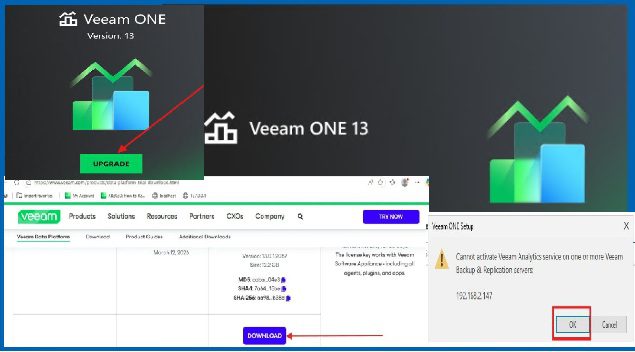
During an upgrade path and in-place upgrade to Veeam Backup & Replication v13, you may encounter an error when upgrading host components: “Unable to reinstall Deploy Service (SSH)”.
As mentioned above, this is because of the unavailable Single-Use Credentials (SUCs) at the time of the upgrade as shown below.

Please, see How to reset and reinstall Windows 10 locally, how to reinstall Server Manager and disable Server Manager at startup for all users and login users, and how to Associate SSH Public key with Azure Linux VM.
Why a simple upgrade cannot fix this issue
The below steps will not work. As you can see, the component upgrade and Server upgrade are available.
When you try to upgrade via this method, the upgrade will fail. This is because, we have to provide a single use credential for the VHR.

The same behavior from the Backup repository wizard as it does not offer the opportunity to enter the single use credential. The upgrade will also fail.

Please, se How to add or remove email addresses from a mailbox, how to Remove a profile on outlook, and Basic Cisco ASA troubleshooting Commands Guide.
Fix Unable to reinstall Deploy Service SSH
The backup infrastructure is the collection of components that work together to create, transport, process, store, and restore backup data.
To fix this, we will have to navigate to the Backup Infrastructure, select the server and click on “Edit Server”.

Click on Single-use credential for hardened repository as shown below

If you select SSH credential and enter a password. It will fail with the below error “unable to change credential for “REPO”. It has a hardened repository role assigned which requires the usage of single use credentials.
Therefore, ensure you follow my directive above as you do not have this password and can only be generated from the VHR.

Please, see How to perform Password Change with OWA, how to Fix Outlook Not Responding and Outlook Crashing or freezing, and Cluster creation in Proxmox VE.
Get Single-Use Credential from the Hardened Repository
To get the single-use credential from the Hardened Repository, navigate tot he VHR as deployed here “How to deploy and integrate VHR with VBR“.
launch the Shell and click on Start SSH

When this process completes, Veeam generates a single-use credential with a username and password.

Next, from the VBR console, enter the credentials as shown below and click on OK.

As you can see, it is checking for SSH connection.

The previous installed components are being detected. I will be showing you how to upgrade to the latest VHR in the next guide. When complete, click on Next.

Operation slowly being performed.

Click Next to continue to summary window or click Finish on the fly here.

Below is the summary of the operations performed (upgraded). Now, feel free to click the finish button

Please, see some guides from tile “Administer LXC Containers: Easy Guide“, how to Block Change Password for Specific Exchange Users, and how to block the Change Password Feature for All Users via the Exchange Administrative Center“.
Stop VHR SSH Service
Lastly and most importantly, do not forget to stop the SSH service on the VHR when complete.

When prompted, click on Yes as shown below.

SSH has been stopped and disabled.

I hope you found this article on how to upgrade Host Veeam Components: Unable to reinstall Deploy Service SSH very useful. Please, feel free to leave a comment below.