Set up OpenShift Cluster using Red Hat CodeReady Containers

Red Hat OpenShift is the leading enterprise Kubernetes platform, built for an open hybrid cloud strategy. It is available as a fully managed cloud service on leading public clouds or as a self-managed software offering for organizations requiring more customization. OpenShift is the industry-leading hybrid cloud PaaS hosted by RedHat. It allows developers to quickly build, test, deploy and scale container-based applications consistently anywhere across on-premise, public clouds, and edge environments. Kindly refer to some of my related guides: Openstack Deployment with Devstack, Deploying a load balancer from scratch and adding backend servers, how to monitor services using Zabbix, and how to set-up PowerShell on a Linux server. In this article, you will learn how to set up OpenShift Cluster using Red Hat CodeReady Containers.
Red Hat OpenShift includes an enterprise-grade Linux operating system, container runtime, networking, monitoring, registry, and authentication and authorization solutions. Automate life-cycle management to get increased security, tailored operations solutions, easy-to-manage cluster operations, and application portability.
Installation using CodeReady Container
CodeReady Containers is one of the easiest ways for developers to run a minimal OpenShift cluster on a local laptop or desktop for free at no cost. It is designed to run a single Openshift node as a virtual machine.
Here are some related guides: How to install a Windows server container host. Learn about OpenShift common Commands, how to fix failover Cluster Manager failed while managing one or more clusters, DNS Bad key 9017: The Cluster Name registration failed of one or more associated DNS names, and how to install and uninstall Docker Desktop on Windows.
System Requirements
CodeReady Containers can run on Windows 10, Mac OS 10.14 Mojave or a newer version, and on Linux. It supports RHEL/CentOS 7.5 or a newer version, Ubuntu 18.04 or a newer version etc.
It requires the following minimum hardware and operating system resources:
- 4 virtual CPUs (vCPUs)
- 8 GB of memory
- 35 GB of storage space
Installation of OpenShift 4 Cluster using Red Hat CodeReady Containers
The following steps assume you are running on an RHEL machine and you would require the following packages.
NetworkManager
Libvirt
Step 1: Install the required software packages
$ su -c 'yum install NetworkManager'


Step 2: Install the CodeReady container by Downloading the latest binary file for CRC using the URL below. And also copy your image secret with the “Copy Pull Secret” link from the page. it would be needed later
$ wget https://mirror.openshift.com/pub/openshift-v4/clients/crc/latest/crc-linux-amd64.tar.xz
Extract the downloaded CodeReady Containers archive.
tar xvf crc-linux-amd64.tar.xz

create the ~/bin directory and copy the crc executable to it
mkdir -p ~/bin

cp ~/Downloads/crc-linux-*-amd64/crc ~/bin

add the ~/bin directory to your PATH:
$ export PATH=$PATH:$HOME/bin

echo 'export PATH=$PATH:$HOME/bin' >> ~/.bashrc

Step 3:Deploy CodeReady Containers virtual machine
$ crc setup
Use this command to set up your host operating system for the CodeReady Containers virtual machine.


This would initiate a series of checks by the installer. And once its done you can finally start the openshift cluster on your local machine
crc start

Copy and paste the pull secret after a few moments. You should be given the login credentials and URL for the cluster and a message stating that CodeReady Containers is running.

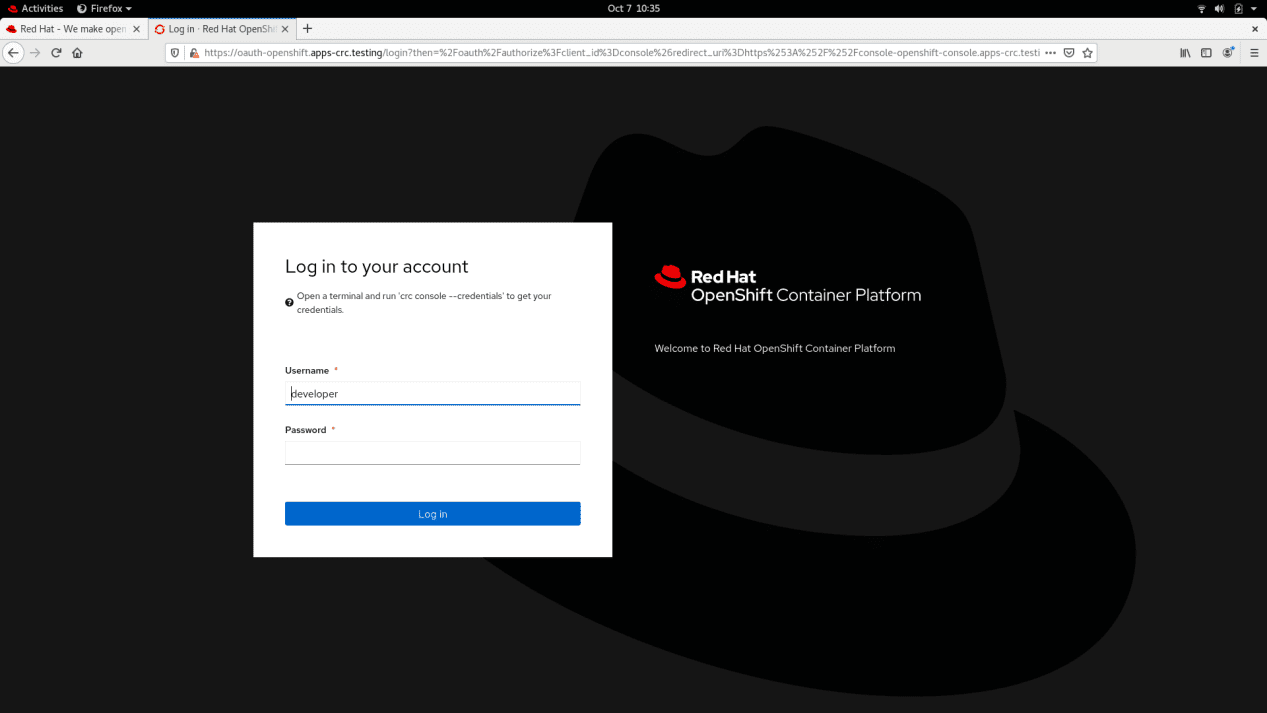
Step 4:Access OpenShift cluster. After deploying your OpenShift cluster locally. You can access it from the CLI or by opening the OpenShift console on your web browser with the URL provided.
Here are some related guides: How To Deploy Azure VMware Solution Private Cloud, Boot failure: How to fix EFI network timeout on VMware Workstation, and How to solve VMware workstation .lck error.
I hope you found this blog post helpful on how to Set up OpenShift Cluster using Red Hat CodeReady Containers. If you have any questions, please let me know in the comment session.